
Written by Outrank. Published by Mallary Labs LLC.
Published .
7 Social Media Dashboard Examples Worth Studying in 2026
You're building social features into your own product, and a stakeholder wants one screen that shows posts, comments, and performance across five networks. You open a few roundups of social media dashboard examples, and they all show the same neat grid of follower counts and engagement charts. None of them tells you how the data stays fresh, where comments get answered, or what breaks when a platform changes a metric definition.
That plumbing matters more than the layout. The DataReportal Digital 2025 Global Overview Report recorded 5.24 billion active social media user identities worldwide, and connected adults used an average of 6.83 social platforms per month. Your audience isn't on one network, and each network measures reach, views, and engagement differently.
These seven examples are judged by a different standard. I look at how each unified view is structured, whether scheduling connects to post-level analytics, where the engagement inbox sits, and whether you're looking at a live tool or only a reporting template. Copy the pattern that matches your job, and skip the rest.
Table of Contents
- 1. Mallary.ai
- 2. Hootsuite
- 3. Sprout Social
- 4. Whatagraph
- 5. Porter Metrics
- 6. Metricool
- 7. Buffer
- How the seven dashboards compare on the features teams need
- Pick the Dashboard Pattern Your Team Can Actually Ship
1. Mallary.ai
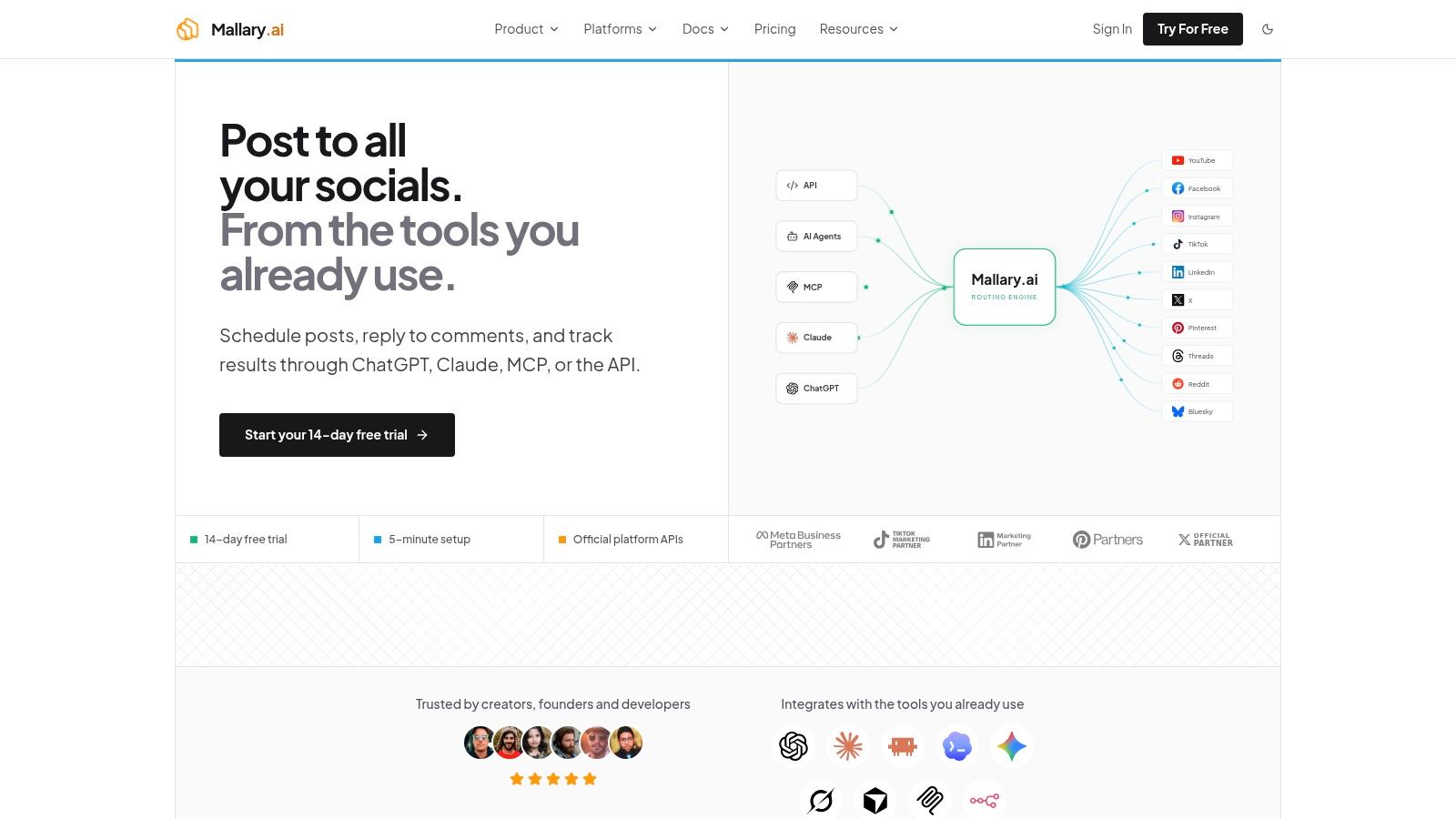
Most examples here show you a finished screen. Mallary.ai is worth studying because it shows the layer underneath, with publishing, comment engagement, and analytics behind one API and dashboard. You publish now or schedule through the API, MCP, CLI, dashboard, ChatGPT, Claude, n8n, or Make, and the infrastructure handles OAuth, token refresh, rate limits, retries, and queued jobs instead of pushing that maintenance onto your team.
What to Copy From the Pattern
The useful pattern is the loop, not any single chart. A post goes out, comments come back to the same system, and you compare views, likes, comments, and audience growth across profiles without reconciling exports. Automated first comments and AI-powered comment replies sit inside that loop, so engagement isn't a separate tool you check later.
That consolidation addresses a real measurement problem. Marketers use an average of six tools, yet only 18% report having a clear view of what's working, according to Marketing Dive's reporting on measurement difficulties. Fewer disconnected tools won't fix conflicting platform definitions, but one integration at least keeps your post IDs, timestamps, and account dimensions consistent.
Mallary advertises support for 10 platforms, including YouTube, Facebook, Instagram, TikTok, LinkedIn, X, Pinterest, Threads, Reddit, and Bluesky. It uses official APIs rather than scraping or browser bots, and it describes itself as a Meta Verified Tech Provider, with recognition including X Enterprise Tier, Instagram approval, LinkedIn Marketing Partner, and verified status with TikTok, Google, and Pinterest. Customer testimonials praise quick setup, a simplified TikTok API, and OAuth management.
- Best for: Teams embedding social publishing and analytics into their own app or automation
- Trade-off: Supported platforms, post formats, and readiness vary, so confirm your exact network and workflow before you commit
- Pricing note: There's a 14-day free trial with free and business tiers described, but confirm current plan prices on the site
One limit to plan around is branding. Mallary says its name doesn't appear on published posts, but its FAQ clarifies that it isn't a full white-label service. If invisible infrastructure is a hard requirement, test that during the trial.
2. Hootsuite
Hootsuite's strength as an example isn't a single screen, it's the way it ties dashboard layout to a stated goal. Its guide organizes examples around jobs like brand awareness and conversions, with KPI suggestions for each, and its Social OS product combines publishing, inbox management, monitoring, and analytics in one place. Start at Hootsuite if you want a live reference for how a mature team workflow holds together.

The Evidence Behind the Pattern
The clearest proof point is operational, not visual. After one year with a unified social strategy and analytics dashboard, Barceló Hotel Group reported a 46% increase in new followers, a 12% increase in engagement across channels, and a 30% reduction in reporting time, according to the Hootsuite Barceló Hotel Group case study. That case doesn't establish a controlled causal experiment, but it shows which two metric families belong together, executive KPIs and the reporting effort required to produce them.
Design lesson: Put a workflow metric like reporting time next to follower growth. A dashboard that only proves content performed can't prove the team got faster.
Hootsuite offers custom performance reports and workflow automation on professional plans, with team seats and approval-oriented workflows on higher plans, plus a 14-day trial. The trade-offs are practical ones. The example guide is inspiration, not a downloadable template you can copy into your own stack. Pricing is per user, so costs rise as you add seats or move up tiers. Some older walkthroughs also won't match the current interface, since legacy Streams functionality was retired in October 2025.
3. Sprout Social
Say your dashboard problem isn't data collection at all. Your team has numbers, but leadership meetings derail because everyone presents them in a different format every month. That's the gap Sprout Social fills best in this list.
Its free social media reporting toolkit includes an internal dashboard template, a reporting worksheet, and a monthly or quarterly reporting document. The guidance around KPI selection pushes you to connect social activity to business objectives and present competitive context, not just hand over a stack of platform exports. For agencies especially, that structure is worth borrowing, and it's the same reporting discipline that separates tools in any serious roundup of agency-focused social media management tools.
Where It Works and Where It Stops
The toolkit works as a planning artifact. You decide which KPIs earn a permanent slot, how you'll explain them to stakeholders, and what a recurring report looks like before you automate anything. Teams that skip this step usually build a live dashboard full of metrics nobody can interpret.
- Free toolkit: Useful for settling your reporting format before you buy anything
- Paid platform: Reporting at profile, post, and group levels for teams that need live data
- Trade-off: The download isn't a plug-and-play dashboard populated with your data
The paid platform sits at a relatively high price point, and some advanced reporting and workflow capabilities require higher tiers. I'd treat Sprout as two separate references. Steal the free template structure freely. Buy the platform only if stakeholder reporting and competitive context are your main jobs, not if you mainly need a publishing API.
4. Whatagraph
Whatagraph takes the opposite bet from an all-in-one tool. It doesn't try to be your publishing calendar or your inbox. It focuses on polished, repeatable reporting that pulls connected data into templates, which makes it a clean reference for client-facing work. You can review the approach at Whatagraph.
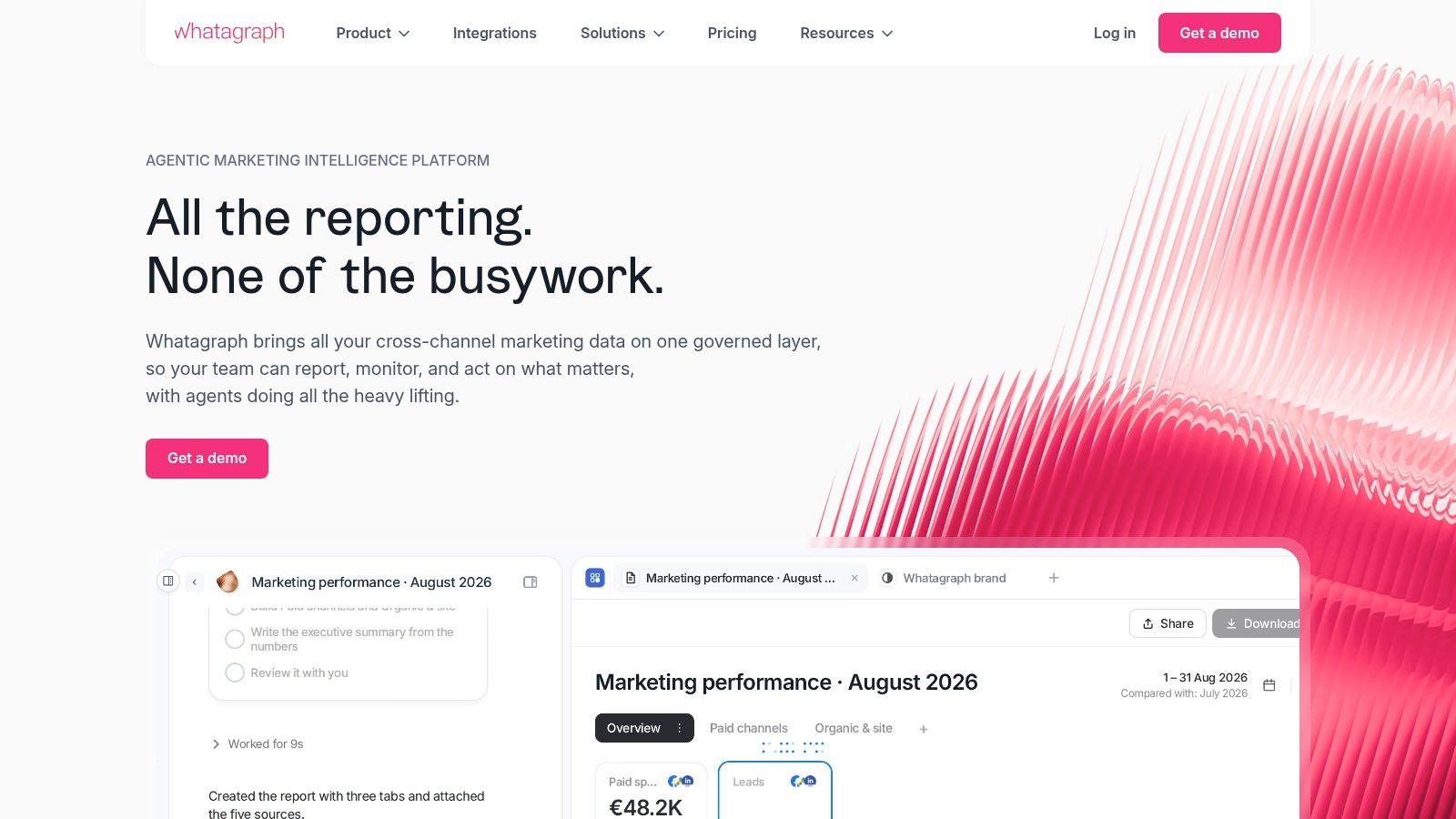
Its social example covers Instagram, Facebook, and YouTube, combining audience size and performance summaries with content-level interpretation on the same report. That layout choice matters. A summary number without the posts behind it can't tell a client what to do next, and a post list without a summary can't tell them whether the month was good.
Why Historical Comparison Belongs Here
A reporting layer earns its keep when it separates reach from active, growing attention. The Pew Research Center Americans' Social Media Use 2025 survey of 5,022 U.S. adults found TikTok adoption rose from 21% in 2021 to 37% in 2025, while Instagram increased from 40% to 50%. A dashboard that shows only this month's totals hides exactly that kind of strategic shift, so steal Whatagraph's overview-then-content structure and add a multi-year comparison row.
- Best for: Concise, repeatable reports across multiple connected sources
- Strength: Templates populate with connected data instead of starting from a blank page
- Trade-off: The example guide is inspiration, and live data requires product setup
Check connector availability and plan limits for each platform you need. A solo creator may also find this is more reporting infrastructure than the job requires.
5. Porter Metrics
Porter Metrics is the most hands-on example here, and the easiest to dismantle and rebuild. It's a social media dashboard template for Google Looker Studio, available through Porter Metrics, so every chart, filter, and calculated field sits where you can inspect it. That transparency is the point.
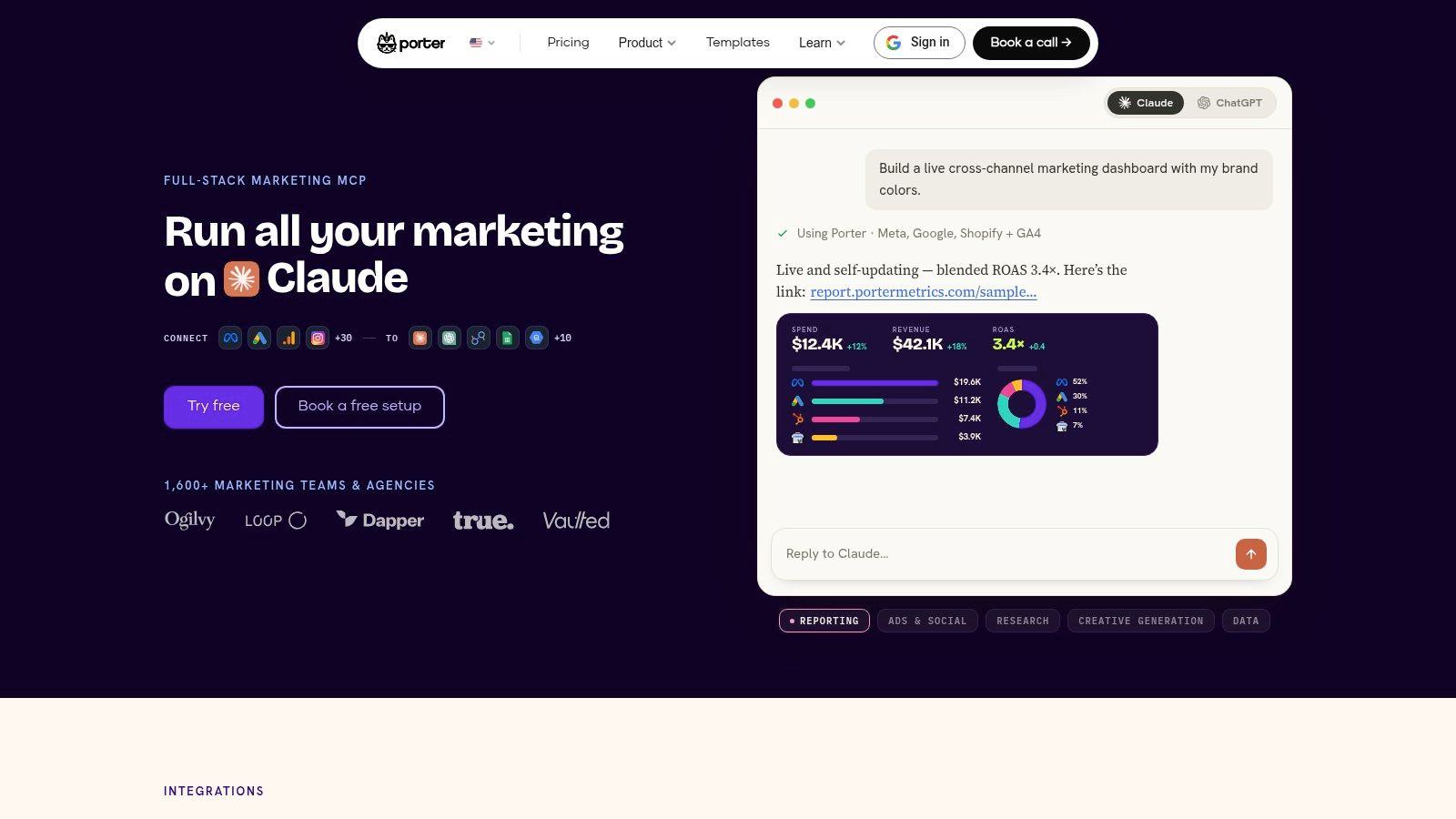
The template tracks engagement rate, follower growth, and reach, with breakdowns by platform, date range, and audience demographics. Reports can be shared by PDF, link, or email, which suits teams presenting findings to clients who'll never log into the source tool. If you're designing the engagement side of this layout, the deeper breakdown of a dedicated social media engagement dashboard pairs well with this template's structure.
The Data Model Under the Template
What makes the template work is normalized fields, not the chart choices. An academic project that unified multiple platforms into one visual report tracked post opening rate, click rate, follower count, and content interaction, and found graphical trend views made channel differences easier to identify, as documented in the Theseus social media reporting project. Copy that discipline. Store platform, account, post, and time as dimensions, and label native fields separately from derived ones.
Don't silently blend metrics that platforms define differently. Show the source network and calculation next to the number, or your cleanest chart becomes your least trustworthy one.
The limits are clear. Connecting data may require setup and compatible connectors, and the template does reporting only, with no publishing or reply management.
6. Metricool
Metricool is the example to open when you want to watch planning and measurement share one screen. It's a live product at Metricool that combines social analytics, scheduling, competitor tracking, and reporting, so a post you queue today lands in the same interface that judges it next week. That adjacency is what template-only examples can't show you.
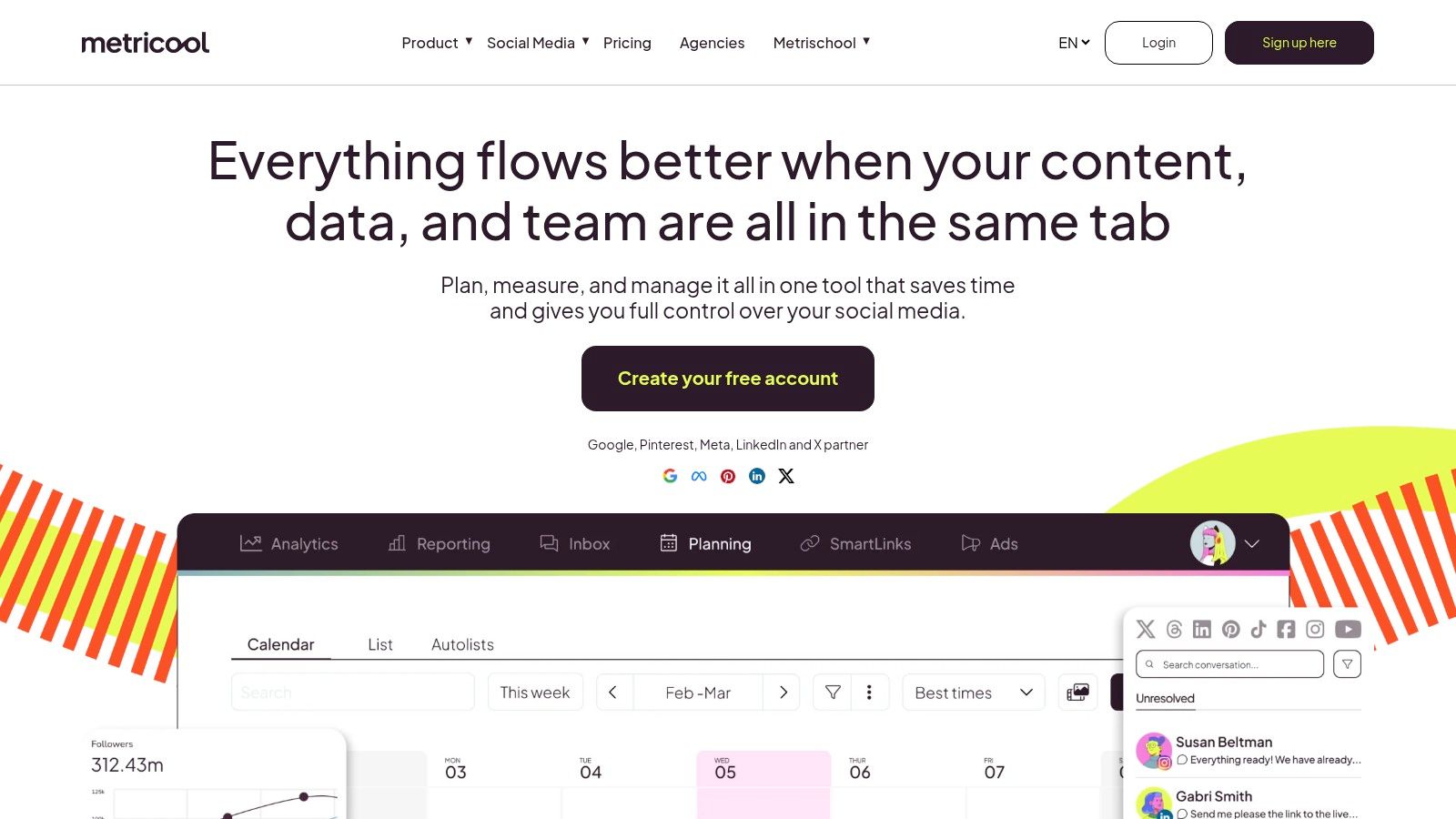
The free plan lowers the cost of studying it. You get one brand, up to 20 scheduled posts per month, competitor analysis, and 30 days of analytics, which is enough to evaluate whether the workflow fits before you pay. Higher plans add team and client management, role management, approvals, and report templates for agency-style work.
What This Example Doesn't Show You
A tidy live dashboard can hide the reliability work underneath it. Measurement barriers include data-privacy concerns at 27%, technology-integration issues at 23%, and limited internal skills at 21%, according to MarTech's analysis of marketing measurement complexity. When you evaluate Metricool or copy its layout, ask what the screen shows when an import is delayed or a platform restricts a metric. A missing value displayed as zero will corrupt every decision downstream.
- Best for: Teams that want scheduling and analytics in one operational workflow
- Strength: Free access makes hands-on evaluation easy
- Trade-off: Free-plan network and feature availability is limited, and brand-based limits can constrain agencies with many clients
Treat it as a working product to learn from, not a template you can lift into another reporting system.
7. Buffer
Buffer makes the most restrained choice in this list, and restraint is worth studying. The dashboard at Buffer centers on a unified publishing calendar and post queue, with lightweight channel insights like follower growth, engagement, and impressions attached. Nothing on the screen pretends to be a full analytics suite.
That focus suits creators and smaller teams whose real bottleneck is getting posts out consistently. The free plan supports up to three channels and 10 scheduled posts per channel, which is enough to test the publishing workflow end to end. If scheduling depth is your deciding factor, compare that queue model against the options in this breakdown of social media scheduler tools before you commit to a layout.
Where the Simplicity Costs You
Paid plans add custom analytics, reports, branded reports, and approval workflows, but analytics depth and feature availability still vary by channel and plan. Buffer supports a broad set of social channels, yet a feature that exists for one network may not exist for another, so check your specific mix. Per-channel pricing keeps costs tied to the accounts you manage, which is fair at three channels and less comfortable at thirty.
- Best for: A straightforward reference when scheduling matters more than advanced analytics
- Strength: Approachable for creators and small teams, with a useful free tier
- Trade-off: Complex reporting needs may require a dedicated analytics tool or a higher tier
I'd copy Buffer's queue-first layout for an internal tool aimed at non-technical users. I wouldn't copy it if post-level drill-down or cross-channel comparison is the reason the dashboard exists. Simplicity here is a deliberate trade, not a free win.
How the seven dashboards compare on the features teams need
| Item | Format | Publishing and Scheduling | Engagement Inbox | Free Plan |
|---|---|---|---|---|
| Mallary.ai | Multi-platform API and dashboard | Publish now or schedule across supported platforms | Comment management, automated first comments, and AI replies | 14-day trial; free option described, details unspecified |
| Hootsuite | Social media management platform and dashboard examples | Publishing and workflow tools included | Inbox management included | 14-day trial; ongoing free plan not specified |
| Sprout Social | Reporting toolkit and paid analytics platform | Not included in the free toolkit | Not included in the free toolkit | Free reporting toolkit; not a live dashboard |
| Whatagraph | Reporting platform with dashboard examples and templates | Not specified; focused on reporting | Not specified; focused on reporting | Free plan not specified |
| Porter Metrics | Looker Studio dashboard template | Not included; reporting only | Not included; reporting only | Free access not specified |
| Metricool | Live social dashboard | Scheduling included; free plan allows up to 20 posts monthly | Not specified | One brand, 20 scheduled posts monthly, and 30 days of analytics |
| Buffer | Social publishing dashboard | Calendar and scheduling; up to 10 scheduled posts per channel | Not specified | Up to three channels and 10 scheduled posts per channel |
Pick the Dashboard Pattern Your Team Can Actually Ship
No single example fits every team, so start with the job, not the screenshot. Decide which of three jobs the dashboard must do first, publishing and scheduling, engagement, or recurring performance reporting, and let that decision rule tools in or out. Buffer and Metricool teach the scheduling-first layout. Sprout Social, Whatagraph, and Porter Metrics teach reporting structure. Hootsuite and Mallary.ai show what happens when publishing, engagement, and analytics share one system.
Then check the plumbing you'd have to replicate. Confirm which platforms and post formats your stack supports, how data gets connected, and whether metric definitions stay labeled by source network. Ask what the screen shows when data is delayed, restricted, or missing, because a dashboard that can't distinguish zero from unknown will mislead your team with complete confidence.
Shipping rule: Copy one pattern well. A focused dashboard your team maintains beats a blended scoreboard nobody trusts.
Use the free templates to settle your reporting structure on paper first, and find templates for social media reporting if you want more formats to compare before committing. Test live tools on their free plans against your real accounts, not demo data, and watch how each one handles a channel it supports poorly. That edge case tells you more than the homepage chart.
If you're building the dashboard into your own product, the calculus changes. Your scarce resource isn't chart design, it's integration maintenance across platforms that change APIs, token rules, and metric definitions on their own schedules. Prioritize an API layer that handles OAuth, rate limits, and retries for you, so your team spends its effort on the interface your users see. Pick the pattern you can keep accurate six months from now, not the one that looks best in a screenshot today.
If you're building social features into your own product, Mallary.ai gives you publishing, scheduling, comment automation, and cross-platform analytics through one API and dashboard, with OAuth, rate limits, and retries handled for you. Start the free trial, connect your real accounts, and test the exact platforms and post formats your dashboard needs to support.
Try it with Mallary
STOP!
Want ChatGPT or Claude to post on social media for you?
Connect your social accounts one time. Then tell your AI what to write. It can make your posts, share them, and reply on social sites that allow replies. You do not need to write code.
Pick your AI





Connect once. Ask in plain English. Mallary does the work.


