Make each post more useful
Put the next step below the post without making the main caption hard to read.
Keep the main post clear
Move links, tags, and extra details below the post. Your main message stays short and easy to read.
Show the next step
Add a trial link, product page, guide, promo code, or community link where readers can find it.
Stop posting comments by hand
Write the comments once. Mallary adds them after the main social post goes live.
Keep the talk going
Pair your first comments with AI auto-replies that can answer useful questions about your brand.
How comments under post work
Add the comments when you create the post. Mallary sends them after the main post succeeds.
Create the social post
Write the main message, add media, and choose the platforms.
Add up to three comments
Use the comments for links, details, tags, offers, or a clear next step.
Publish it all together
Mallary publishes the main post first. It then adds each comment where the platform supports it.
{
  "platforms": ["instagram", "linkedin", "x"],
  "message": "Our new launch is live.",
  "media": [{
    "url": "https://files.mallary.ai/launch.mp4"
  }],
  "comments_under_post": [
    "Try it here: https://example.com",
    "Read the guide: https://example.com/docs"
  ]
}
Supported on eight platforms
TikTok and story posts do not support this feature. Mallary skips comments where the platform does not allow them.








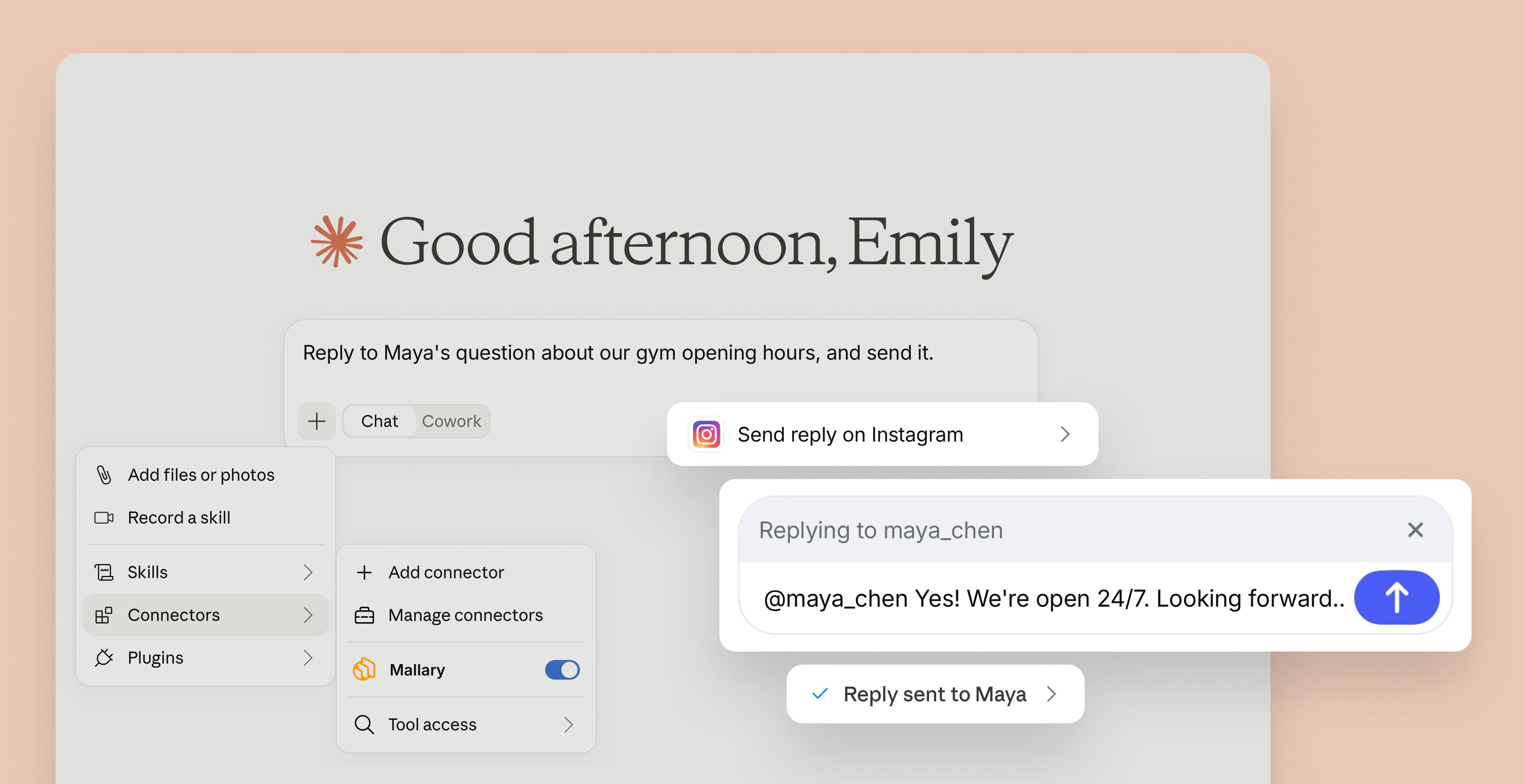
Let Claude handle your social media comments
with a little help from the official Mallary Claude connector.
Common questions
Short answers about comments, platforms, and the API.
What are comments under post?
They are comments that Mallary adds below your social post after the main post goes live. You write the comments before publishing.
How many comments can I add?
You can add up to three comments to one post. They are published in the order you provide them.
Which platforms support comments under post?
Mallary supports them on Facebook feed posts and Reels, Instagram feed posts, Reels and carousels, LinkedIn, YouTube, Pinterest, Threads, X, Reddit, and Bluesky. TikTok and story posts are not supported.
Can I add comments with the API?
Yes. Add a comments_under_post array to POST /api/v1/post. You can also add comments from the Mallary dashboard, MCP, or CLI.
What happens if the main post fails?
Mallary only tries to add the comments after the main post succeeds. A failed main post will not get follow-up comments.
Add the next step below every post
Write the post and comments once. Mallary sends them in the right order.
Trusted by creators, founders and developers






Integrates with the tools you already use






Add comments under social media posts automatically
Add links, details, or a call to action below each post. Mallary publishes the main post first, then adds up to three comments for you.