Free TikTok Image Resizer
Prepare a tall photo for TikTok. Start at 1080 x 1920, then fit or crop your image and check what stays in the frame.
Free to use. No signup. No watermark. Your images stay in your browser.
Your image
No image selected.
Your preview will appear here.
Position your crop
Drag the image or use the sliders to keep your subject in view. Then create your image to save this crop.
Preview fits this space. View at 100% to check the pixels.
Your image stays on this device. We do not upload it.
Image settings
Output limit: 4,096 px per side and 16 million pixels.
Choose an image to get started.
Your image is ready.
Download imageUse Mallary to share your next post.Your image is ready.
Post it everywhere with Mallary.
Create, schedule, and share posts across 10 social networks. Use Mallary in your browser, or connect your favorite AI tools.
- Post now or schedule for later
- 14-day free trial
- Official platform APIs


From this tool to your next post
Use Mallary to share your photo on TikTok and prepare posts for your other connected social accounts in one place.
JPG is a useful choice when you also plan to post on Instagram, Facebook, or LinkedIn. Paid carousel ads use TikTok Ads Manager.
Make an Instagram feed version- Download your photo as JPG or WebP.
- Add it to a TikTok photo post in Mallary and choose your accounts.
- Review the crop and caption for each network, then publish or schedule.
Trusted by creators, founders and developers






Integrates with the tools you already use







"I automated the posting on 5 different platforms in under 20 minutes. Highly recommend!"

"I was totally confused by the official TikTok API. Mallary made it simple. Using it every day."

"OAuth management is usually a nightmare. Mallary abstracted that away completely."
Choose a TikTok photo or ad canvas
Choose a setting here, then check your image in the editor.
| Setting | When to use it |
|---|---|
| A tall photo post 1080 x 1920 px | Start with this 9:16 frame for an organic photo post. Use Fit if the crop cuts off your subject. |
| A portrait carousel ad 720 x 1280 px | Prepare a 720 x 1280 image for a paid carousel ad in TikTok Ads Manager. |
| A square carousel ad 640 x 640 px | Prepare a 640 x 640 image for a paid ad with a centered product or graphic. |
| A landscape carousel ad 1200 x 628 px | Prepare a 1200 x 628 image for a paid ad that needs a wide frame. |
Photo post canvas. The 1080 x 1920 option is a useful starting canvas for a tall photo. The carousel ad dimensions are for a different type of post.
TikTok carousel ads. TikTok lists 720 x 1280, 640 x 640, and 1200 x 628 for standard carousel ads. Ads accept JPG or PNG. Resizing an image does not complete the other ad requirements. TikTok carousel ad specifications Checked .
Publishing with Mallary. For TikTok photo posts through Mallary, choose JPG or WebP. Use TikTok Ads Manager for the paid carousel ad workflow.
See what Fit and Fill change
We resized this illustration with the same tool above. Fit keeps the full picture. Fill crops the edges to cover the frame.
1080 x 1920 px. JPG at 100% file quality. White background. The examples use the tool's default image size.
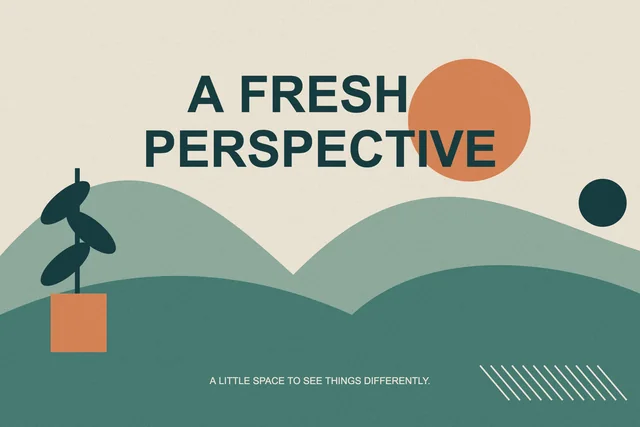
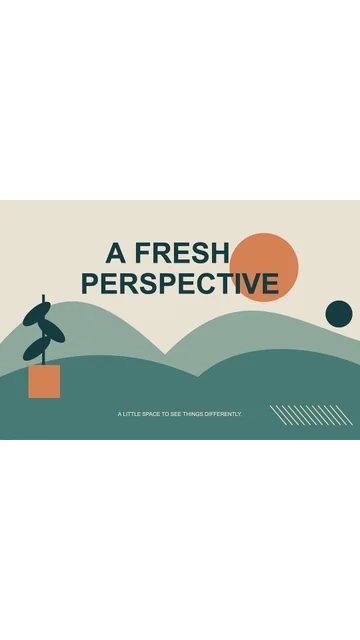
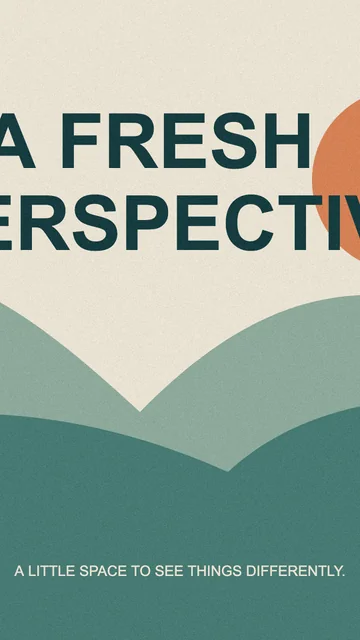
These are smaller previews of real exports from this tool. Sizes above describe the full files. Your result depends on your source image and settings.
A few things to know.
For a tall photo post, start with 1080 x 1920. Use Fit to keep the full photo or Fill to crop it into the frame. This is a starting canvas, not a required size for every TikTok photo.
Keep faces and key text away from the edges. Check your photo in TikTok before posting, since captions and buttons can cover parts of the image.
The Carousel ads presets are for paid ads: 720 x 1280 portrait, 640 x 640 square, or 1200 x 628 landscape. Ads have separate music, file, and content rules. This tool saves a still image.
Platform guidance: TikTok: Image Ads playbook · TikTok: Carousel ad image sizes
Your questions, answered.
Does TikTok require every photo to be 1080 x 1920?
No. That is this tool's tall 9:16 preset. TikTok supports other image shapes for some uses. Check the photo post or ad preview before you share.
Can I use these images in a TikTok carousel ad?
The tool includes the 720 x 1280, 640 x 640, and 1200 x 628 sizes listed in TikTok's carousel ad guide. You still need to meet its other file, music, and ad rules.
Will this turn my image into a TikTok video?
No. The download is a still image. Choose JPG or WebP to publish a photo post with Mallary. You can add music and video effects in another editor.