
Written by Outrank. Published by Mallary Labs LLC.
Published .
How to Build a Social Media Engagement Dashboard in 2026
You've got the campaign report open, several native analytics tabs beside it, and a question from the marketing lead: which channel deserves more budget? The spreadsheet has an engagement-rate column, but one platform divides by followers, another uses impressions, and a third hasn't returned its latest metrics. Sorting that column would produce a confident answer to the wrong question.
A useful social media engagement dashboard makes those differences visible. Build it to centralize operations, not to imply that every interaction means the same thing. Treat cross-platform metrics as non-comparable by default, then allow comparisons only when the definitions, denominators, content formats, and observation windows support them.
Table of Contents
- Metrics Every Cross-Platform Dashboard Needs
- Handling Rate Limits, Token Refresh and Retries
- Ingesting and Normalizing Platform Data Step by Step
- Storage Schema and Batch Versus Real-Time Pipelines
- Views, Alerts and Reports Teams Actually Use
- Compliance, Testing and Scaling Checks
- Confirm the Pipeline on One Account This Week
Metrics Every Cross-Platform Dashboard Needs
A team reviewing three native analytics apps may see different engagement rates for the same campaign, even when each number is calculated correctly. The platforms may define interactions differently, use different denominators, or report on different schedules. A dashboard should expose those differences before anyone compares results.
DataReportal estimated 5.24 billion active social media user identities worldwide and an average of 6.83 platforms used monthly in its Digital 2025 global overview. That scale makes a shared view useful, but putting metrics side by side does not make them equivalent.
Set a metric contract before building charts. Record the canonical definition and the platform's native definition for each field. Keep the denominator and observation window visible, and treat cross-platform comparisons as invalid unless those details align.
Core metrics, denominators and best uses
| Metric | What It Counts | Denominator | Best Use |
|---|---|---|---|
| Reach | Unique accounts that saw a post | None, base count | Audience size checks |
| Impressions | Total displays of a post | None, base count | Exposure and frequency |
| Raw interactions | Likes, comments, shares and saves summed | None | Activity trends only, never cross-account ranking |
| Engagement rate per follower | Interactions divided by follower count | Followers at publish time | Comparing account sizes within compatible cohorts |
| Engagement rate per impression | Interactions divided by impressions | Impressions | Content response where impressions exist |
| Video completion rate | Viewers finishing a video divided by starts | Video starts | Comparing video against video |
| Click-through rate | Link clicks divided by impressions or reach | Explicitly selected impressions or reach | Conversion path analysis |
| Reply response time | Median elapsed time from inbound comment to first team reply | Eligible inbound comments, not a rate divisor | Support and community health |
| Sentiment share | Share of replies classified positive, neutral or negative | Classified replies | Qualitative tone checks |
These are proposed canonical definitions, not a guarantee that every API returns matching fields. Reach may count accounts rather than people, and video starts need a precise definition. Keep click-through rates based on reach separate from rates based on impressions.
Keep counts, rates and interpretation separate
A peer-reviewed review of engagement measurement groups engagement measures into four metric groups: quantitative metrics, normalized indexes, sets of indexes, and qualitative metrics. Use the categories to distinguish what a dashboard is showing, rather than collapsing every measure into a single engagement score.
Counts describe activity. Rates relate activity to an audience or exposure base. Index sets combine signals, while qualitative measures interpret tone or intent. Those measures answer different questions, so label them clearly in the interface.
Practical rule: A stored rate without its stored denominator is an incomplete measurement.
Store the numerator, denominator, denominator timestamp, native field name, and canonical metric name together. If follower count at publication is unavailable, label the fallback. Do not substitute today's follower count without noting the change.
Use the table as a minimum viable metric set. Implement fields the platform supports, mark missing fields as unavailable, and retain interaction components separately so the total can be inspected. Use raw interactions for trend lines only, not to rank accounts with different audience sizes. Compare rates only when definitions, denominators, formats, and time windows match.
Handling Rate Limits, Token Refresh and Retries
Consider an agency scheduler that starts every client's collection job together each morning. Requests begin returning quota errors even though the team expected its daily allocation to be sufficient. Design for this possibility: daily volume alone isn't a scheduling strategy, and the adapter must respect whichever application-level and account-level limits its platform documents.
Separate quota exhaustion, credential failure, and retry duplication. They need different recovery paths. Treating all failures as “try again later” can turn an expired connection into a permanent queue backlog.
API symptoms, causes and fixes
| Symptom | Likely Cause | Fix |
|---|---|---|
| Quota errors during synchronized jobs | Burst exceeds an applicable request limit | Stagger accounts and honor retry guidance |
| Authentication failures after previous success | Expired, revoked or insufficient credentials | Refresh where supported, otherwise request reauthorization |
| Repeated server errors across accounts | Platform outage or degraded API | Open circuit breaker, pause queue, resume with capped retries |
| Doubled rows in snapshots | Retry without an idempotency key | Upsert on platform, post ID and logical snapshot time |
| Missing snapshots after a retry storm | Retries with no cap or backoff | Cap attempts and log each failure in ingestion_runs |
Make recovery bounded and observable
Where refresh is supported, refresh access tokens before their recorded expiry. Serialize refresh operations for the same connection so concurrent workers don't race to replace credentials. If refresh fails because authorization has been revoked, mark the account reauthorization required, pause polling, and notify its owner.
For retryable requests, honor Retry-After when supplied and use exponential backoff with jitter. Stagger collection jobs across accounts instead of making every worker wake on the same schedule. Keep platform-specific policies in adapters; the API rate-limit handling guide is a useful companion when designing that boundary.
Snapshot idempotency needs special care. Assign the snapshot's logical collection time before dispatch, then reuse it during retries. If each retry generates a fresh timestamp, an upsert key containing that timestamp won't prevent duplicate logical observations.
A circuit breaker should respond to correlated platform failures, not a single disconnected account. Hold affected work, probe cautiously, and resume gradually rather than releasing the entire backlog at once.
Track retry frequency, queue age, successful collection age, and accounts requiring reauthorization separately. A rising retry rate across unrelated accounts deserves investigation before users complain about stale charts. The operational objective isn't to eliminate every failed request; it's to keep failures from becoming misleading data.
Ingesting and Normalizing Platform Data Step by Step
A post can show a higher engagement rate on one platform and still be performing similarly to a post elsewhere. Definitions, denominators, formats, and observation windows differ, so treat cross-platform rates as non-comparable until the dashboard checks those conditions.
Make ingestion replayable before making it fast. An authorized, retained raw response should reproduce the displayed value through a known transformation version.
The collection path can stay simple.
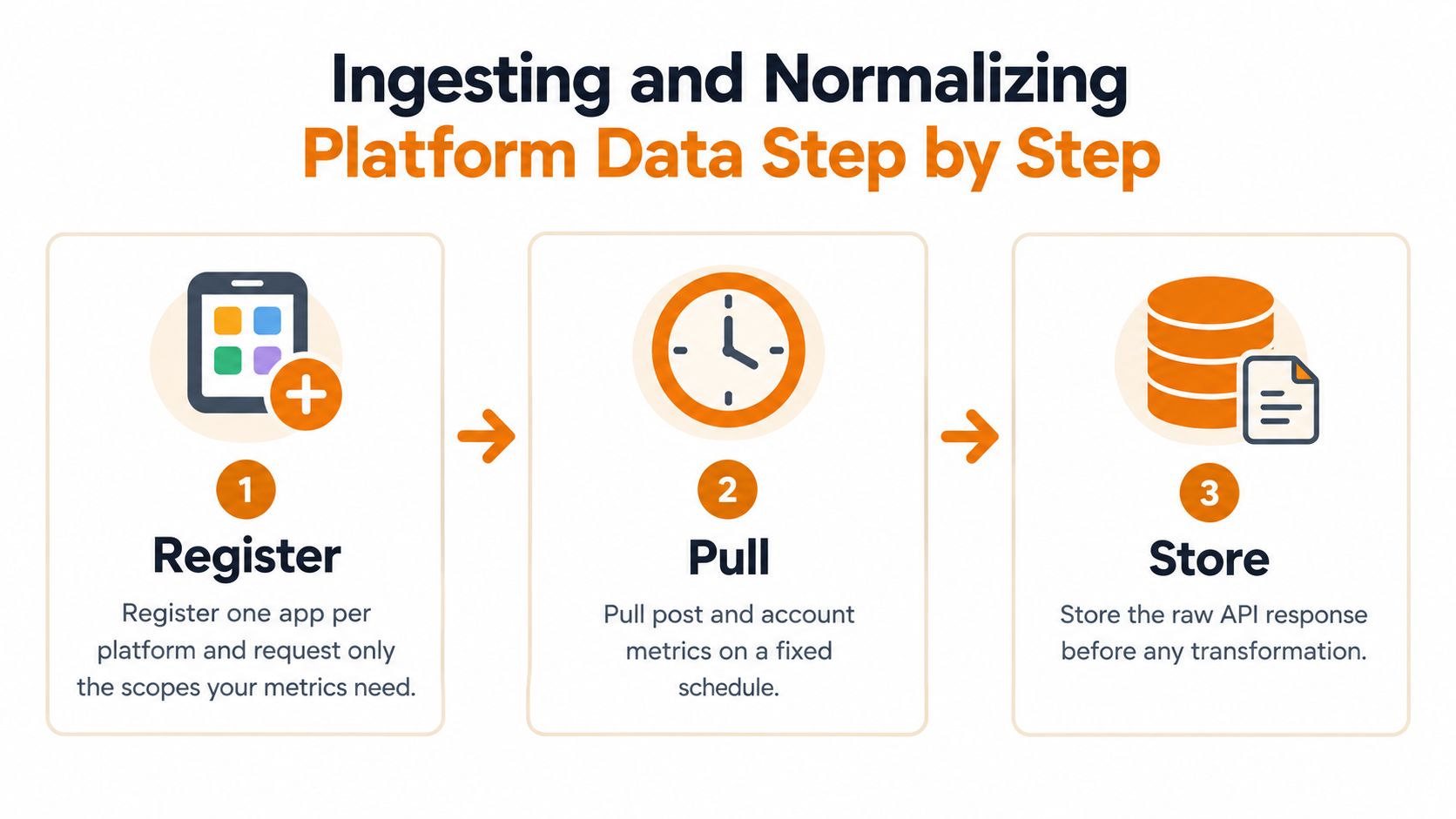
Collect first, transform second
Register an application for each platform. Request only the scopes required for the metrics and workflows you plan to expose. Keep a capability record for each connection so the interface can show which fields are available.
Pull post and account metrics on a fixed schedule. Store the raw response before transforming it, in line with retention and privacy rules. Record both the collection time and the period described by the response. They answer different questions.
Map native fields to a canonical contract. Preserve the platform identifier, original field name, content format, and mapping version. If a native field only approximates a canonical concept, label it as a proxy. Renaming it does not make the measures equivalent.
Calculate rates only when inputs exist. Store
nullwith a reason such asdenominator_unavailable,permission_missing, orunsupported_metric. Missing data is not zero, and a zero denominator cannot produce a valid rate.Revisit provisional observations. Schedule follow-up collections according to each metric's documented behavior and reporting needs. Mark recent observations as provisional where appropriate. Avoid setting one finalization deadline for every platform.
Block invalid comparisons before ranking
- Run a comparability check. Require matching metric definitions and denominator types, along with aligned objectives, compatible formats, and observation windows, before allowing a ranking. If a check fails, show separate panels and explain why.
A social media dashboard guide from Hootsuite discusses dashboard design. The practical rule is straightforward: engagement rates differ across platforms, so don't present them as directly comparable without checking their definitions and denominators.
Compare video completion with video completion only after confirming what each platform counts as a start and a completion. A Reel's completion behavior and a text post's reactions measure different things. Even metrics with similar names need their definitions checked.
A useful unified dashboard can refuse to produce a unified ranking.
Implement the restriction as data, not just explanatory copy. Store the comparison status, the failed condition, and the approved comparison cohort. Exports and API consumers should inherit the same limits as the dashboard, rather than bypassing them.
A thoughtful cross-platform analytics design distinguishes native measures from derived ones. A canonical field makes internal reporting easier; it does not establish that two platforms measure the same thing.
Finally, treat normalization as a versioned rule set. When a formula changes, recompute historical derived values under a new version and retain the prior result for auditability. Show which version a report used, so previously published figures do not change meaning without notice.
Storage Schema and Batch Versus Real-Time Pipelines
Choose the grain before choosing the database. Preserve a logical snapshot for each post collection so you can distinguish a post whose interactions arrived early from one that continues gaining responses. A single overwritten current-value row can't support that analysis.
Keep the analyst's inspection workflow close to the schema design.

Core tables for the engagement dashboard
The following is a proposed schema, with refresh policies to tune against actual decision deadlines.
| Table | Grain | Key Columns | Refresh |
|---|---|---|---|
accounts |
One connected account | platform, account_id, token_status, scopes |
On change |
posts |
One published post | platform, post_id, account_id, published_at, format |
On publish and supported webhook updates |
post_metric_snapshots |
One metric within a post collection | platform, post_id, fetched_at, metric_name, raw_value, original_platform_name |
Scheduled batch |
normalized_metrics |
One post, snapshot, metric and rule version | post_id, snapshot_id, metric, value, denominator, rule_version |
After snapshot processing |
interaction_events |
One comment, reply or mention | event_id, type, received_at, responded_at |
Webhook where supported |
ingestion_runs |
One job run | job_id, account_id, status, retries, error_code |
Per run |
If snapshots use a tall metric layout, include the metric name in their uniqueness constraint. If you store an entire response in a single snapshot row instead, keep its extracted child metrics tied to that parent. Mixing these grains is an easy way to create accidental duplicates.
Partition large histories by account and collection date where that matches query patterns. Retain raw payloads according to explicit operational and privacy requirements, while using derived daily aggregates for longer-term reporting when appropriate. Don't discard the lineage needed to explain those aggregates.
Stream deadlines, batch reporting
Use scheduled batch collection as the default for dashboard metrics. Reserve event-driven processing for work with a response deadline, such as comments or mentions awaiting a team reply.
For example, a brand with a promised support response window should route incoming interactions into its reply workflow promptly. Its weekly campaign report can use a scheduled reporting batch. These are different freshness requirements, even when they concern the same post.
Use this video alongside the implementation discussion.
Polling every metric as frequently as possible adds requests, storage, and failure handling. Increase collection frequency only when fresher information changes a decision. Keep event freshness and analytics freshness as separate service expectations so an urgent reply queue doesn't force every reporting query into a streaming architecture.
Views, Alerts and Reports Teams Actually Use
Organize the dashboard around decisions rather than available fields. The community manager needs the oldest unanswered conversation; the campaign owner needs an interpretable comparison. Giving both users the same crowded screen makes neither job easier.
Build distinct working views:
- Account overview. Show eligible normalized rates, within-account trends, freshness, and collection status.
- Post drill-down. Display snapshot curves, native fields, and the explanation behind each derived value.
- Reply queue. Sort by response age, with ownership, escalation status, and handoff controls.
- Campaign comparison. Group posts by objective and approved comparison cohort, not merely by network.
Use line charts for snapshot trends and bars for compatible rates within a format. Avoid cross-platform pie charts where categories overlap or the measures don't represent parts of a meaningful whole.
Alert triggers and first checks
Treat these as configurable operating rules, not universal benchmark thresholds. Define each account's response target, reporting cadence, and expected metric behavior before enabling notifications.
| Alert | Trigger | First Check |
|---|---|---|
| Engagement drop | Compatible normalized rate remains below its configured rolling-baseline threshold | Denominator change, format mix, token status |
| Reply backlog | Unanswered comments exceed the team's response target | Auto-reply queue and human handoff rules |
| Negative sentiment spike | Negative reply share exceeds its configured baseline band | Sample classified replies for misclassification |
| Token expiring | Refresh repeatedly fails within the configured recovery policy | Account reauthorization and scope list |
| Missing data | Latest snapshot exceeds the account's freshness allowance | Ingestion run log and rate-limit status |
Require sustained conditions for performance alerts. A transient movement shouldn't page someone unless the business consequence is urgent. Exclude incomplete periods and suppress engagement-drop alerts when the underlying collection is stale.
Alert test: If nobody can name the first action after receiving it, don't enable it.
Every alert needs an owner, a recovery condition, and a path to the supporting records. Otherwise, the recipient has to reconstruct the incident from a chart and a vague notification.
Make forwarded reports interpretable
Schedule a weekly summary that includes definitions, denominators, reporting periods, and data-quality notes beneath each chart. Keep those details in exports, not just hover tooltips. The custom report builder workflow is the right place to make this context reusable.
For music campaigns, social interaction and artist outcomes should remain separate measurement domains. Premierely's Spotify analytics for music promoters provides a relevant companion resource when stakeholders also need artist-account context.
End each report with decisions and unresolved questions. “Investigate the format mix before changing budget” is more useful than a leaderboard whose top position depends on incompatible denominators.
Compliance, Testing and Scaling Checks
Public engagement isn't the whole customer relationship. Social Factor's coverage of engagement measurement highlights private groups, Discord servers, branded communities, and direct messages as coverage gaps; it also reports 71% satisfaction with AI-supported social care, alongside 60% concern about inaccurate responses and 83% wanting AI disclosure.
Those findings argue against measuring automated engagement by reply volume alone. Evaluate resolution quality, escalation, factuality, disclosure, and successful human handoff. A fast answer that needs correction shouldn't count as an unqualified success.
Make coverage limitations visible alongside the metrics.
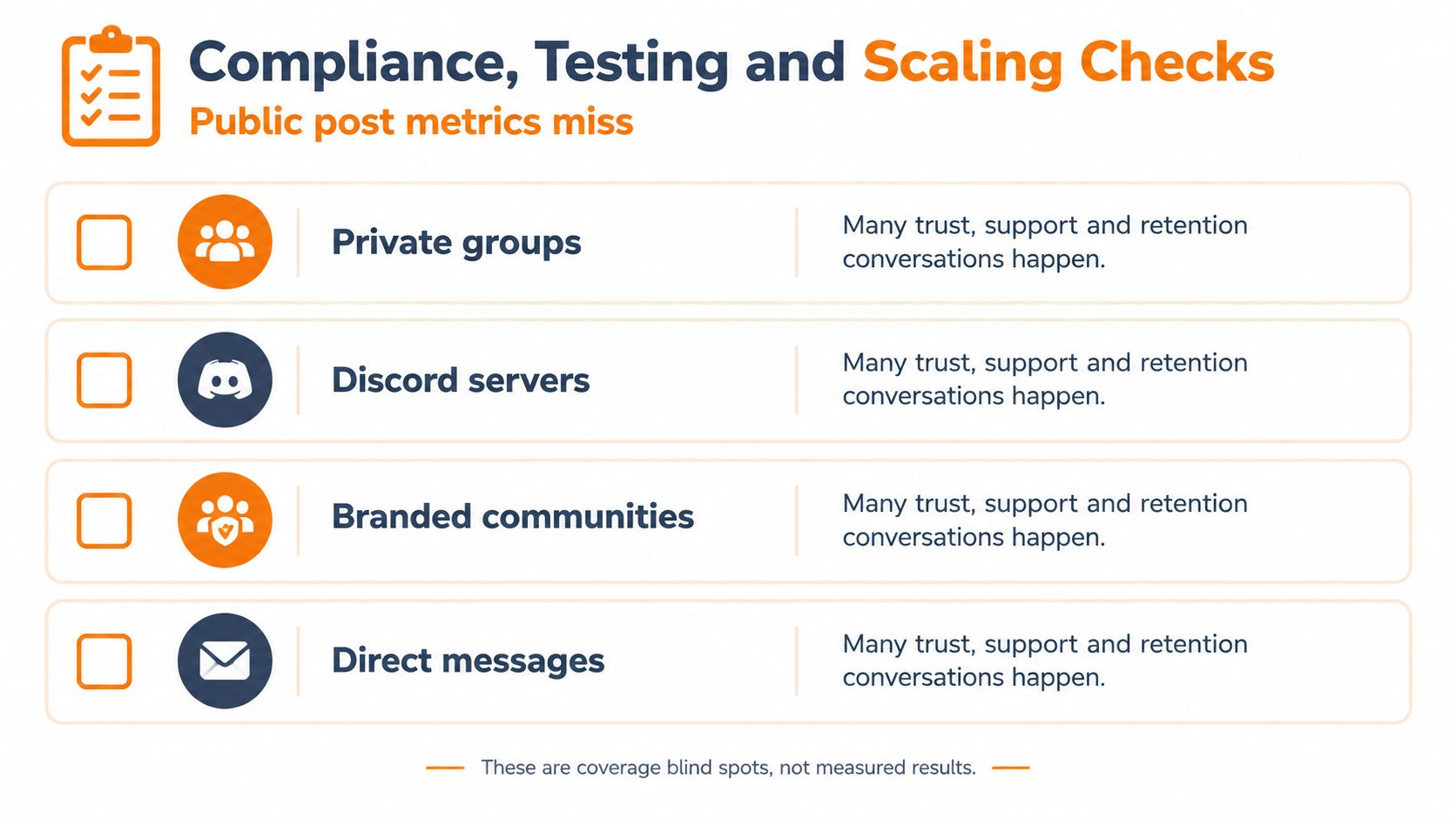
Label what you can actually observe
Use explicit observed, inferred, and unavailable labels. An observed comment count, inferred sentiment category, and unavailable private conversation history must not appear equally certain.
Where authorized integrations support them, add resolution status, repeat contacts, escalations, qualified lead events, and post-conversation outcomes. Keep their attribution rules explicit. Don't imply that a lead was caused by a public post solely because both records exist in your database.
Run privacy and engineering checks together
- Minimize personal data. List which identifiers and message fields each workflow requires. Don't retain full conversation bodies merely because they arrived in a payload.
- Set retention deliberately. Give raw responses, comments, derived metrics, and diagnostic logs explicit retention policies. Include backups and replay fixtures in the review.
- Handle disconnection. Stop collection immediately and apply the account's deletion policy, including documented retention exceptions where required.
- Support data rights. Confirm processor agreements and establish export and deletion workflows. For a concrete user-facing reference, review OohYeah's page to request deletion of personal data, without treating another service's process as a substitute for your own obligations.
- Replay recorded fixtures. Use sanitized API responses to test parsers without depending on live accounts. Cover missing fields, permission changes, pagination, and malformed responses.
- Write contract tests per adapter. Check the assumptions your integration makes about identifiers, field types, timestamps, and supported capabilities.
- Maintain golden normalization files. Pair representative input fixtures with expected outputs and rule versions. Require review when an intentional formula change alters those outputs.
- Inject quota and authentication failures. Confirm that workers back off, pause disconnected accounts, preserve idempotency, and surface actionable errors.
- Backfill with bounded jobs. Separate historical collection from urgent interaction processing. Track queue age and cost per monitored account so expansion doesn't consume the resources needed for current work without notice.
Test isolation as well as correctness. An account losing authorization must not stall unrelated accounts, and a slow historical backfill must not delay a conversation awaiting a response.
Scale only after the system can explain its own omissions. A larger dashboard with unexplained gaps is harder to operate than a smaller one with dependable provenance.
Confirm the Pipeline on One Account This Week
Start with a connected account you can inspect manually. Collect its posts and snapshots through a short validation period, build an overview and an actionable alert, then reconcile selected records against the native interface. Investigate discrepancies before widening coverage.
Choose the integration strategy based on what your team needs to own:
- Build the measurement layer when proprietary definitions, comparison rules, or reporting requirements are central to your product.
- Buy the integration plumbing when authorization, credential maintenance, request scheduling, and durable delivery keep delaying that measurement work.
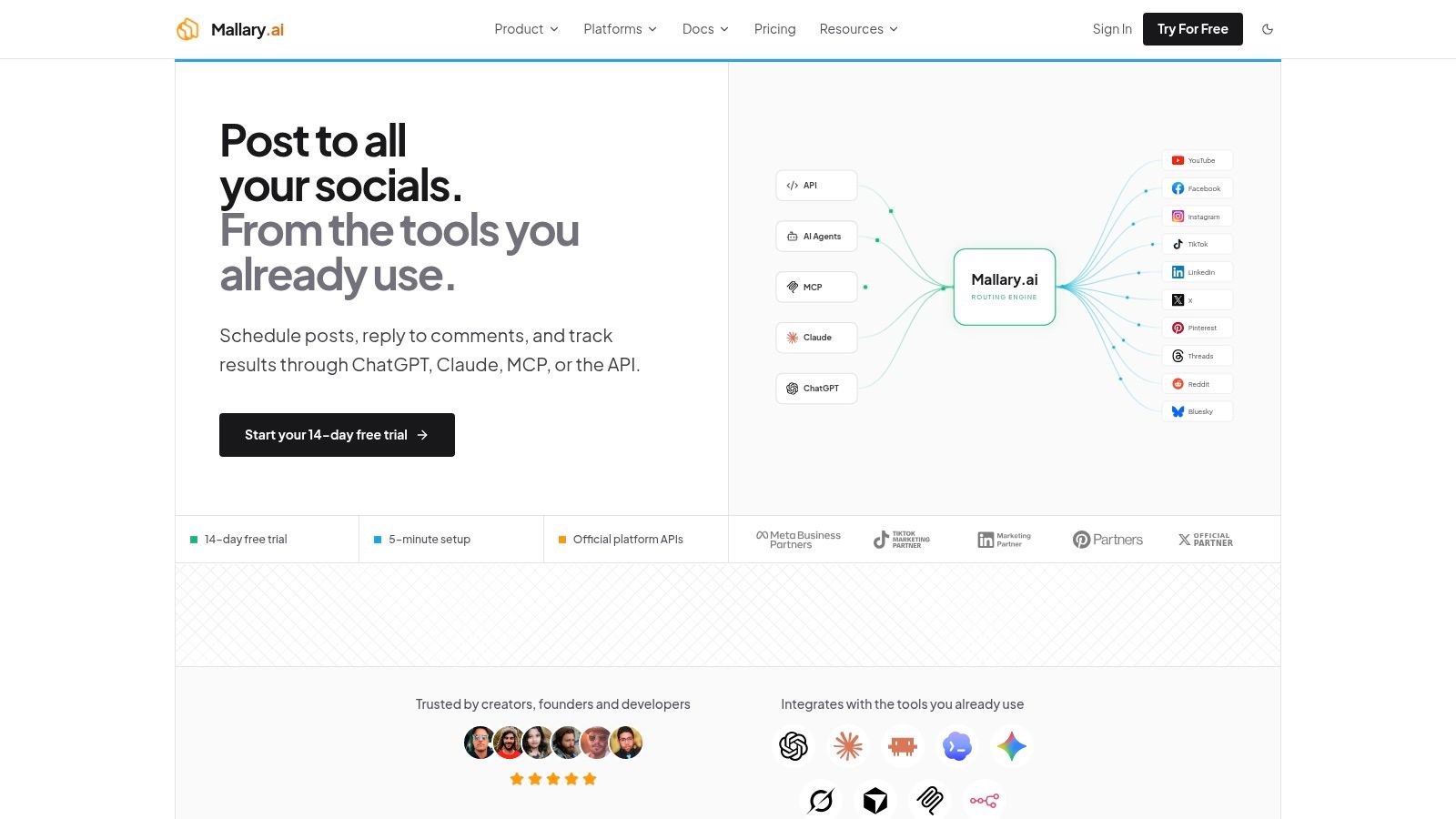
Mallary.ai is one option for the second case. It exposes a unified API and dashboard for publishing, engagement, and analytics across platforms such as YouTube, Instagram, TikTok, LinkedIn, X, and Threads, while handling OAuth, token refresh, rate limits, retries, and job queues. It also supports webhooks and integrations with n8n, Zapier, and Make, leaving your team responsible for deciding what the resulting metrics mean.
Inspect the operational workspace alongside your own measurement requirements.
Before expanding, confirm that stakeholders can explain a displayed rate, identify its source observation, and recognize an unavailable value. That's a stronger milestone than connecting every network.
Confirm the metric table with stakeholders, run the ingestion procedure on a single account, and review its denominators before adding another platform. Expand only when the dashboard can distinguish a valid comparison from a convenient one.
Keep your metric definitions and comparison safeguards in your application while using a shared integration layer for publishing, engagement, and analytics. Visit Mallary.ai to evaluate its API, dashboard, and automation integrations against the account-level pipeline you've just validated.
Try it with Mallary
STOP!
Want ChatGPT or Claude to post on social media for you?
Connect your social accounts one time. Then tell your AI what to write. It can make your posts, share them, and reply on social sites that allow replies. You do not need to write code.
Pick your AI





Connect once. Ask in plain English. Mallary does the work.


