Social media analytics that show what to do next
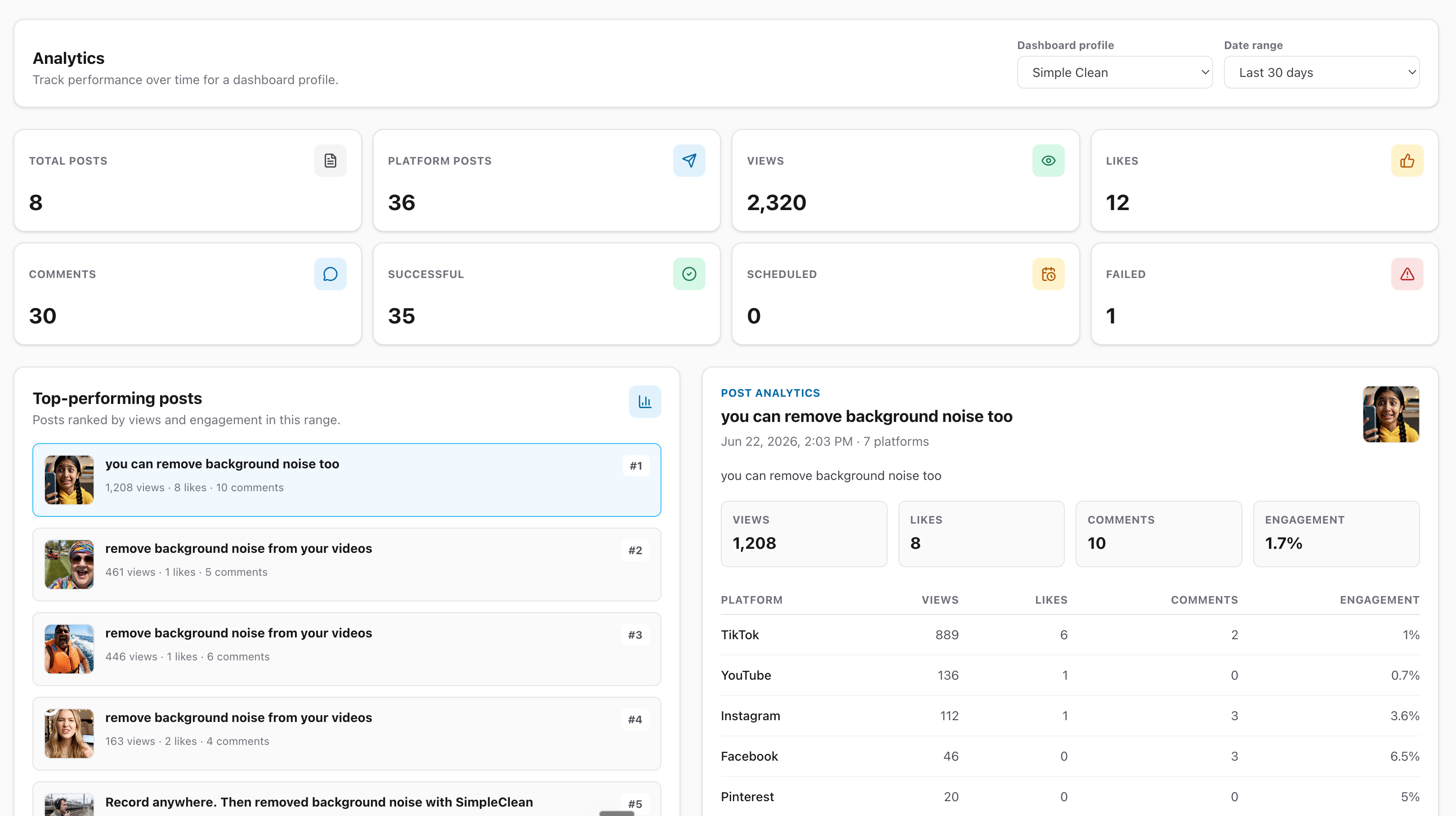
See your social media results in one dashboard. Group results by post date, find any Mallary post, and use the saved data to plan the next one.
- No commitment
- Cancel anytime
- 30-day money-back guarantee
Trusted by creators, founders and developers






Integrates with the tools you already use






Use your results to plan better posts
Start with your top posts. Then check all your posts and compare formats, posting times, and platforms when enough data exists.
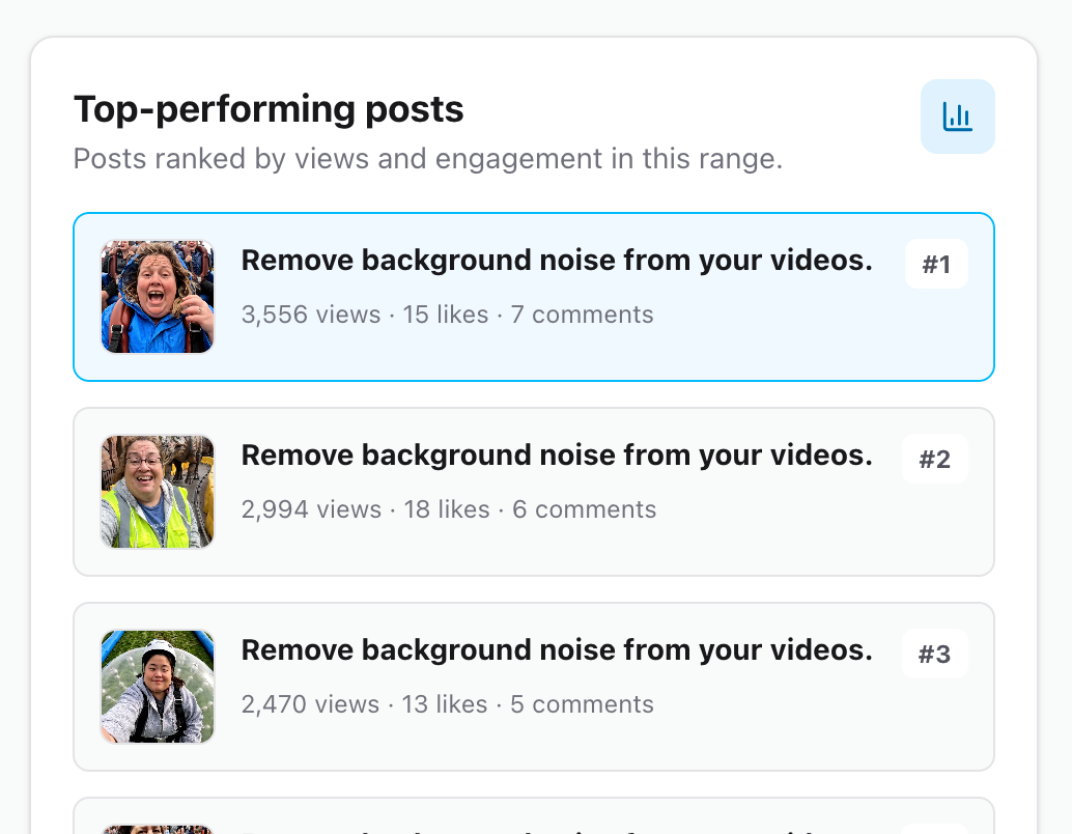
Find the posts worth repeating
See your top posts, then search and sort all your Mallary posts. Open one to see how it did on each platform.
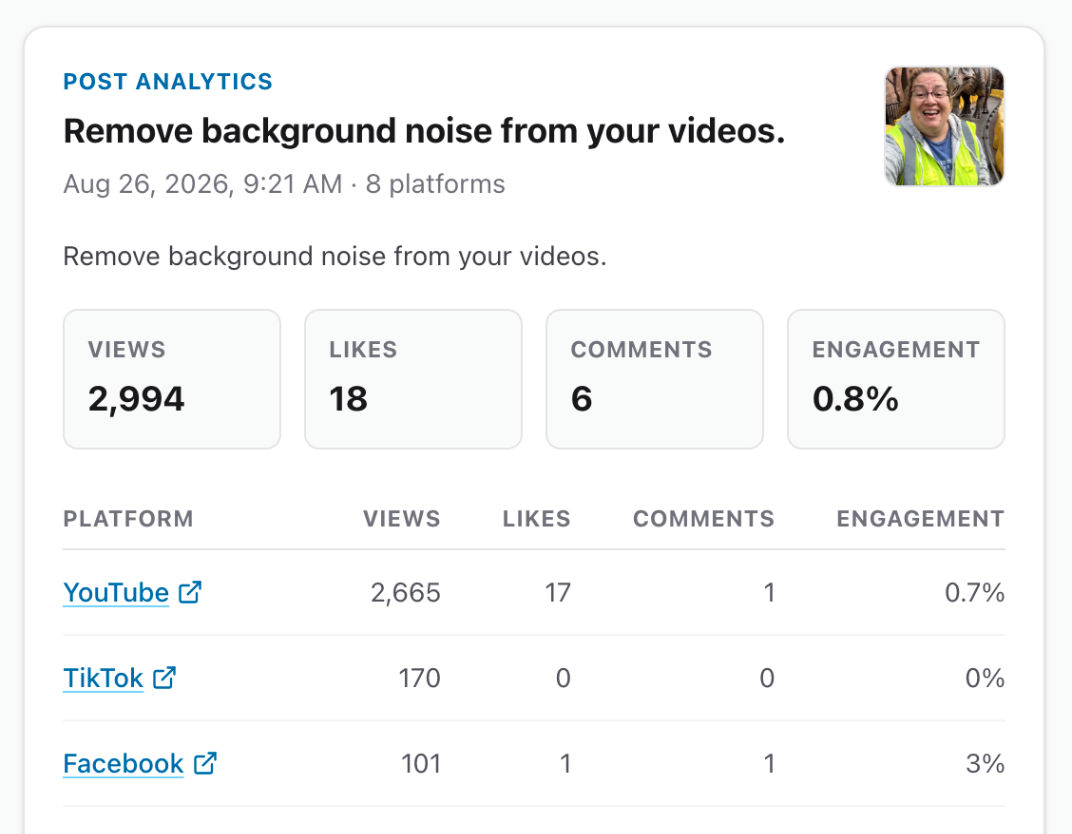
Compare every platform
Filter the overview by platform. See saved views, likes, comments, and engagement rates when the data supports them.
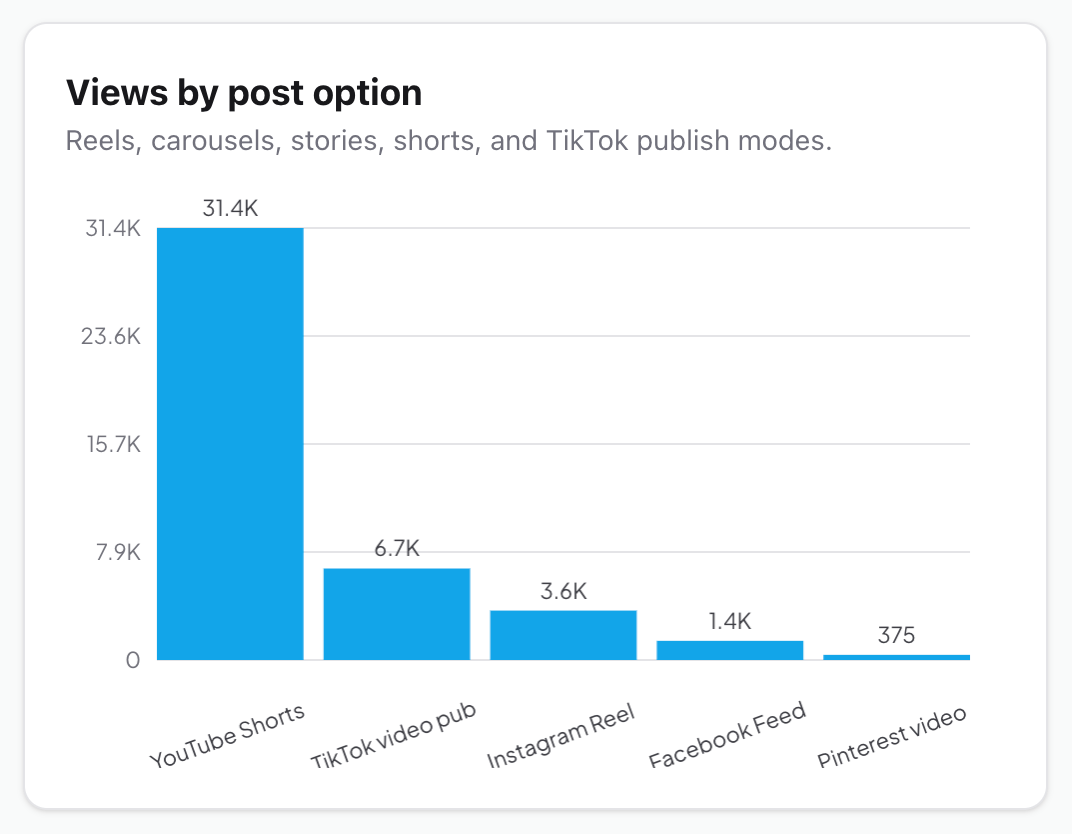
See which post types work best
Compare saved views for videos, photos, Reels, Shorts, Stories, and more. Check useful signals when enough matching data exists.
Official platform partners


See how your social posts are doing
Use the Overview tab for results by post date and other comparisons. Use the Posts tab to search, filter, and sort your Mallary posts.
Start with a clear overview
See saved views, likes, comments, post counts, and posting status for the profile and date range you choose.
See results by post date
Group posts by the day or week they were created. Switch between saved views, likes, and comments; bars show post counts.
Find any Mallary post
Search your post history. Filter by date, platform, status, or media, then sort and move through the results.
Look closer at each post
Open a top post or any post in the list to see the saved results for each destination.
Compare post and media types
Compare saved views for post options like Reels and Shorts, and for video, photo, mixed media, and text posts.
Compare what works
When enough matching view data exists, compare post types, posting times, and platforms with sample counts.
Follow audience growth
See how follower and subscriber counts change when a connected platform shares that data.
Know what data is missing
Post details mark missing metrics as unavailable. Engagement rates appear only when the saved numbers can support them.
Keep each profile's results separate
Pick a Mallary profile. View the last 7, 30, or 90 days in the overview, or browse all Mallary posts for that profile.
Start tracking your postsConnect and publish
Post through Mallary. We will link each platform result to the right post and profile.
Choose how to look
View recent results by post date, or search and filter your Mallary posts.
Check the results
Open a post to see its saved results. Read each useful signal with its sample counts.
See all your platform results in one place
Compare saved views, likes, and comments by platform. Engagement rates appear when the data can support them.









The data you can see and how often it updates depend on the platform, post type, and permissions.
Use the dashboard or build with the API
Get the latest stats for recent posts or one post. Use them in your own reports, exports, tools, or AI agents.
API Docscurl --request GET \
--url 'https://mallary.ai/api/v1/analytics?post_id=123' \
--header 'Authorization: Bearer YOUR_API_KEY'Common questions about Mallary analytics
See what Mallary tracks and when your data updates.
What does the Mallary social media analytics dashboard track?
It shows saved views, likes, comments, post status, top posts, and results by date, platform, post type, and media type. It also shows audience growth when that data is available.
Can I view one profile and date range?
Yes. Choose a Mallary profile, then view the last 7, 30, or 90 days in the overview. The Posts tab can show all your Mallary posts or a custom date range.
Can I search older posts?
Yes. In the Posts tab, search posts you made with Mallary. You can also filter by platform, date, status, and media, then sort the list.
Why are some numbers unavailable?
Each platform shares different results for each post type. Mallary shows a number only when it has saved data for it. Engagement rates appear only when the saved data can support them.
Which social platforms are included?
Mallary can collect analytics from Facebook, Instagram, Threads, X, LinkedIn, Pinterest, YouTube, TikTok, and Bluesky. The data you can see depends on what each platform shares with Mallary.
Are Mallary analytics real time?
No. Mallary checks for new data on a set schedule. It checks new posts more often than old posts. Your dashboard will not change every second.
Which plans include social media analytics?
Starter, Pro, and Business plans include analytics. You can try any paid plan free for 14 days and cancel at any time.
Can I get analytics through the API?
Yes. The API can return the latest stats for your recent posts or one post. Add a profile ID to get data from a profile that is not your default.

"I automated the posting on 5 different platforms in under 20 minutes. Highly recommend!"

"I was totally confused by the official TikTok API. Mallary made it simple. Using it every day."

"OAuth management is usually a nightmare. Mallary abstracted that away completely."
Use real results to plan your next post
Publish with Mallary. Then see what worked and use it to plan your next post.
- No commitment
- Cancel anytime
- 30-day money-back guarantee