Social Media Posting API for Developers
Add social posting to your app without building 10 separate integrations. Send one request to post now or schedule for later. Mallary handles auth, queues, retries, and platform rules.
Try For FreeBuild less. Publish more.
Give your users a strong social posting tool without making your team own every platform API.
Build one integration
Send one request to Mallary instead of building and fixing a different posting flow for every social network.
Ship social posting faster
Use one clear payload for text, media, schedules, and platform options. Your team can focus on your product.
See every result
Get one job for each platform. Check its status, warnings, platform post ID, and public post URL.
10 Platforms. One Call.
Start with a text-only post to Facebook and LinkedIn. This example sets scheduled_at for 24 hours after you run it. Add your own uploaded media when a post needs an image or video.
- Use one main message or change the text for each platform.
- Add platform options for Reels, Shorts, stories, carousels, and more.
- Get job IDs right away while Mallary posts in the background.
Run this on your server with your API key and connected Facebook and LinkedIn accounts. Publishing needs a paid plan. See plans and account limits. Every plan starts with a 14-day free trial; a card is required.
For the full request, response, and delivery checks, follow the API posting and scheduling walkthrough.
const publishAt = new Date(Date.now() + 24 * 60 * 60 * 1000);
const response = await fetch('https://mallary.ai/api/v1/post', {
  method: 'POST',
  headers: {
    'Authorization': 'Bearer YOUR_API_KEY',
    'Content-Type': 'application/json'
  },
  body: JSON.stringify({
    platforms: ['facebook', 'linkedin'],
    message: 'Meet the product we built for small teams.',
    scheduled_at: publishAt.toISOString()
  })
});
const result = await response.json();
if (!response.ok) throw new Error(JSON.stringify(result));
console.log(result.jobs);
Save each jobs[].jobId. A queued job is not a live post. After the scheduled time, check GET /api/v1/jobs/{id} with the job status reference, or use status webhooks to confirm delivery.
A unified social media API for 10 platforms
Connect accounts once. Send one request to publish to your chosen platforms. Use platform options when a network needs different text or settings, then track a separate job for each result.










Need to post later? See how Mallary's social media scheduling API works.
From file to live post in three steps
The API stays small, even when the platform work is hard. Mallary does the slow work after your request returns.
-
1
Upload your media
Ask Mallary for an upload URL, send the file, and get a public Mallary media URL. Skip this step for text-only posts.
-
2
Create the post
Send your message, platforms, media, and optional publish time to POST /api/v1/post.
-
3
Track each platform job
Poll a job, list grouped posts, or use webhooks. You can see what published and what needs attention.
Made for real apps
Save unfinished drafts
Save text, media, and platforms without a date on any plan. Publish or schedule the saved draft when you are ready.
Post now or schedule
Publish at once or set a future time and time zone on paid plans.
Change text by platform
Start with one message, then add a custom caption or title for any platform that needs one.
Send images and video
Upload media once. Mallary checks each platform rule before it adds the post to the queue.
Use safe retries and queues
Long uploads run in the background. Mallary retries safe failures without making your app wait.
Work with many profiles
Use profile_id when a user has more than one set of connected social accounts.
React with webhooks
Start your next step when a post is published, scheduled, partly published, or failed.
No Code? No Problem.
You don't even need to know what an API is. Just use your preferred tool, connect Mallary, and tell it what you want to post.
-
Claude
Add Mallary to Claude. Then ask Claude to post, reply, upload media, or check results.
Use Mallary with Claude -
ChatGPT
Add Mallary to ChatGPT. Then ask ChatGPT to post, reply, use images, or check results.
Use Mallary with ChatGPT -
Codex
Paste one setup prompt into Codex. Sign in, then tell it what you want to post.
Set up Codex -
Claude Code
Paste one setup prompt into Claude Code. Sign in, then tell it what you want to post.
Set up Claude Code -
MCP
Connect Mallary to an AI tool that works with MCP. Then ask it to help with your social accounts.
Explore MCP -
OpenClaw
Paste one setup prompt into OpenClaw. Sign in, then tell it what you want to post.
Set up OpenClaw -
Hermes
Paste one setup prompt into Hermes. Sign in, then tell it what you want to post.
Set up Hermes -
n8n
Build a visual workflow that posts content, uploads media, and handles comments for you.
Explore n8n -
Make
Build a visual workflow that connects Mallary to the other apps you use.
Explore Make -
Mallary Dashboard
Plan and publish social media posts from one dashboard. Reply to comments and track what works. Get all the same features as our API, with no code.
Open the dashboard










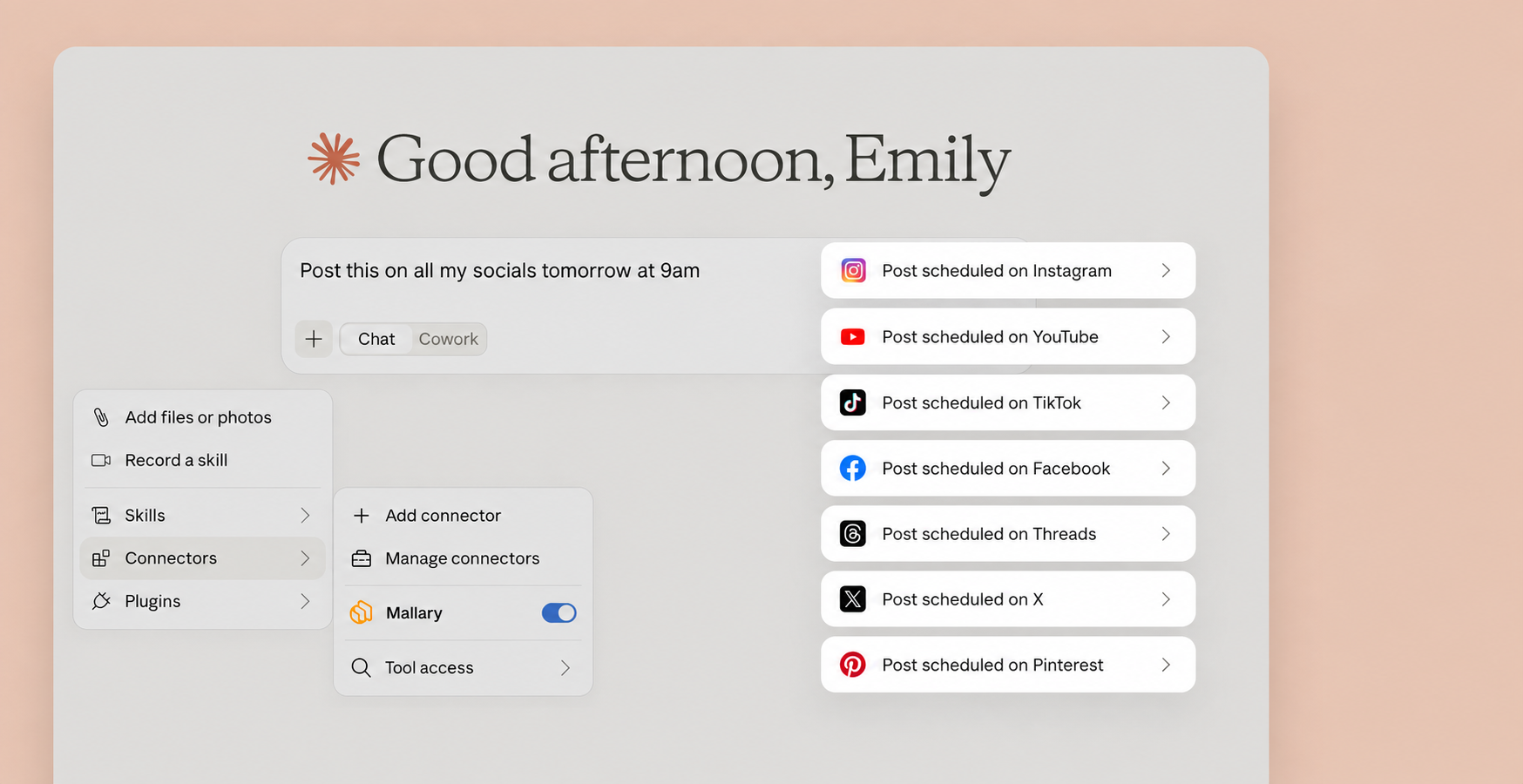
Let Claude handle your social media posts
with a little help from the official Mallary Claude connector.
Questions developers ask
Short answers about posting, media, schedules, and job status.
Can I save a post without publishing it or choosing a date?
Yes, on any plan. Use POST /api/v1/drafts to save an unfinished post. Read, edit, or delete the draft by its ID. Only POST /api/v1/drafts/{id}/submit publishes or schedules it. Draft saves do not use your posting allowance. Normal plan and platform rules apply when you submit.
What is a social media posting API?
A social media posting API lets your app publish content with code. Your app sends the text, media, and target platforms. The API sends the post to each connected social account.
Which social platforms can Mallary post to?
Mallary can post to Facebook, Instagram, LinkedIn, YouTube, TikTok, Pinterest, Reddit, Threads, Bluesky, and X. Each platform has its own media and post rules.
What makes Mallary a unified social media API?
Your app sends one post request with the chosen platforms. Mallary makes a separate job for each platform, so you can track each result. You can also change text and options for a platform when its rules differ.
Can I manage multiple social media accounts with the API?
Yes. Connection profiles let one Mallary user connect more than one account on the same platform. Send profile_id to post from a non-default profile. The number of accounts you can connect depends on your plan.
Can I schedule posts with the API?
Yes. Paid plans can send scheduled_at with an exact time. You can also send scheduled_timezone when you want Mallary to use a local time zone.
Can each platform use different text?
Yes. Send one main message for every platform, then use platform_options to set a different message, title, post type, or other supported option for one platform.
How do I know when a post is live?
The create request returns one job ID for each platform. Check GET /api/v1/jobs/{id}, list your grouped posts, or use a webhook. Finished jobs include the platform post ID and public URL when the platform provides them.
Does my app need to handle social network tokens?
No. Users connect their accounts in Mallary. Mallary handles the saved connection, token refresh, API changes, queues, and platform calls.
Ship social posting without the API busywork
Connect your accounts, copy your API key, and send your first multi-platform post in minutes.