Mallary changelog
New features, platform improvements, and the smaller changes that make publishing with Mallary better.
Add AI Labels to Instagram, Facebook Reels, and X
We added AI content labels for Instagram, Facebook Reels, and X. Choose Made with AI in the dashboard's Platform Options. You can also set the fields through the API or MCP, or use a post file with the CLI.
- Instagram: set
platform_options.instagram.is_ai_generatedtotrue - Facebook Reels: set
platform_options.facebook.is_ai_generatedtotrueandpost_typetoreel - X: set
platform_options.x.made_with_aitotrue
These fields accept true or false. Leave them out to send no AI label choice. Your choice stays with scheduled posts and can be changed before publishing starts. It does not change posts that are already live. X first replies do not inherit the label.
Save Posts as Unpublished Drafts
Keep a post for later without publishing it or choosing a date. Save unfinished text, media, and platforms by checking Save as draft in Compose's Schedule/Draft tab, then clicking the orange Save Draft button. Drafts appear with your other posts in list, grid, and calendar view, using the date they were first saved. Choose Edit draft to finish one.
Drafts also work through the API, MCP, Claude, and Mallary CLI 0.2.18. The OpenClaw skill now knows how to keep saved drafts separate from publishing.
Saved drafts are available to all users across all tools. Saving a draft does not use your posting allowance. Choose Post or Schedule when you are ready. Normal plan, account, and platform rules apply when you send it.
Post Your Videos from ChatGPT
Mallary's ChatGPT plugin version 1.0.4 has been approved. You can now attach a video in ChatGPT and use Mallary to publish or schedule it on your connected social accounts.
Attach an MP4 or MOV video up to 512 MB. Ask Mallary to upload it, then choose the accounts, captions, and time for your post. Each social platform's video rules still apply.
Uploading alone does not publish a post. Uploaded videos receive a public Mallary media URL that anyone with the link can view.
A Clearer Analytics Dashboard
We made the analytics dashboard easier to use.
- Use Overview to see saved results by post date. Switch between days and weeks on a smooth chart.
- Use Posts to search, filter, sort, and move through posts you made with Mallary. Open one to see each platform result.
- Platform filters show only the platforms connected to the profile you chose.
- See an engagement rate in the platform breakdown when the saved data supports it.
- Compare post types, posting times, and platforms when enough matching view data exists.
The chart draws gaps at zero to keep the line connected. The data table still marks missing values as unavailable. Some platforms do not share every metric.
Edit Scheduled Posts Before They Go Live
You can now edit a scheduled post before Mallary starts publishing it.
- Change the text, media, first comments, date, time, and platform options
- Pick another connection profile and choose from the platforms connected to it
If a post is set to go to several platforms, one edit updates the whole group. Every platform in the group uses the same profile.
Find a scheduled post on your Posts page and choose Edit. You can also use the API or MCP.
Track TikTok Follower Counts
You can now track your TikTok follower count in Mallary. See your latest count and growth over time on the analytics dashboard, or get the latest count from the Audience and Analytics API endpoints.
Mallary checks counts once a day for TikTok accounts with audience stats access.
Larger Custom YouTube Thumbnails
You can now attach a JPG or PNG thumbnail up to 50 MB to your YouTube video. Mallary's old limit was 2 MB.
This matches YouTube's new thumbnail upload limit. Use a 16:9 image for a regular video or a 9:16 image for a Short. YouTube may accept a Shorts thumbnail without showing it on Shorts.
Post Videos to LinkedIn
You can now post videos to LinkedIn with Mallary.
- Use the dashboard, API, MCP, or CLI
- Attach one MP4 video up to 1 GB, from 3 seconds to 30 minutes long
- Post as your connected personal profile or an enabled company Page
- Mallary waits for LinkedIn to process the video before it publishes the post
Upload your video to Mallary first. Keep images and videos in separate posts.
LinkedIn Page Comments and Post Results
Mallary now has better support for posts published to a LinkedIn Page.
- Read comments on a LinkedIn Page post
- Reply to a comment as the selected LinkedIn Page
- See views, likes, and comments with your other post results
- Use the API, CLI, MCP, ChatGPT, Claude, or another connected tool
LinkedIn may ask you to reconnect once before these Page features can work.
Post Longer Videos to X
Mallary no longer stops every X video at 140 seconds or 512 MB. The limit now depends on the X account you connect.
- Standard X accounts can post videos up to 20 minutes
- Eligible Premium or verified X accounts can post videos up to 125 minutes
- Mallary checks the connected X account before it accepts a video above the standard limit
- Mallary checks again when a scheduled post is ready to go live
X may allow files up to 8 GB or 16 GB based on the account. Mallary uploads currently support files up to 5 GB.
Add YouTube Tags and AI Content Disclosures
You can now add video tags and an AI content disclosure when you post to YouTube with Mallary.
- Add tags that describe and organize your video
- Use up to 100 characters in each tag and up to 500 characters across all tags
- Tell YouTube when realistic content was made or changed with AI
- Use these options with regular videos and YouTube Shorts
YouTube may show a label when the AI content disclosure is turned on. This helps viewers know when realistic people, places, or events were made or changed with AI.
These options work in the Mallary dashboard, API, CLI, and MCP.
Add Paid Partnership Labels to Instagram Posts
You can now tell Instagram when a feed post, Reel, or carousel is a paid partnership.
- Show Instagram's Paid partnership label
- Tag up to two brands as sponsors
- Use a brand's Instagram username or numeric user ID
If a brand has approved you before, its name can show on the post right away. If not, Instagram sends the brand an approval request.
This feature needs an Instagram account connected through Facebook Login. Instagram Stories do not support this option.
Post Instagram Trial Reels with Mallary
You can now publish Instagram Trial Reels with Mallary. Instagram shows a Trial Reel to people who do not follow you first.
- Choose Trial Reel in the dashboard Platform Options
- Use the API, CLI, or MCP
When a Trial Reel becomes a regular Reel and is shared with your followers, Instagram calls this graduation. The graduation strategy tells Instagram how to handle that step.
- Manual: Check the results, then choose in Instagram if you want to share the Reel with your followers.
- Based on performance: Let Instagram share the Reel with your followers if it performs well.
This helps you test new ideas with people who do not follow you. You can keep full control, or save time by letting Instagram move a strong Reel forward for you.
Mallary Plugin for ChatGPT
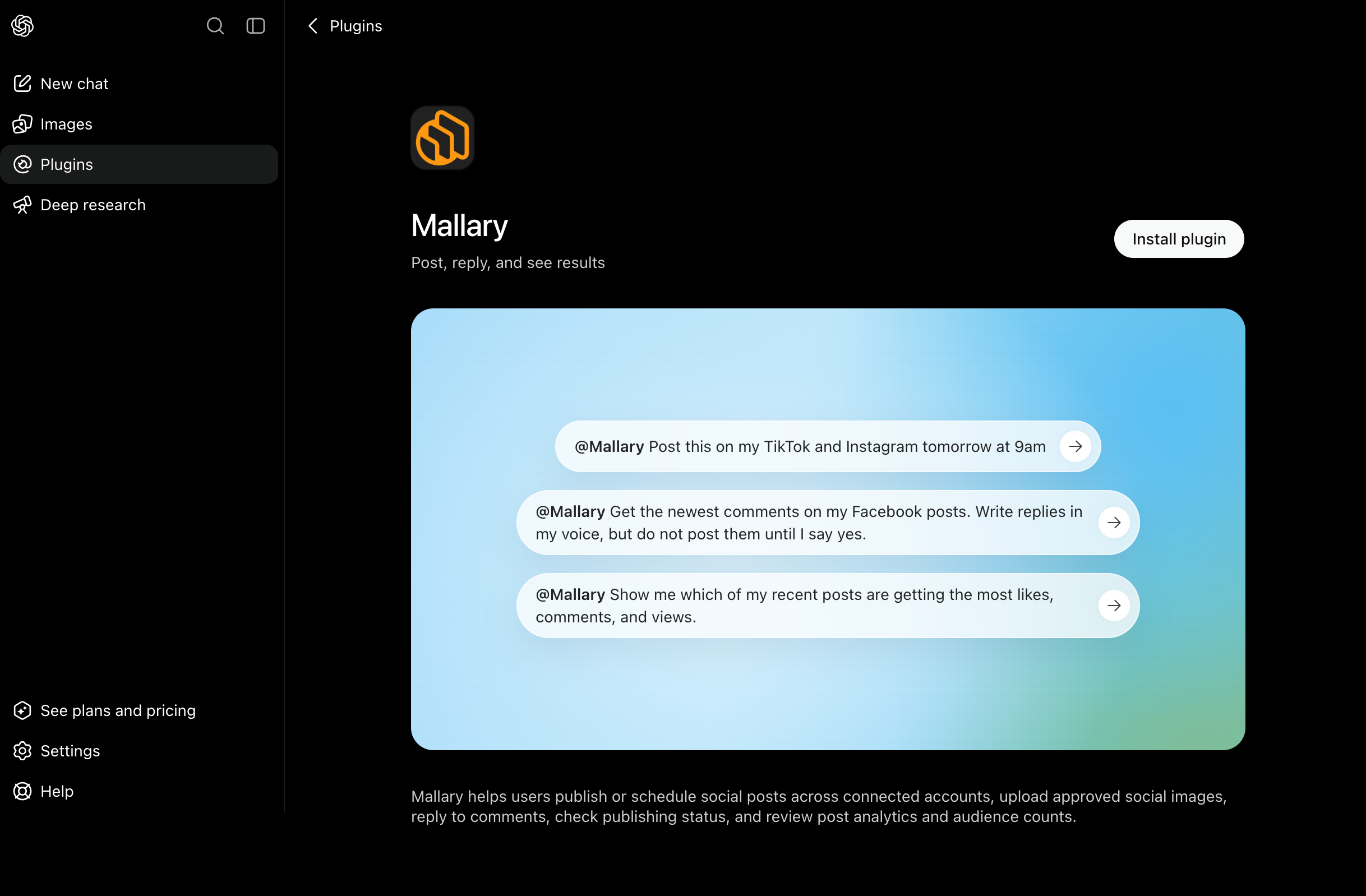
You can now install the Mallary plugin from the ChatGPT plugin page.
You can ask ChatGPT to use Mallary to:
- Create and schedule social media posts
- Use images you choose or make in ChatGPT
- Read comments and send replies
- Show post analytics and audience counts
Post Facebook Reels with Mallary
You can now post Facebook Reels from Mallary.
- Post one 9:16 MP4 or MOV video
- Add a Reel caption
- Add up to three first comments
- Use the dashboard, API, CLI, or MCP
Post to Bluesky with Mallary
You can now connect Bluesky and post from Mallary.
- Post text, up to four images, or one video
- Schedule posts and add first replies
- Read comments and send replies
- Use AI Auto Replies
- Track followers and post results
Get your follower and subscriber count
The audience endpoint gives you the latest follower and subscriber counts for supported platforms, including TikTok. Track your follower and subscriber growth over time with the analytics on your Mallary dashboard.
{
    "platform": "youtube",
    "label": "YouTube",
    "account": {
      "id": "123...",
      "username": "My Channel",
      "avatar_url": "https://yt3.ggpht.com/123..."
    },
    "metric": "subscribers",
    "count": 2344,
    "captured_at": "2026-08-16T13:00:14.000Z",
    "next_update_at": "2026-08-17T13:00:14.000Z"
}Mallary Connector for Claude
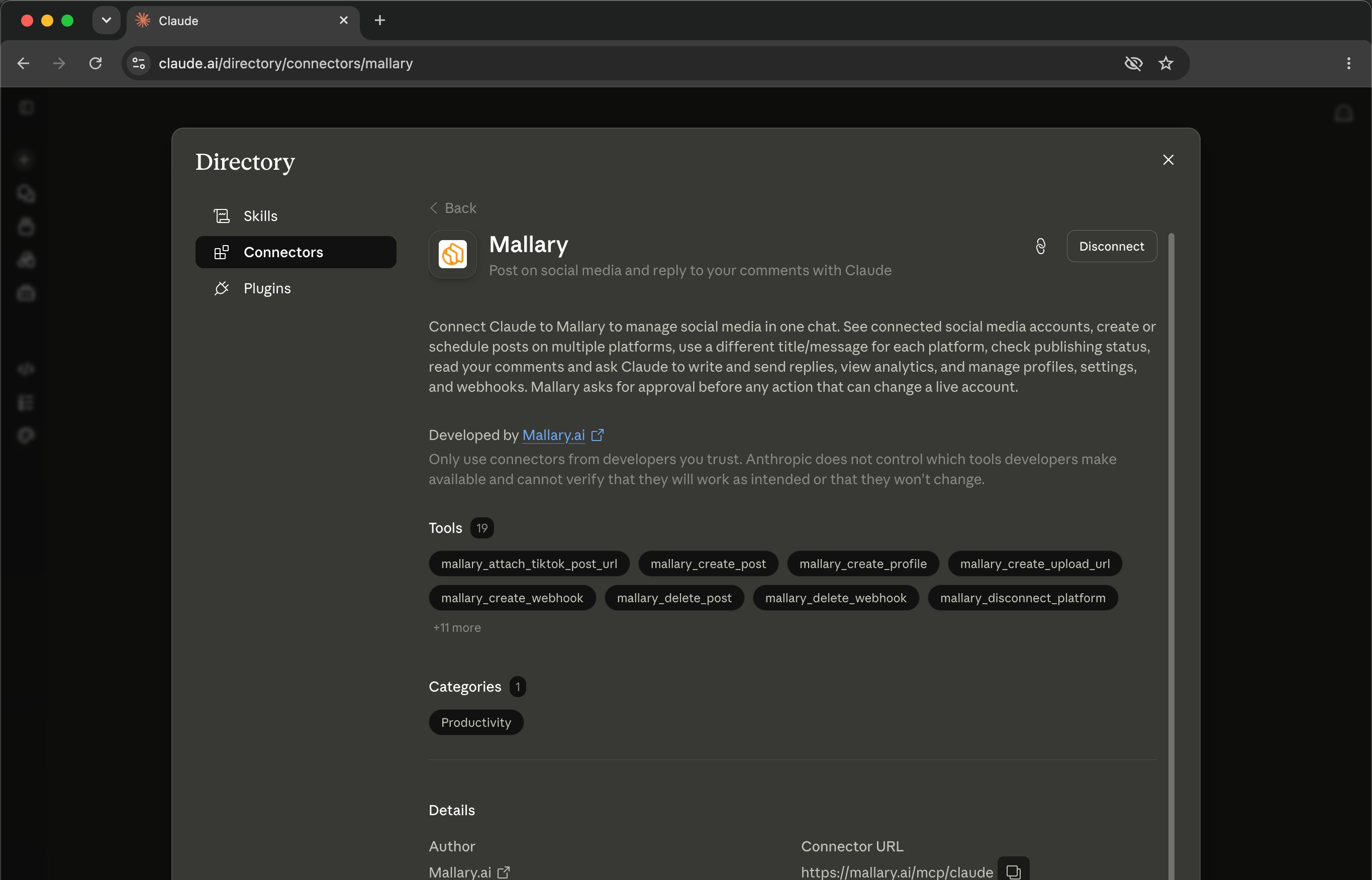
You can now add Mallary to Claude from the Claude Connector Directory.
You can ask Claude to use Mallary to:
- Create and schedule social media posts
- Upload photos and videos
- Read comments and send replies
- Show your post results
n8n Community Node
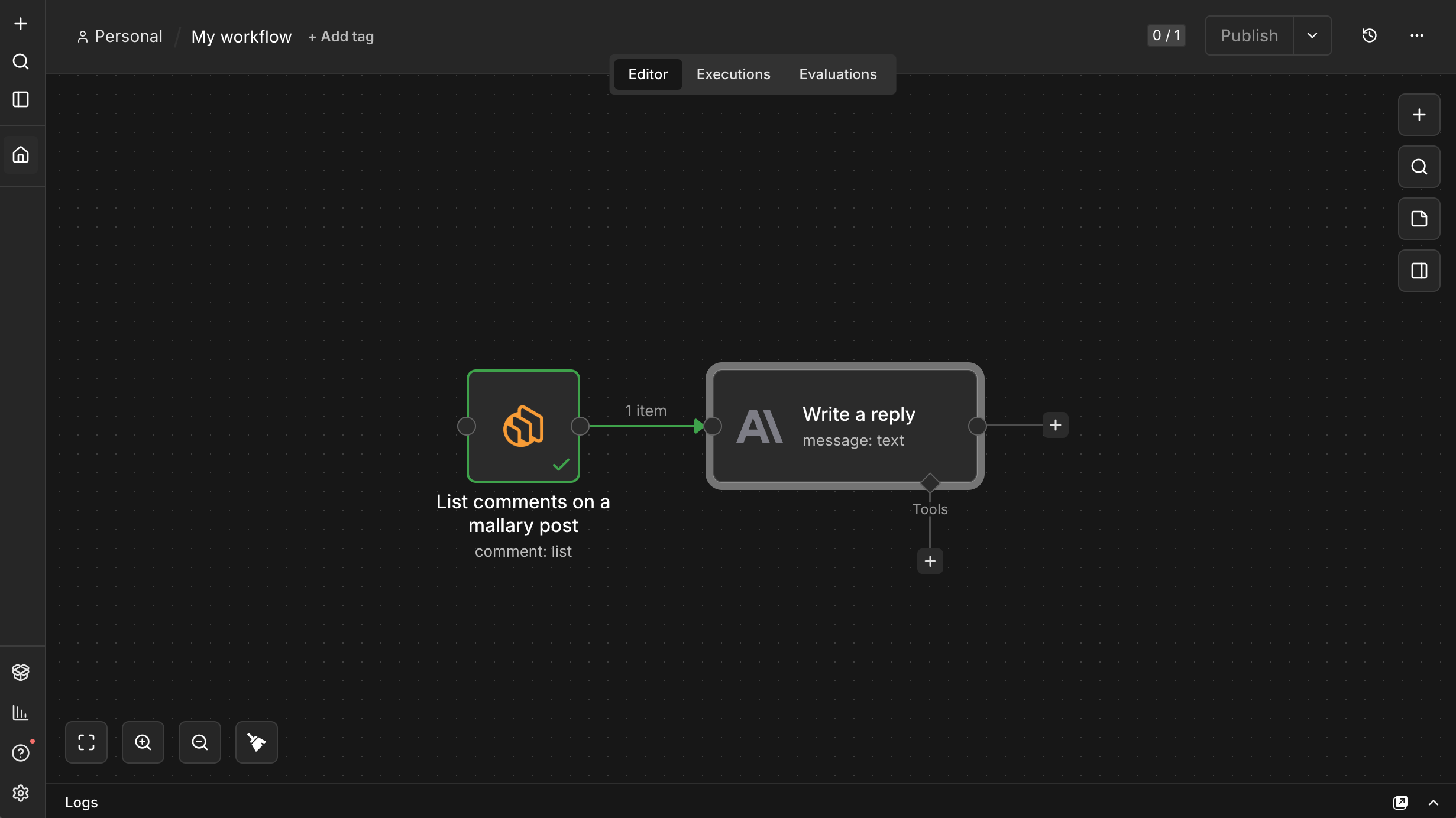
You can now post your social media content, manage your replies, and trigger workflows from n8n with Mallary.
Our n8n node capabilities include:
- Create and schedule social media posts
- Upload image and video files to Mallary
- List your comments on published posts
- Post comment replies using your workflow
- Pull analytics into reports
- Start workflows from Mallary webhook events
Platform URL in response
The create post API endpoint now returns the final platform post URL and ID:
{
  "status": "posted",
  "batch_id": "123",
  "jobs": [
    {
      "jobId": "123",
      "platform_post_id": "DbK6uKsCF2l",
      "platform_post_url": "https://www.instagram.com/reel/DbK6uKsCF2l/"
    }
  ]
}
https://docs.mallary.ai/api-reference/endpoint/create#publish-results
Per platform captions
You can now specify a different post title/message for each platform.
Need a short post title for TikTok, and a long narrative for your IG/FB posts?
Add a per-platform post title or message in the platform options, for example:
"platform_options.facebook.message"
"platform_options.instagram.message"
Learn more: https://docs.mallary.ai/api-reference/endpoint/create#body-platform-options
Comments API
Two new API endpoints are available:
- Get a list of your comments (and the names of the people leaving the comments) from Facebook, Instagram, Threads, LinkedIn, X and YouTube: https://docs.mallary.ai/api-reference/endpoint/comments
- Reply to your comments: https://docs.mallary.ai/api-reference/endpoint/comments-reply
Advanced analytics
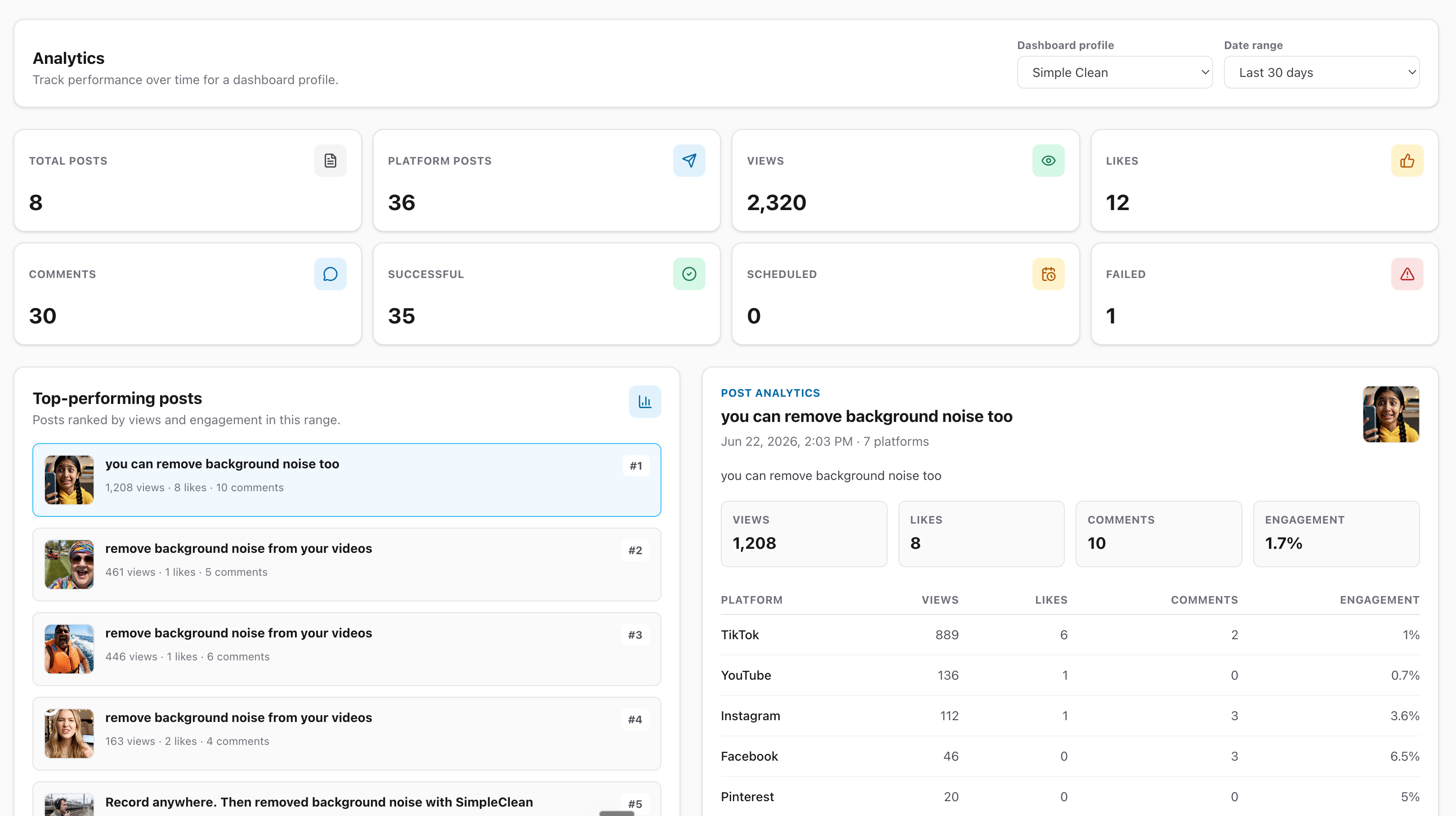
New advanced analytics are now available in your Mallary dashboard. Built to help you see what's working across your connected social platforms.
The new analytics page includes:
- Total posts, views, likes, and comments
- Successful, scheduled, failed, and processing posts
- Post performance by platform
- Engagement trends over time
- Views by post type and media type
- TikTok publishing mode comparisons
Useful signals help you understand what is working. This makes it easier to compare performance across platforms, spot which types of posts are getting more reach, and see how each profile is performing over time.
Put the latest Mallary improvements to work
Start publishing across your social channels from one dashboard, API, MCP server, or CLI.