Written by Outrank. Published by Mallary Labs LLC.
Published .
Bulk Upload Tool for Social Media: 10 Options Compared
A content team exports next month's posts into a spreadsheet, uploads the CSV, and expects the repetitive work to disappear. Instead, one batch exceeds the plan limit, a network rejects a media file, or bulk scheduling turns out to be locked behind a higher tier. The spreadsheet saved preparation time, but the publishing workflow still needs supervision.
This guide compares ten bulk upload tools for social posting and media management on the points that decide whether bulk work saves time: CSV or bulk import, per-upload limits, scheduling model, API and automation access, integrations, and the trade-offs each vendor brings. Plan limits and pricing change, so treat the figures here as starting points and confirm them on each vendor's current pages before committing.
Table of Contents
- 1. Mallary for one API to publish, engage, and respond across every social platform
- 2. Hootsuite for established teams with approvals and analytics
- 3. Buffer for a clear per-channel CSV workflow
- 4. Sprout Social for analytics-heavy publishing teams
- 5. SocialPilot for agencies that prioritize volume and value
- 6. Agorapulse for shared calendars and client approvals
- 7. Zoho Social for cost-conscious teams already using Zoho
- 8. ContentStudio for scheduling plus curation and evergreen automation
- 9. Publer for high-volume scheduling without a public API
- 10. Metricool for lean teams that want planning and reporting
- Top 10 Bulk Upload Tools, Feature & Capability Comparison
- Matching a Bulk Upload Tool to Your Real Workflow
1. Mallary for one API to publish, engage, and respond across every social platform
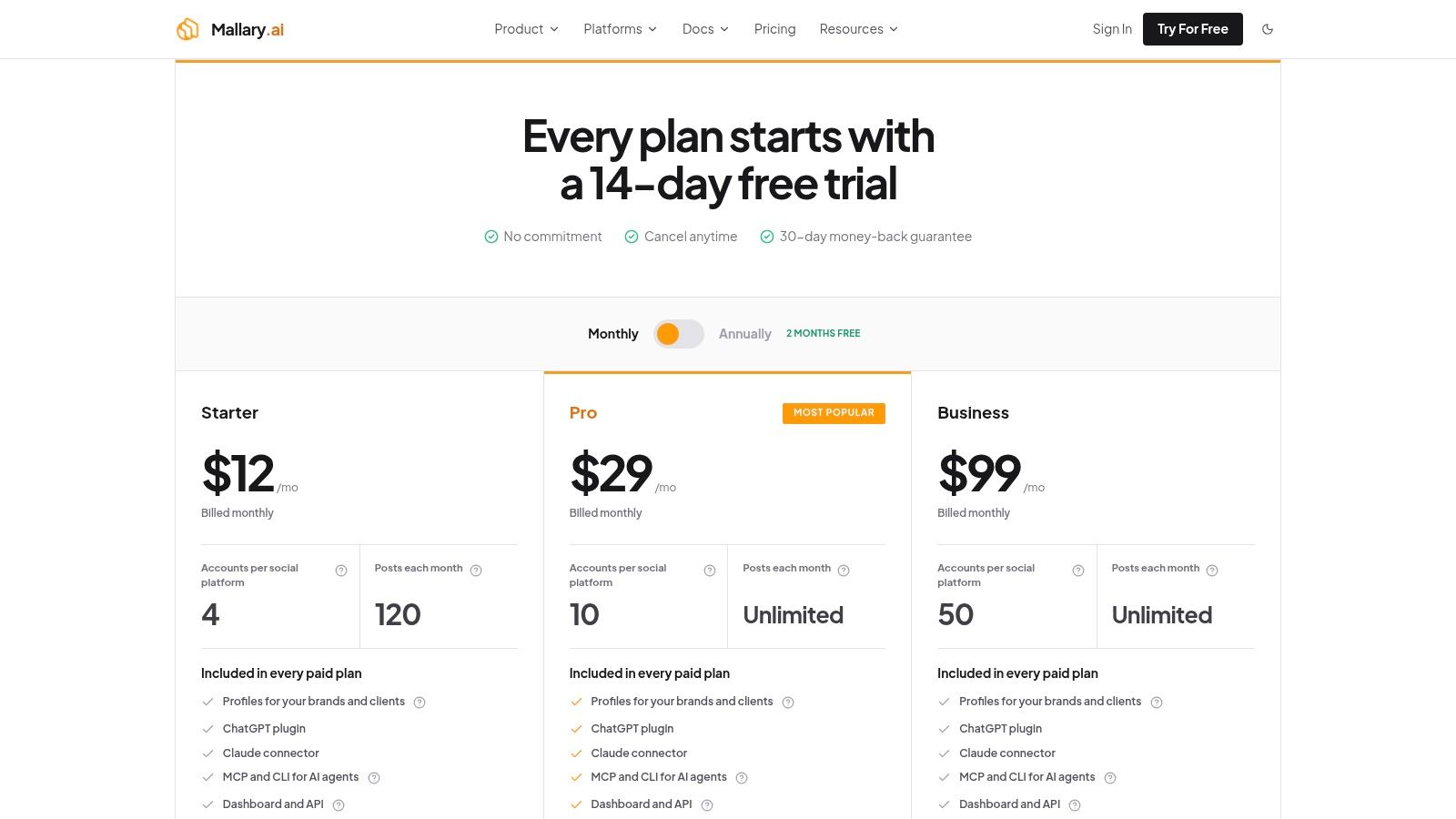
Mallary takes a different approach from a conventional scheduler. Instead of asking a team to manage a separate publishing connection for every network, it provides one API and dashboard for publishing, engagement, and measurement across 10 social networks, including YouTube, Facebook, Instagram, TikTok, LinkedIn, X, Pinterest, Threads, Reddit, and Bluesky.
For a developer team, the main benefit is the infrastructure behind the bulk upload. Mallary handles OAuth, token refresh, rate limits, idempotency, retries, and durable job queues. It also validates platform-specific media rules and adapts payloads before delivery. That matters because a CSV can be syntactically correct while one destination still rejects its format, dimensions, caption, or publishing operation.
Your app can read a CSV and send one API request per post. Mallary does not import the CSV file for you. Scheduling, analytics, and publishing through MCP or the CLI need a paid plan. AI auto-replies need Pro or Business. You can also use webhooks and no-code tools such as n8n and Make.
Best fit and trade-offs
Mallary fits product teams embedding social features, agencies automating recurring client workflows, and marketing teams that need one operational layer across several networks. Its bulk social media posting guide is useful when the workflow needs more than a spreadsheet import, particularly when the team needs retries, validation, or programmatic control.
Pros
- Unified endpoint: One integration replaces separate network-specific publishing connections.
- Official APIs: Official partner APIs reduce the compliance and maintenance exposure associated with scraping.
- Reliability controls: OAuth handling, retries, idempotency, rate-limit management, and durable queues are built into the service.
- Automation options: Use webhooks, the CLI, MCP, n8n, and Make to build a posting workflow.
- Embeddable workflow: Use the API to add social posting to your own app.
Cons
- Plan gating: Scheduling, analytics, and publishing through MCP or the CLI need a paid plan. AI auto-replies need Pro or Business.
- Vendor dependency: Mallary reduces integration maintenance, but the team still depends on its service reliability and roadmap for platform changes.
Practical rule: If the CSV is only the starting point for an automated publishing system, compare API behavior and recovery controls, not just the upload screen.
2. Hootsuite for established teams with approvals and analytics
Hootsuite's Bulk Composer is built for organizations that want bulk scheduling inside a larger social media suite. Teams can import CSV files, review media, customize links, and schedule across Instagram business accounts, TikTok, X, Facebook Pages, and LinkedIn.
The operational advantage is context. A content manager can upload a batch, while other users work in the engagement inbox, analytics views, approval workflows, and shared publishing environment. That's more useful than a narrow uploader when social publishing is tied to customer care, reporting, and formal review.
The trade-off is plan access. Bulk scheduling isn't available on every plan, so a team should confirm the entitlement before preparing a migration file or building a recurring process. Hootsuite also uses per-seat pricing, which can become difficult to control as more reviewers, clients, and contributors need access.
Best fit: Larger marketing departments that need collaboration, approvals, analytics, and bulk scheduling in one established platform.
What works: The full-suite workflow and mature documentation reduce the need to stitch together a scheduler, approval tool, and reporting system.
What doesn't: Hootsuite is harder to justify if all you need is a lightweight CSV importer. Check Hootsuite's current product information for plan entitlements before assuming Bulk Composer is included.
3. Buffer for a clear per-channel CSV workflow
Buffer keeps the bulk upload experience relatively direct. Its paid plans support CSV imports of up to 100 posts per upload per channel, a limit documented in Buffer's bulk upload guidance. The workflow is organized around each channel's calendar and queue rather than a single cross-account import.
That model works well for startups and small teams that prepare content in a spreadsheet, upload it to a selected channel, review the calendar, and move on. Buffer also supports a broad range of media workflows, including LinkedIn PDF documents, which helps when the content calendar includes more than text and images.
The 100-post ceiling can be perfectly adequate for a modest queue but restrictive for an agency loading large client calendars. You'll also need a paid plan for the stated paid-plan batch limit, so the apparently simple workflow still depends on channel and subscription rules.
Best fit: Startups, freelancers, and small marketing teams that want an approachable calendar with a predictable CSV process.
Pros
- Low learning curve: The interface is easy to hand to a contributor without extensive training.
- Per-channel clarity: Each upload has a clear destination and scheduling context.
- Media flexibility: Support for formats such as LinkedIn PDF documents broadens the workflow.
- Straightforward pricing model: Per-channel pricing is easier to understand than a complex enterprise bundle.
Cons
- Batch ceiling: A 100-post upload limit can force agencies to split large calendars.
- Paid access: Bulk scheduling on paid plans means the workflow depends on subscription level.
- Limited automation depth: Buffer suits spreadsheet-led work better than a developer-controlled publishing pipeline.
For a practical explanation of queue design and planning, see this guide to bulk scheduling with Buffer-style workflows.
4. Sprout Social for analytics-heavy publishing teams
Sprout Social is a stronger choice when bulk scheduling sits inside a larger reporting and customer-care operation. Teams can import a CSV into the Publishing Calendar, then use advanced analytics, suggested send times, collaboration, and approvals around the same content workflow.
The main attraction isn't the file import alone. It's the ability to connect a spreadsheet-led planning process with reporting and team governance. A content lead can prepare a batch, route it through review, and evaluate performance in the same broader system instead of exporting data between separate tools.
Sprout generally requires the Professional plan or above for CSV bulk scheduling. That makes it a poor fit for teams choosing a tool primarily because they want the cheapest way to load a calendar. Per-user billing can also become expensive as more people need access, while advanced modules such as listening may be sold separately.
Best fit: Mid-market and enterprise teams that need detailed analytics, publishing controls, approvals, and customer-care capabilities together.
Bulk upload is useful here because it feeds a governed publishing system. It isn't a substitute for deciding who can approve, edit, and report on each campaign.
The platform's breadth is both its strength and its cost. Review Sprout Social's product offering against the actual roles on your team, not only the number of posts you plan to upload.
5. SocialPilot for agencies that prioritize volume and value
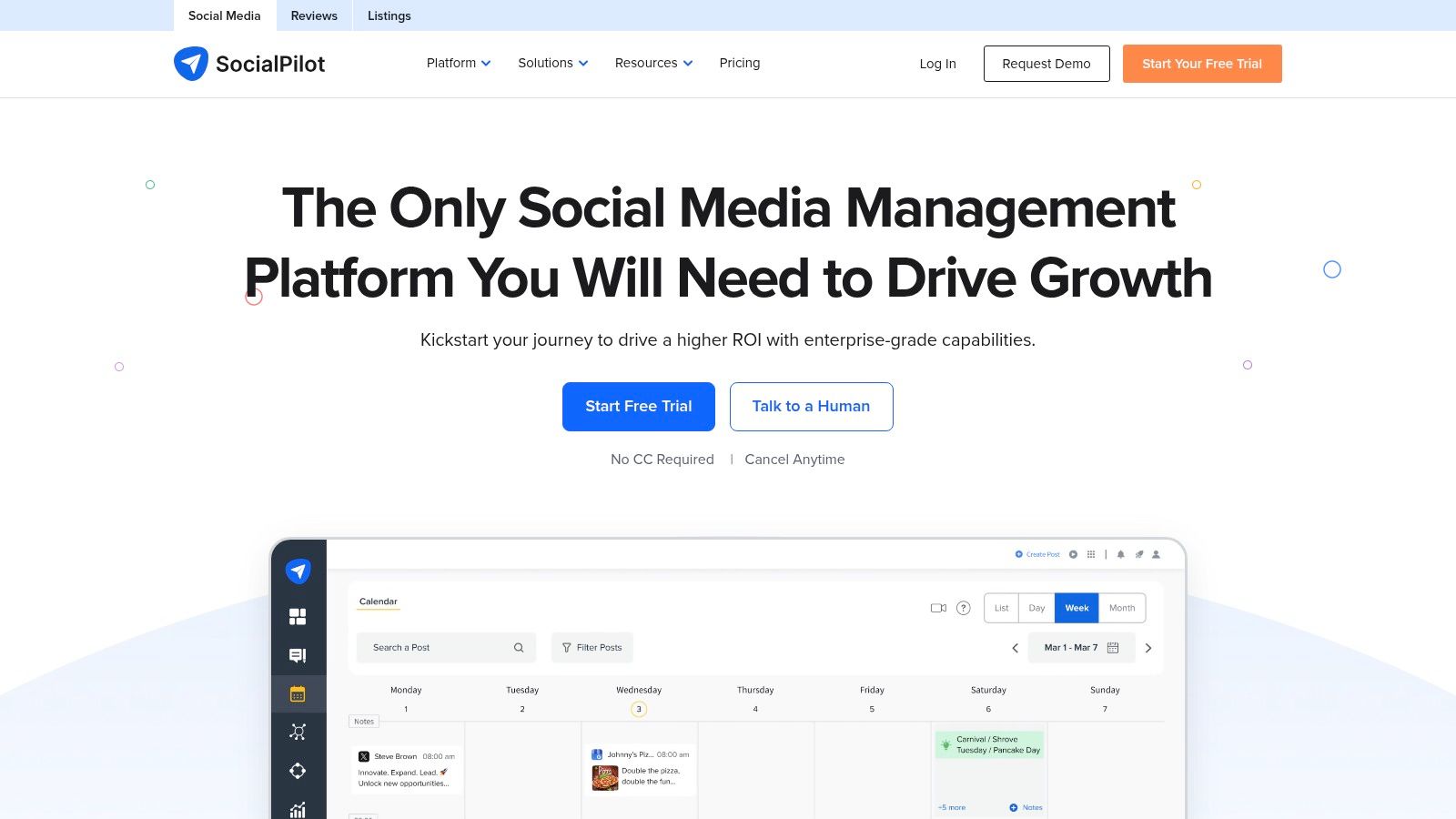
SocialPilot is designed around agency operations. Its bulk scheduler supports CSV uploads with high post limits, while client management, approvals, white-label reporting, and broad network coverage support the work around the upload itself. Supported destinations include Instagram, TikTok, LinkedIn, YouTube, Pinterest, Google Business, Threads, Bluesky, and others.
The practical advantage is account breadth without forcing an agency into the cost structure of a large enterprise suite. A team can prepare content in a spreadsheet, load it into multiple client workflows, and keep reporting and approvals in the same environment.
The compromise is that advanced capabilities are plan-dependent. Agencies often start with a lower tier and then discover that client volume, team roles, or reporting requirements require an upgrade. That isn't a flaw unique to SocialPilot, but it makes plan mapping important before standardizing the workflow.
Best fit: Agencies managing many social accounts that want generous bulk limits, client controls, and white-label reporting without adopting a heavier enterprise suite.
- Agency value: Client and team management support repeatable approval processes.
- Network range: Broad destination coverage helps agencies avoid maintaining several schedulers.
- Bulk capacity: High post limits are useful for large content calendars.
- Main limitation: Higher tiers may become necessary as client accounts and collaborators grow.
Check SocialPilot's current plans and capabilities with one representative client workflow. A high upload limit doesn't help if the plan blocks the approvals or reporting your team needs.
6. Agorapulse for shared calendars and client approvals
Agorapulse combines CSV bulk import with drafts, queues, approvals, reporting, and shared calendars. Its bulk workflow commonly supports up to 200 posts per upload, although current plan documentation should be checked before relying on that limit.
This makes the platform a natural fit for agencies and distributed teams that don't just need to push content into a queue. They need to prepare a calendar, share it with a client or manager, collect approval, and preserve a clear publishing cadence. Publishing queues and recurrence options are useful when the schedule is built around repeatable content categories rather than isolated campaign dates.
Bulk publishing is limited to Advanced or higher plans. Per-user pricing also matters. An agency may find the workflow efficient but still face rising costs as account managers, clients, and reviewers require seats.

Best fit: Agencies and marketing teams that value shared calendars, approval stages, recurring queues, and clear documentation.
Why it works: The bulk file feeds a collaborative publishing process instead of bypassing it.
Where it gets in the way: Teams on lower tiers won't get the complete bulk workflow, and per-user billing can make expansion costly.
Review Agorapulse's publishing features using your real approval chain. If a client needs to comment on every campaign before scheduling, that requirement matters more than the raw import limit.
7. Zoho Social for cost-conscious teams already using Zoho
Zoho Social's Bulk Scheduler is appealing because it combines CSV scheduling with a broad network list and the wider Zoho ecosystem. The tool supports unlimited bulk scheduling through CSV on relevant plans, along with a full publishing calendar, CustomQ, and SmartQ queuing.
That combination suits small and midsize businesses that already use Zoho applications or want a lower-cost social workspace without assembling several separate tools. Coverage includes newer destinations such as Threads, Mastodon, and Bluesky, which can be useful when a team's channel mix is broader than the largest mainstream networks.
The limits appear around account structure. Brand and user allowances vary by plan, and agencies can outgrow entry tiers when several clients, contributors, or approval paths need to coexist. Advanced agency features also require higher plans, so “unlimited” bulk scheduling doesn't mean unlimited operational scale.
Best fit: SMB teams and Zoho customers that want wide network coverage, CSV scheduling, and a familiar suite environment.
Strong point: The value is compelling when your team needs frequent imports but only a manageable number of brands and users.
Weak point: Agency growth can expose plan boundaries before the CSV workflow itself becomes a problem.
Before choosing it, map every brand, user, and approval role to the current Zoho Social plans. That simple exercise will show whether the attractive bulk capability survives real account requirements.
8. ContentStudio for scheduling plus curation and evergreen automation
ContentStudio is more than a CSV scheduler. It combines bulk scheduling with content discovery, RSS automation, evergreen queues, and SmartQ suggestions for timing. That makes it useful for teams that fill calendars from a mix of original campaigns, curated material, and recurring content.
The scheduling model is flexible, but CSV remains central to bulk uploads. There isn't a true multi-file drag-and-drop workflow that removes the need to structure the spreadsheet. Teams should therefore standardize their CSV format and decide which content belongs in a one-time schedule, an evergreen queue, or an RSS-driven automation.
Its agency-oriented pricing and higher limits can work well for content operations with several recurring sources. The downside is that there's no free-forever plan, so even a small team needs to treat the paid entry point as part of the decision.
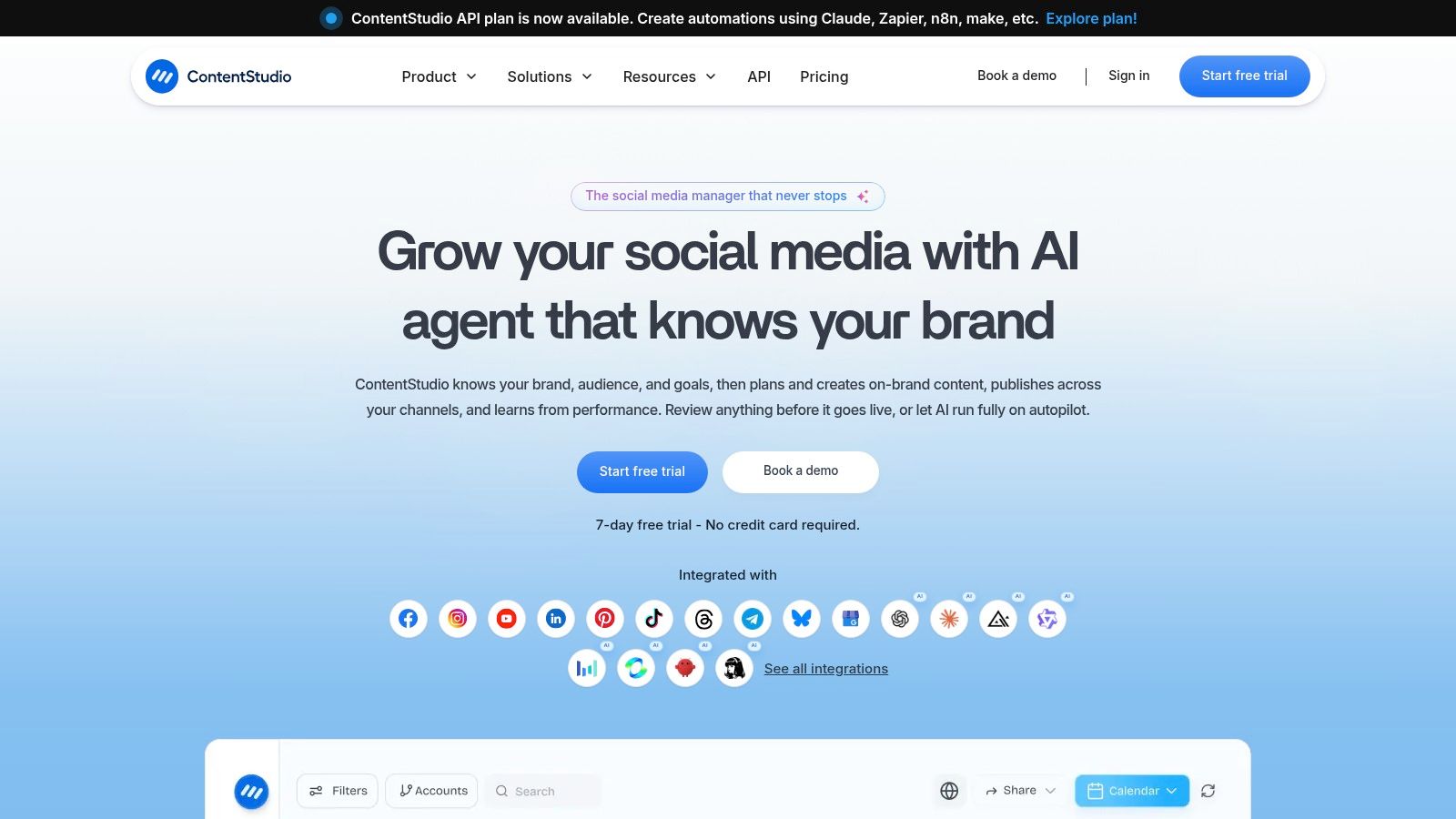
Best fit: Teams that want bulk scheduling alongside curation, RSS automation, evergreen recycling, and suggested publishing times.
- Best use: Separate campaign posts from repeatable evergreen content and automate each on its own terms.
- Workflow advantage: Content discovery and scheduling live in the same workspace.
- Main limitation: CSV formatting remains a requirement for bulk imports.
- Budget concern: Paid entry means it's less suitable for teams only testing the concept.
ContentStudio's platform overview is worth checking if your calendar depends on both original content and repeatable sources. If all your posts are already planned in a clean CSV, its extra curation features may be unnecessary.
9. Publer for high-volume scheduling without a public API
Publer is a practical choice for freelancers and agencies that want to load large CSV batches at relatively low cost. Its bulk scheduler supports up to 500 posts, while evergreen recycling, media management, charity discounts, and a flexible plan builder add useful operational options.
The workflow is strongest when the team works manually from a prepared calendar. Upload the file, review the schedule, and use recycling for content that should return to the queue. The tool's help documentation and plan mechanics make it easier to understand what the workflow can and can't do.
The major limitation is serious for developers: Publer has no public API. That blocks advanced automation, custom internal tools, event-driven publishing, and direct integration with a product workflow. Plan-dependent features create a second layer of constraints, so agencies should test a representative file rather than assume the maximum batch size covers every feature.

Best fit: Freelancers and agencies that need fast, high-volume spreadsheet scheduling and don't require developer automation.
A high CSV ceiling can't compensate for a missing API when the next step is to connect publishing to your own application.
For Instagram-specific preparation, this Instagram bulk upload guide provides useful context on why media and destination rules still matter after the spreadsheet is ready.
10. Metricool for lean teams that want planning and reporting
Metricool combines CSV bulk import with a planner, analytics, content recycling, design integrations, and agency-oriented brand organization. Its auto-publishing support for videos and carousels makes it more useful than a scheduler limited to basic text entries.
The interface is a good match for creators and lean marketing teams that want to start quickly and see reporting without adopting a large enterprise suite. API access also gives more room for integration than a purely manual scheduler, although teams should confirm which capabilities are available on the plan they intend to use.
The desktop experience is the stronger side of the product. The mobile app and some mobile workflows can feel lighter, and advanced capabilities may be restricted to higher tiers. That's manageable for teams that plan and review on desktop, but inconvenient for users who expect mobile parity.
Best fit: Creators, startups, and lean teams that want a straightforward planner with reporting and media-aware publishing.
What works: Easy onboarding, practical how-to resources, and a useful blend of scheduling and analytics.
What doesn't: Mobile and higher-tier limitations can matter if the team expects every workflow to be equally available everywhere.
Check Metricool's current platform details with a real CSV and representative media files. The right choice depends less on the planner preview than on whether your team can complete review, reporting, and rescheduling without leaving the tool.
Top 10 Bulk Upload Tools, Feature & Capability Comparison
| Product | Core features ✨ | Quality ★ | Value 💰 | Target 👥 | Standout 🏆 |
|---|---|---|---|---|---|
| Mallary.ai | API and dashboard; publishing, scheduling, webhooks, and analytics. Your app reads CSV rows; Mallary receives post requests. | Official APIs; queued publishing | Free, Starter, Pro, and Business plans | Developers, SaaS builders, and agencies | One API to add social posting to your app |
| Hootsuite | CSV bulk composer, multi‑network publishing, engagement inbox, approvals | ★★★★ Mature, enterprise‑grade | 💰 Seat‑based; can be costly at scale | 👥 Large organizations, marketing teams | 🏆 Collaboration & enterprise workflows |
| Buffer | Bulk CSV (≤100/post upload), calendar UI, per‑channel scheduling | ★★★★ Simple, easy to learn | 💰 Affordable entry; transparent pricing | 👥 Startups, SMBs, solopreneurs | 🏆 Clarity & ease of use |
| Sprout Social | CSV bulk into publishing calendar, advanced analytics, approvals | ★★★★ Deep reporting & suggestions | 💰 Premium per‑user pricing | 👥 Enterprise teams, customer care | 🏆 Analytics & team workflows |
| SocialPilot | High‑limit CSV bulk, client/team mgmt, white‑label reporting | ★★★ Value‑focused for agencies | 💰 Budget/agency pricing, high limits | 👥 Agencies managing many accounts | 🏆 Generous bulk limits & white‑label |
| Agorapulse | CSV bulk (≈200), approvals, shared calendars, queues | ★★★★ Agency‑oriented & collaborative | 💰 Tiered per‑user; higher tiers for bulk | 👥 Agencies & client teams | 🏆 Strong collaboration & docs |
| Zoho Social | Unlimited CSV bulk, SmartQ queuing, Zoho integrations | ★★★ Cost‑effective suite | 💰 Low‑cost tiers; good value | 👥 SMBs, Zoho stack users | 🏆 Unlimited bulk at lower price |
| ContentStudio | CSV bulk, evergreen queues, RSS automations, SmartQ timing | ★★★ Versatile for curation + publishing | 💰 Agency‑oriented pricing; no free‑forever | 👥 Content teams & agencies | 🏆 Curation + evergreen automation |
| Publer | CSV bulk (up to 500), evergreen recycling, media mgmt | ★★★ Fast & cost‑effective | 💰 Low cost for high‑volume scheduling | 👥 Freelancers & agencies | 🏆 Very high batch ceilings |
| Metricool | CSV bulk planner, auto‑publish for videos/carousels, recycling | ★★★ Planner + analytics for creators | 💰 Good value at lower tiers | 👥 Creators & lean teams | 🏆 Auto‑publish + reporting |
Matching a Bulk Upload Tool to Your Real Workflow
Start with the constraint that will hurt most. For one team, it's the maximum batch size. For another, it's plan gating, platform coverage, approval controls, or the absence of an API. A tool with a smaller upload limit can still be the better choice if it gives clear row-level errors and lets the team recover without rebuilding the entire calendar.
Run a small test CSV of five to ten posts with real media on every shortlisted tool. Use the same campaign content where possible, then check how each platform handles rejected files, unsupported fields, invalid dates, failed connections, and rescheduling. This is more revealing than a feature page because it tests the operational path your team will repeat.
The underlying architecture matters when the batch grows. Oracle's FLEXCUBE documentation describes a workflow that places external data into upload tables, creates a process record per row, runs an upload routine, processes unprocessed records, converts data through an adapter, and updates status and error fields for each record. That model separates submission from processing and treats each row as an independently trackable unit, which is exactly what a reliable publishing workflow needs. See the Oracle upload workflow documentation for the underlying pattern.
Salesforce's Bulk API follows a related approach. It accepts CSV, XML, or JSON, creates a job, uploads data, and processes batches asynchronously. Salesforce documents batches of up to 10,000 records and 1 GB, with batches processed independently and without guaranteed order, as described in its Bulk API package documentation. The lesson for social publishing isn't that every scheduler should match those limits. It's that batch status, chunking, identifiers, and independent outcomes are more useful than a single “uploaded” message.
Teams that need developer control should weigh API, webhook, CLI, and automation access alongside the spreadsheet workflow. Mallary is stronger in that category, while Publer's lack of a public API makes it better for manual scheduling. Agencies should prioritize client management, approvals, white-label reporting, and per-user costs. Small teams may prefer Buffer, Zoho Social, or Metricool because the interface and onboarding matter more than enterprise governance.
Finally, measure rows processed, not just jobs accepted. A useful bulk tool should distinguish accepted, validated, queued, published, retried, and failed records, with downloadable diagnostics where possible. Test malformed delimiters, quoted line breaks, encoding markers, leading zeros, ambiguous dates, locale-specific decimals, formula-injection payloads, and duplicate-safe reruns before trusting a month-long campaign to automation. Guidance on bulk CSV import reliability identifies import success, validation errors, processing time, and data accuracy as core operational measures, while large-file guidance recommends streaming, asynchronous processing, bounded concurrency, backpressure, and resumable checkpoints rather than loading an entire file into memory. Review large CSV handling practices when your workflow includes heavy media or sustained imports.
Choose the tool whose limits fit your largest real batch, not the one with the longest feature list. The best bulk upload tool is the one that tells you exactly what happened to every row and gives your team a safe way to fix what didn't.
Mallary.ai gives teams one API and dashboard for bulk uploads, scheduling, engagement, analytics, and platform-specific validation across major social networks. If your current CSV process breaks at retries, media rules, or multi-platform automation, visit Mallary.ai to test a more controlled publishing workflow.
Try it with Mallary
STOP!
Want ChatGPT or Claude to post on social media for you?
Connect your social accounts one time. Then tell your AI what to write. It can make your posts, share them, and reply on social sites that allow replies. You do not need to write code.
Pick your AI





Connect once. Ask in plain English. Mallary does the work.


