Written by Outrank. Published by Mallary Labs LLC.
Published .
Best Tool to Schedule Social Media Posts in 2026
Your six-person team manages three client brands. A product launch goes live Thursday, and last week's TikTok post failed without warning. Now someone's checking account connections, someone's chasing approval in Slack, and someone else is comparing scheduler prices that don't seem to charge for the same thing.
The cheapest scheduler is rarely the cheapest choice if you have to rebuild its missing workflow yourself. A low subscription can become expensive when every connected account adds another charge, reviewers need paid seats, or developers still own token refresh and failed-post recovery.
Audience fragmentation makes that coordination unavoidable. GWI research cited in DataReportal's global overview found that connected adults used an average of 6.83 social or messaging platforms each month, so publishing everything through a single network's native scheduler won't cover a cross-platform campaign.
The best tool to schedule social media posts depends on what you're buying:
- Publishing access: Count connected profiles, not just platform logos.
- Team workflow: Separate people who draft, approve, publish, and answer comments.
- Integration ownership: Decide whether you want a calendar, automation connectors, or infrastructure embedded in your product.
The picks below compare those purchasing models and the maintenance each leaves with your team. Cost equations use each tool's billing unit rather than unsupported price estimates. Before committing, request a quote that includes your required accounts, reviewers, automation access, and add-ons.
Table of Contents
- 1. Mallary.ai
- 2. Buffer
- 3. Hootsuite
- 4. Sprout Social
- 5. Later
- 6. SocialBee
- 7. Agorapulse
- 8. Metricool
- 9. Loomly
- 10. Planable
- How the ten schedulers compare on free access, billing model, and best-fit buyer
- Match the Scheduler to How Your Team Actually Works
1. Mallary.ai
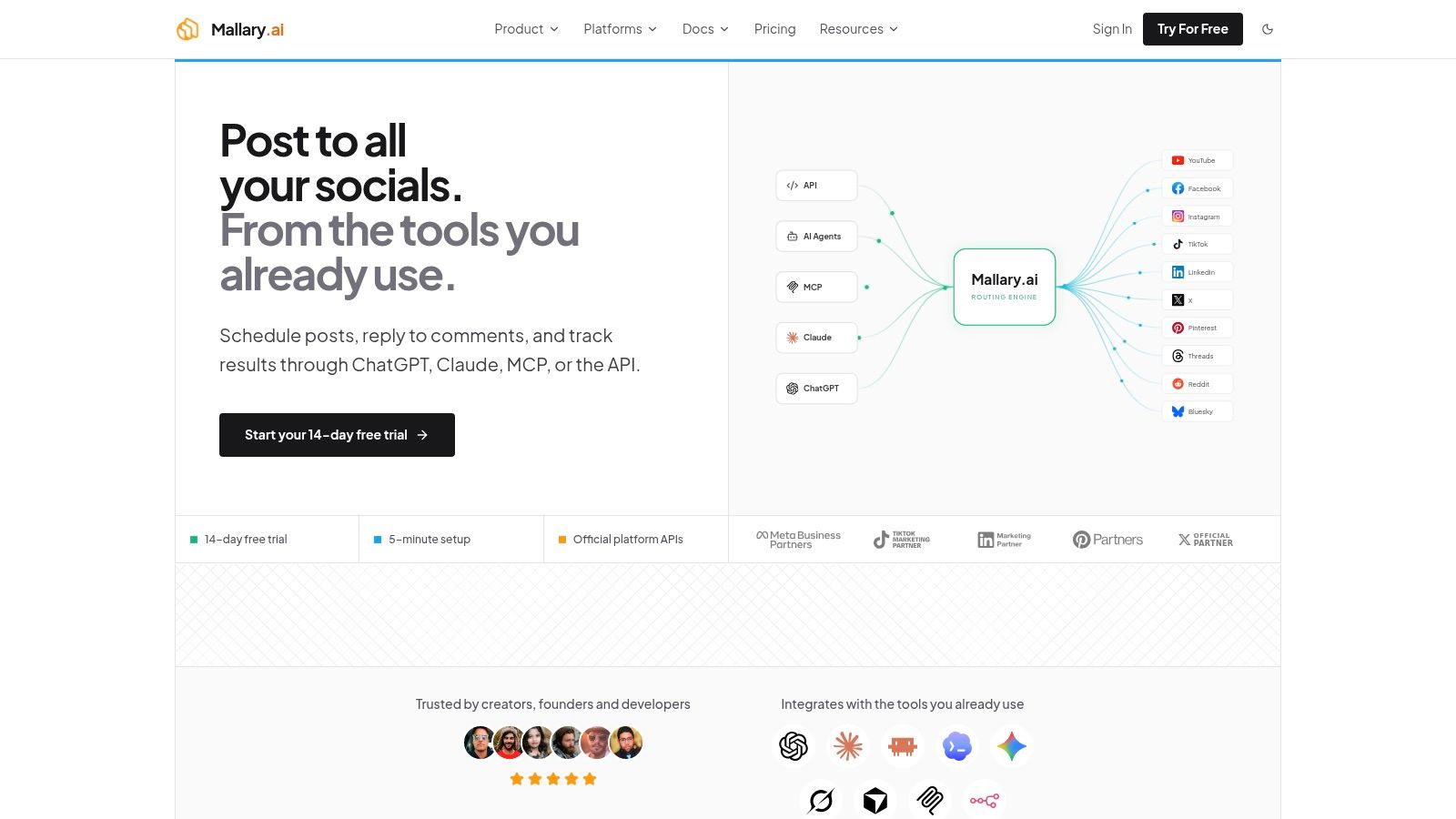
Best for developer teams, SaaS builders, and automation-heavy marketing operations. Mallary.ai combines publishing, engagement, and analytics behind an API and dashboard. Its strongest reason for inclusion isn't the calendar, it's the work developers don't have to reproduce separately for every social network.
Teams can publish or schedule through the dashboard, API, CLI, MCP, and automation tools such as n8n and Make. Mallary handles OAuth, token refresh, rate limits, retries, and queued jobs, while helping validate media and adapt platform-specific payloads.
Buy maintained integrations, not just scheduled timestamps
Cost math: Choose the account-capacity tier that covers your connected profiles, then add applicable taxes and any separate X usage. Compare that total with the engineering time you'd otherwise spend maintaining authentication, publishing adapters, queues, and delivery-status reporting.
- Useful capabilities: First comments, comment management, AI-powered replies, and cross-platform reporting extend the workflow beyond publication.
- Integration advantage: API and agent-oriented access suit products that create posts outside a traditional social calendar.
- Important limits: Confirm each required network and post type, particularly Reddit, because platform listings aren't entirely consistent.
Mallary says it uses official platform APIs and highlights platform verification and partner credentials. Those credentials don't remove platform restrictions, so test your actual account permissions and media formats before embedding the service.
Treat white-label requirements carefully. The FAQ says Mallary isn't sold as a full white-label service, although published posts don't display Mallary branding. Get written confirmation if you need a branded customer portal or reseller arrangement.
For a workflow producing launch assets with the ShortGenius AI ad creative tool, Mallary is worth evaluating as the publishing layer. Keep creative approval separate from automatic distribution, especially when generated content enters the queue.
2. Buffer
Buffer makes sense when the job is to keep a manageable publishing queue moving. Its calendar, drafts, channel-specific editing, and straightforward scheduling suit creators and small businesses that don't need a large operational suite.
Start with Buffer if you already know what you'll publish and want fewer steps between approved content and scheduled delivery. Canva and automation integrations can connect an existing content pipeline without making the scheduler your entire marketing workspace.
Cost math: Multiply the paid connected-channel count by the applicable channel rate. Then check whether the plan includes the collaboration permissions you need, rather than assuming every teammate requires a separate subscription.
Buying rule: A per-channel plan is attractive when you have few accounts. It deserves another calculation every time you add a client's full platform portfolio.
The distinction matters for agencies. A client brand isn't a single billable channel when it has separate Instagram, LinkedIn, TikTok, and other profiles.
- What works: Queues and a visual calendar keep routine publishing understandable.
- What needs scrutiny: First-comment support, threaded posts, and automation actions should match your intended platforms.
- What it won't replace: Don't assume a lightweight publishing workflow covers complex customer-care routing or social listening.
Use the Buffer alternatives comparison when channel-based costs or integration requirements become the constraint. During evaluation, test editing a queued post after feedback arrives, not just creating a new draft.
3. Hootsuite

A launch post goes live, customers ask questions, and the community manager needs to respond while marketing checks performance. That's a stronger reason to consider Hootsuite than scheduling alone.
Hootsuite combines a multi-network calendar with inbox management, analytics, monitoring, and content assistance. Its broader scope is useful when publishing and audience management belong to the same operating team.
Budget for the people doing the work
Cost math: Multiply the applicable user rate by the people who need paid access, then account for profile capacity and any required higher-tier functionality. Don't assume a generous scheduled-post allowance also means unrestricted accounts or collaboration.
The trade-off is straightforward: a wider suite can replace separate workflows, but it can also make a simple scheduling requirement unnecessarily expensive. Map each paid user to an actual responsibility before buying access for the whole department.
- Best fit: Teams handling scheduled campaigns, inbound conversations, and management reporting together.
- Integration question: Ask which automation actions are available on the quoted plan, not merely whether integrations exist.
- Maintenance question: Confirm who receives disconnection alerts and how failed publications appear in the dashboard.
If your team mainly wants to queue content, compare free Hootsuite alternatives before adopting the larger suite. If monitoring and inbox work are daily responsibilities, trial those alongside publishing so you're evaluating the features that justify the purchase.
4. Sprout Social
Choose Sprout Social when reporting helps determine what gets published next. Its publishing calendar, drafts, queues, send-time recommendations, and profile-level reporting suit teams that need an organized relationship between scheduling and performance review.
That relationship matters beyond any particular vendor. In a global survey of marketers, Brandwatch found that 59% identified social media management tools as critical to marketing success, compared with 79% for analytics tools.
Sprout Social offers a publishing-focused Essentials tier, with broader inbox, collaboration, and analytical capabilities on higher plans. Don't buy a higher tier because the product demonstration includes those features. Ask the vendor to identify precisely which ones your quote covers.
Cost math: Multiply the selected tier's seat rate by the users who need access, then include profile expansion and any additional capabilities. A reporting-focused team should distinguish report recipients from people who require a licensed workspace.
- Strong reason to buy: Publishers and analysts can work from an organized publishing and reporting environment.
- Cost limitation: Per-seat billing becomes more consequential as occasional contributors need access.
- Workflow limitation: Advanced approvals, inbox functions, and listening shouldn't be assumed to be entry-tier inclusions.
For integrations, work backward from your destination. If a stakeholder needs an exported report, an API may be unnecessary. If your application must create posts and consume delivery events, confirm those endpoints, permissions, and commercial terms before choosing Sprout for its dashboard.
5. Later

For a brand planning product photography, creator videos, and a coordinated Instagram feed, Later's visual workflow is a practical advantage. The media library and calendar help a publisher evaluate the campaign as a collection of assets rather than disconnected text entries.
Later supports scheduling across visual and broader social networks, alongside Link in Bio and platform analytics. It's a sensible shortlist candidate when arranging images and video takes more attention than writing the captions.
Understand what a social set actually buys
Cost math: Select the tier that accommodates your required social sets, users, and publishing allowance. Don't treat unused profiles on other networks as interchangeable capacity for extra accounts on your main network.
That packaging can fit a creator with a presence across supported platforms. It can be less convenient for an agency managing several separate Instagram accounts but little else.
- What works: Visual asset organization and feed planning support image-led campaigns.
- What to verify: Supported publishing formats, Reels audio requirements, account eligibility, and any notification-based publishing steps.
- Where costs change: Additional social sets, collaborators, and greater publishing volume can require a higher tier.
Later is less compelling if your primary requirement is embedding publishing inside a SaaS application. Ask about supported automation routes before assuming the calendar's capabilities are also exposed programmatically. A polished drag-and-drop workflow doesn't establish API suitability.
6. SocialBee
An evergreen library needs a different operating model from a launch calendar. SocialBee is useful when you want educational posts, product explanations, and approved promotional content to rotate through category-based queues.
SocialBee combines content categories, recurring schedules, recycling, and AI-assisted creation. Canva, Zapier, and Make integrations can help move assets and approved material into that workflow.
The setup requires editorial decisions. You have to define useful categories, decide what remains relevant, and remove content that should no longer repeat.
Cost math: Choose the tier that fits social profiles, users, and workspaces, then check whether approvals, bulk editing, and deeper analytics require an upgrade. Compare the cost of that tier with the repetitive scheduling work it removes.
Reusable content still needs an owner. Put an expiry or review process around pricing announcements, product screenshots, and claims that can become outdated.
- Best fit: Consultants, small businesses, and content teams with a substantial approved evergreen library.
- Operational benefit: Category queues reduce repeated manual placement of material that remains useful.
- Real limitation: Category setup adds friction if you publish infrequently or mostly cover time-sensitive news.
Test your automation connector's available actions before designing the pipeline. Creating a draft, assigning a category, and scheduling an approved post aren't necessarily equivalent operations. Keep approval status explicit so imported material doesn't enter a live rotation prematurely.
7. Agorapulse
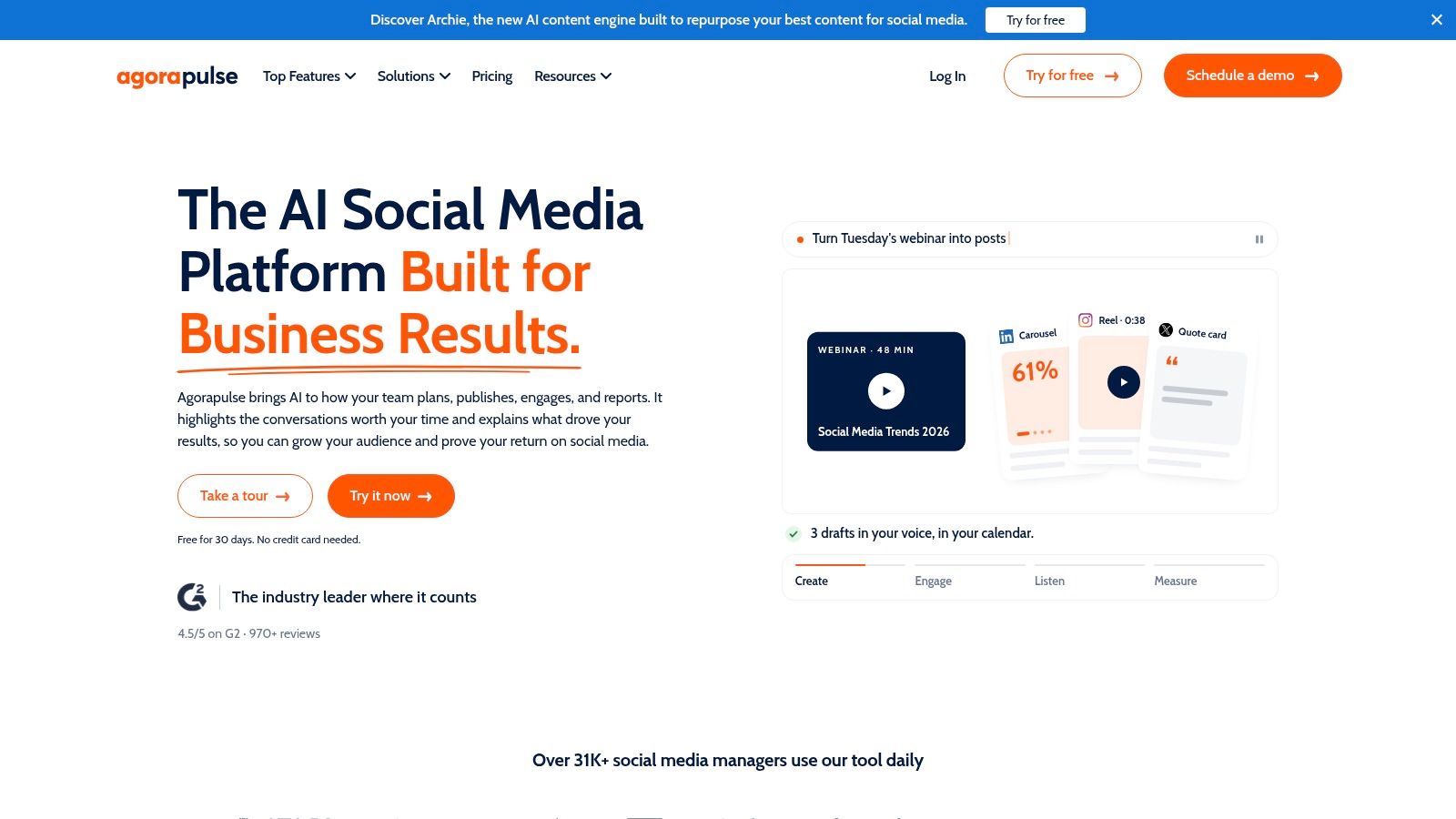
Agorapulse fits teams whose work continues in the comments after a post publishes. Its combination of scheduling, a unified inbox, and reporting makes it a candidate for community managers and agencies handling ongoing engagement.
Agorapulse provides scheduled publishing alongside message and organic-comment management. Higher tiers add capabilities such as assignments, moderation rules, and deeper reporting, so evaluate the engagement workflow at the tier you can afford.
Count responders as well as publishers
Cost math: Multiply paid users by the selected user rate, then add profiles beyond the included capacity and any required upgrades. Include community managers in that calculation, not just the people preparing the calendar.
A shared inbox only helps if the right people can access and use it. Keeping responders outside the product to save subscription costs can reintroduce screenshots, forwarded messages, and duplicate replies.
- Useful combination: Publishing and audience responses stay within the same operational environment.
- Trade-off: Per-user billing can become significant for distributed teams.
- Trial priority: Check assignment, escalation, conversation history, and reporting permissions.
For agencies comparing these requirements, the agency social media management tools guide provides a broader shortlist. Ask separately about API or automation access if client reporting or publishing must connect to your own systems. Inbox breadth alone doesn't establish integration depth.
8. Metricool
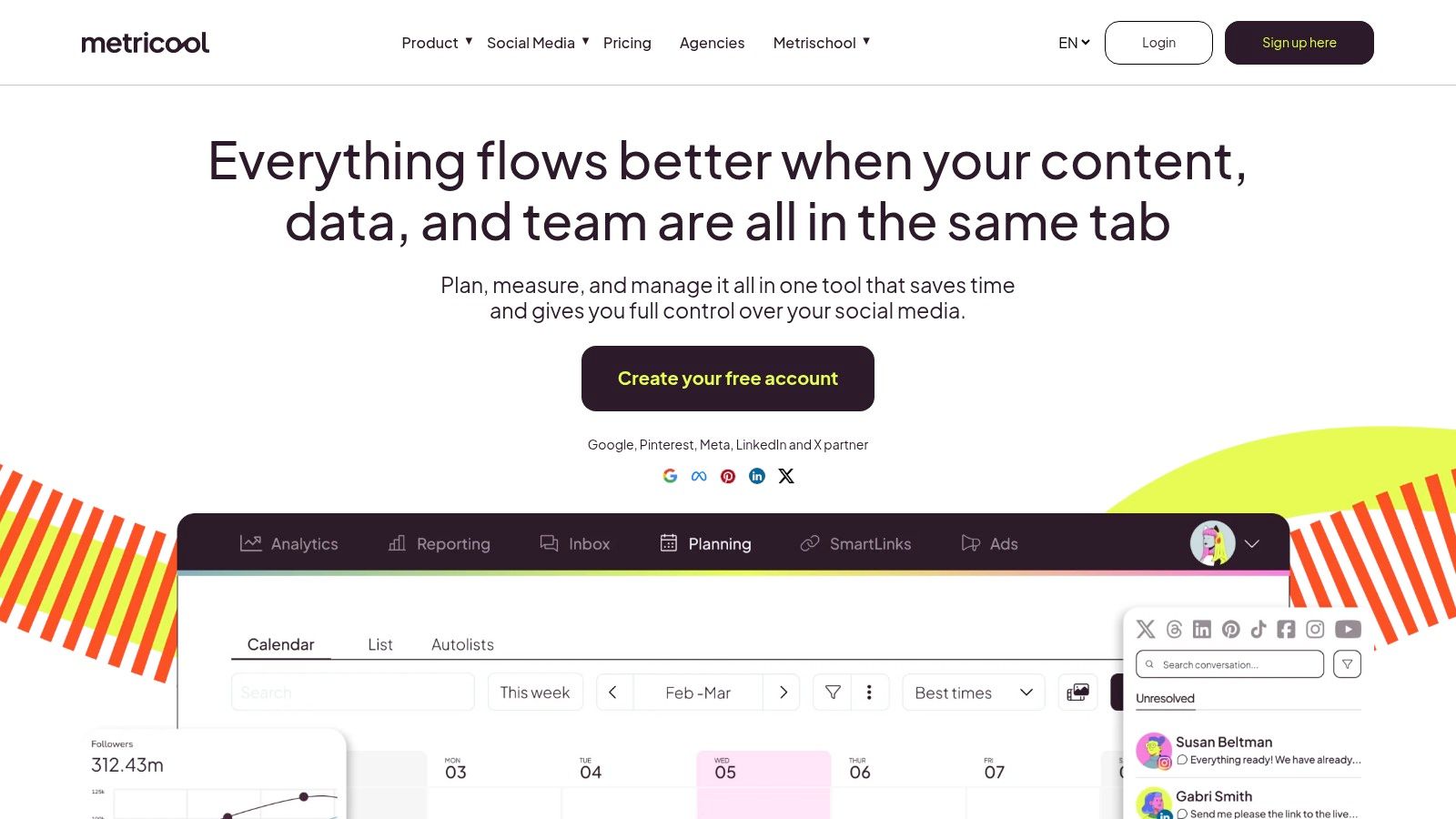
Brand-based packaging makes Metricool worth considering for analytics-minded creators and small agencies. Instead of starting with individual seats, evaluate how the product groups each client or project's connected accounts.
Metricool combines scheduling with reporting and competitor analysis. Its creative integrations include Canva and Google Drive, while API access is associated with Advanced and Custom plans.
Cost math: Choose the plan covering your required brand count, then add network-specific extras and any upgrade needed for approvals or API access. Compare the complete automation-enabled quote with other tools, not Metricool's entry-level publishing package.
That distinction matters if your agency plans to generate reports or schedule content from an internal application. The cheapest calendar tier isn't the relevant comparison when the API is a requirement.
- What works: Brand-oriented organization can align neatly with client-based operations.
- What to check: How the vendor defines a brand and handles extra profiles on the same network.
- What can change the bill: X access, brand expansion, and higher-tier collaboration or automation requirements.
During a trial, build the report you'd send to a client. Check whether the available metrics answer the client's questions, whether exports need manual cleanup, and how account reconnection affects access. A scheduling tool with useful reports can save work, but only when those reports match the deliverable you sell.
9. Loomly
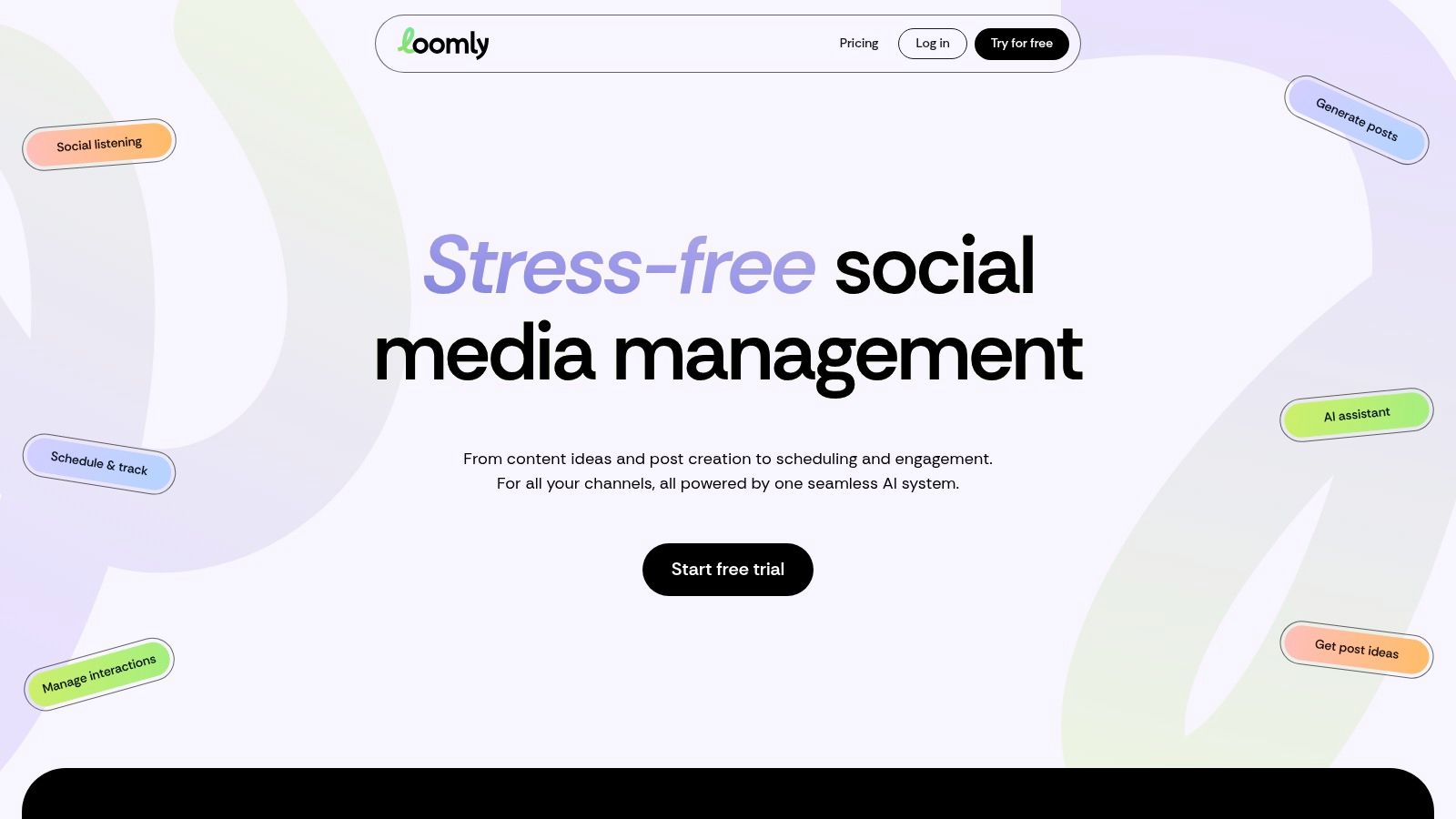
When reviewers keep asking which version is approved, Loomly's structured calendar deserves a look. Post previews, roles, approval workflows, and direct publishing support teams that need a visible path from draft to release.
Loomly also offers AI assistance, bulk posting, and workflow integrations including Slack, Microsoft Teams, and Zapier. Those notification routes are useful when reviewers spend their day outside the publishing dashboard.
Compare bundles with your actual team
Cost math: Find the package that covers both users and connected accounts, then check whether custom roles, workflows, or branding require Beyond. A bundled plan can be economical when you use its included collaboration capacity and wasteful when you don't.
The buying question isn't just whether approvals exist. It's whether the included approval model matches who can edit, approve, and publish.
- Good fit: In-house teams that want a structured content-review process.
- Potential limitation: Specialized permissions and custom workflows can move the purchase into a higher tier.
- Integration test: Confirm whether notifications merely announce changes or allow the required action.
Test a revision after approval. If the caption or asset changes, establish whether reviewers must sign off again and whether the scheduled version updates correctly. Also verify your required networks directly, especially where publishing availability differs across product descriptions. Account coverage is only useful when the required format publishes as expected.
10. Planable

Planable is a strong candidate when stakeholder approval is the bottleneck. Its shared calendars, previews, workspaces, and review workflows suit agencies that need clients to approve the correct content before publication.
Planable organizes collaboration around content and separate workspaces. That purchasing model deserves attention when a brand needs its own reviewers, permissions, and calendar rather than another connected profile inside a shared environment.
Tool consolidation isn't automatically the right goal. In Planable's survey of marketers, 43.9% used just one or two tools to manage social-media workflows, while 21.7% used five or more tools.
Cost math: Multiply paid workspaces by the selected workspace rate, then add required reporting, engagement, or other extras. Establish how you'll separate clients before estimating the subscription.
Pay for the review boundary you need. Combining unrelated clients merely to reduce workspace charges can create permission and process problems.
- Specific advantage: Feedback can stay attached to the post stakeholders are reviewing.
- Commercial limitation: Workspace-based billing grows with the way you separate brands and clients.
- Automation question: Confirm the available integrations, permitted actions, and approval behavior before connecting external creation tools.
During evaluation, invite an actual stakeholder and ask them to request a change. The important result isn't a full calendar. It's an approved version that publishes without someone copying feedback from email or manually rebuilding the final post.
How the ten schedulers compare on free access, billing model, and best-fit buyer
| Item | Free option or trial | Billing model | Best for |
|---|---|---|---|
| Mallary.ai | 14-day free trial | $15/month for 5 accounts; tiered by account count | Teams and developers managing publishing, engagement, and analytics across channels |
| Buffer | Free plan: up to 3 channels and 10 scheduled posts per channel | Per-channel pricing | Creators and small businesses seeking a simple scheduler |
| Hootsuite | Free trial without a credit card | Paid plans; Standard supports up to 10 social accounts | Teams needing scheduling, inbox management, monitoring, and analytics |
| Sprout Social | 30-day Essentials trial | Per-seat pricing | Lean teams prioritizing organized publishing and performance reporting |
| Later | 14-day paid-plan trial | Tiered plans with account and usage limits | Creators and brands planning visual content |
| SocialBee | No free option stated | Tiered plans for individuals, teams, and agencies | Users maintaining a consistent cadence with evergreen content |
| Agorapulse | 30-day trial without a credit card | Per-user pricing; profile slots are limited by plan | Teams combining publishing with inbox and engagement workflows |
| Metricool | Free plan for 1 brand and up to 20 posts per month | Plans scale by brand count, with some paid add-ons | Analytics-minded creators and small agencies |
| Loomly | Free trial without a credit card | Tiered plans with account and feature limits | Teams coordinating content reviews and approvals |
| Planable | Trial includes up to 50 posts | Paid plans priced per workspace | Agencies and teams that need stakeholder review and approval |
Match the Scheduler to How Your Team Actually Works
Start with the operating model, not the longest feature list. A solo creator needs a different purchase from an agency coordinating client approvals, and neither necessarily needs the same infrastructure as a SaaS team embedding publishing.
Write down the requirements before requesting quotes. Keep connected accounts separate from networks, and distinguish occasional reviewers from people who need full publishing or inbox access.
- Channel count: List every connected profile and its required post formats.
- People needing access: Identify publishers, editors, approvers, analysts, and responders.
- Integration requirements: Specify dashboard-only work, automation connectors, or API-based publishing.
- Approval requirements: Define who signs off and what happens when approved content changes.
- Maintenance ownership: Assign responsibility for reconnection, failed jobs, permissions, and escalation.
Then calculate subscription plus add-ons plus retained operational work. For channel billing, multiply the paid profiles by the channel rate. For seat billing, multiply licensed users by the seat rate. For brand, workspace, or bundled plans, choose the capacity that preserves the separation and permissions you need.
Run the same calculation at your expected growth. Include the next client portfolio, additional community managers, and any upgrade required to access the API. Don't compare a scheduling-only starter package with another product's automation-enabled tier.
Trial a real campaign before committing
Use a free trial to move an actual campaign through drafting, feedback, approval, scheduling, publication, and reporting. Include the media formats and time zones your team uses, rather than testing only a plain-text post.
For an API-driven workflow, inspect delivery status, retry behavior, duplicate prevention, and webhook handling. For a collaborative workflow, test rejected drafts, late revisions, absent approvers, and permission boundaries.
- Successful publication: Confirm the post appears correctly on the destination network.
- Visible failure: Establish who gets alerted and what recovery requires.
- Safe intervention: Make sure someone can pause publishing and automated replies when circumstances change.
Human control matters as much as automation. Industry coverage citing a practitioner survey reports that 94% felt they had to be chronically online to keep up, according to CustomerThink. A scheduler should reduce repetitive attention without making sensitive conversations harder to escalate.
I'd shortlist Buffer for straightforward queues, Later for visual planning, Planable or Loomly for approvals, and Hootsuite or Agorapulse for engagement-led operations. Consider Sprout Social or Metricool when reporting drives the purchase, SocialBee for evergreen rotation, and Mallary when maintained integrations and programmable publishing are central. Choose the tool that removes your actual bottleneck at the cost of your next stage, not just today's workload.
Mallary.ai brings scheduled publishing, engagement, and analytics into an API and dashboard, with authentication and publishing-job handling managed behind the scenes. Visit Mallary.ai to test a real campaign through your preferred dashboard, API, or automation workflow, and confirm support for your required accounts and post formats before committing.
Try it with Mallary
STOP!
Want ChatGPT or Claude to post on social media for you?
Connect your social accounts one time. Then tell your AI what to write. It can make your posts, share them, and reply on social sites that allow replies. You do not need to write code.
Pick your AI





Connect once. Ask in plain English. Mallary does the work.


