
Written by Outrank. Published by Mallary Labs LLC.
Published .
YouTube API Playlist Guide for Developers
The popular advice for a YouTube API playlist integration is usually simple: fetch a playlist, add a video, and move on. That model works for a demo and fails in production. A reliable integration has to manage remote state, paginated reads, OAuth ownership, quota consumption, retries, and writes whose final outcome may be uncertain after a timeout.
The REST request is the easy part. The difficult part is deciding what to do when a page fetch stops halfway through, a user revokes access, or an insert returns an error after YouTube may already have accepted it. Treat playlist automation as a small distributed-systems problem, and the design decisions become much clearer.
Table of Contents
- Why YouTube Playlist Automation Is Harder Than the Docs Suggest
- The Playlist and PlaylistItem Resource Model
- Setting Up OAuth for Playlist Mutations
- Quota Economics and the 10,000 Unit Daily Budget
- Pagination Page Tokens and Resumable Sync
- Creating Updating and Reordering Playlist Entries
- Retries Backoff and Recovering from Ambiguous Writes
- Ownership Revocation Account Switching and Privacy Changes
- Choosing a Sync Architecture for Scale
- Quick Reference of Endpoints Scopes and Costs
- End-to-End Sync Walkthrough Putting It All Together
Why YouTube Playlist Automation Is Harder Than the Docs Suggest
A playlist looks like a container, but YouTube exposes it as two related resources. One resource describes the playlist, while another describes the entries inside it. The API also paginates both collections, charges quota for every request, and separates read operations from materially more expensive mutations. Google documents these mechanics, but short examples often hide their operational consequences in the YouTube Data API overview.
A production worker shouldn't assume that one successful response means synchronization is complete. It needs durable state, a quota budget, a page-token checkpoint, and a reconciliation path for uncertain writes. There isn't a client-supplied idempotency key on a playlist-item insertion, so your application has to create idempotency at its own persistence layer by recording the intended playlist and video relationship before sending the request.
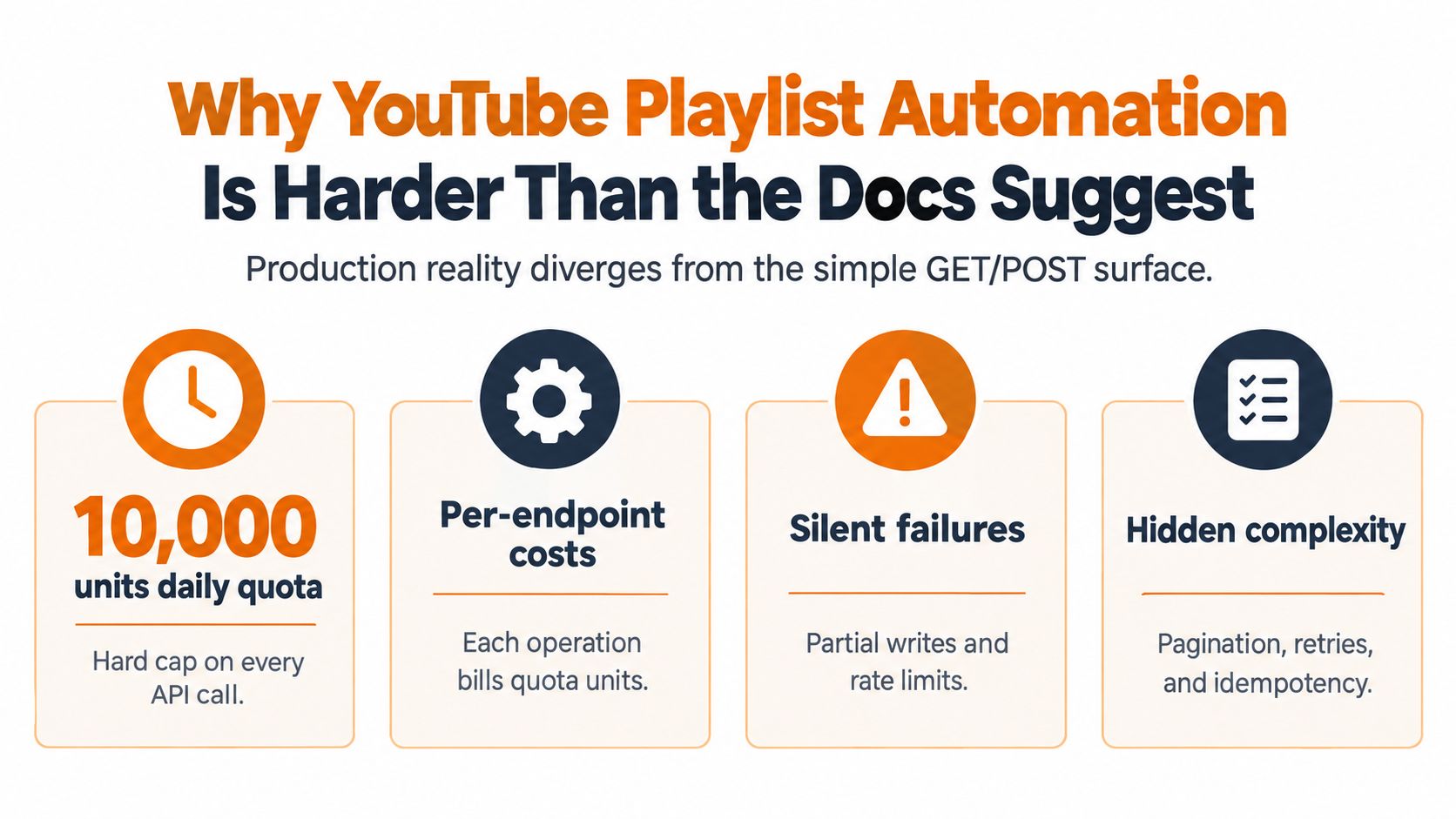
The most useful mental model is:
- Remote state: YouTube owns the authoritative playlist membership, not your database.
- Progress state: Your service owns checkpoints, planned mutations, and reconciliation status.
- Budget state: Every request consumes project quota, including invalid requests.
- Permission state: The connected Google account can lose access or change ownership context.
That division affects how you recover. A timeout isn't proof that an insert failed. A missing item isn't automatically a deletion. A stale token isn't necessarily a bad playlist ID. Each condition needs an explicit state transition and a later read that can confirm what YouTube currently contains.
Teams that don't want to build this operational layer from scratch can also consult Refact automation specialists when designing a broader automation system. The important point isn't which implementation partner you choose. It's that playlist work deserves the same reliability treatment as any other externally committed write.
Practical rule: Treat every mutation response as provisional until your local state and a subsequent read agree.
The Playlist and PlaylistItem Resource Model
The first implementation decision is choosing the correct resource. A playlist represents the container and its metadata. A playlistItem represents one entry in that container. Google describes a playlist as a collection of videos that can be viewed sequentially and shared with other users, while the API separates the collection metadata from its membership.
Use the /playlists methods when you need to work with the container itself. Use /playlistItems when you need to enumerate, add, reorder, or remove entries. The distinction prevents a common class of bugs, such as attempting to rename a video through a playlist-item update.
| Concern | playlist resource |
playlistItem resource |
|---|---|---|
| Container identity | Holds the playlist ID and metadata | Holds the playlist-item record ID |
| Metadata | Title, description, privacy and related playlist fields | Entry-level snippet and position data |
| Membership | Doesn't directly enumerate every entry | Represents one video or other entry in the playlist |
| Add a video | Not the correct mutation | Use playlistItems.insert |
| Reorder an entry | Not the correct mutation | Use playlistItems.update with snippet.position |
| Remove an entry | Not the correct mutation | Use playlistItems.delete with the playlist-item ID |
For an enumeration, call playlistItems.list with part=snippet,contentDetails and the target playlistId. The associated video ID is available in snippet.resourceId.videoId, while the top-level id identifies the playlist-item record. Persist both values. You need the video ID to compare content, but you need the playlist-item ID to update or delete that membership row.
Listing playlist items doesn't automatically return every video attribute. If your application needs video duration, view count, or other video-level metadata, it must perform a separate videos.list read. Keep that enrichment step separate from membership reconciliation, because most playlist jobs only need the relationship and position.
Setting Up OAuth for Playlist Mutations
Public playlist reads and user-owned playlist writes are different authorization problems. A read of public data can use an API key where the endpoint permits it, but creating, modifying, deleting, or reordering playlist data requires OAuth authorization tied to the account that can manage the resource. Google's playlist implementation guide should be the baseline for the consent and ownership flow.
A practical setup looks like this:
- Create a Google Cloud project and enable YouTube Data API v3.
- Register the OAuth client for the application type you're building.
- Request the ` scope when playlist mutations are required.
- Exchange the authorization code for an access token and refresh token.
- Store the refresh token encrypted on the server, associated with the connected account and channel.
- Refresh access tokens in middleware before request handlers attempt an API call.
- Mark the connection unusable when Google returns
invalid_grant, then ask the user to reconnect.
The scope belongs to the user consent decision, not to an API key. Don't treat a playlist ID as a permanent permission grant. The same ID is useful only while the connected account still has the authority to access and mutate that resource.
Token handling deserves its own service boundary. Application code should receive a valid access token or a clear authorization error, not implement refresh logic independently in every worker. For teams that want a broader explanation of delegated authorization, this OAuth guide for application developers provides useful context.
Incremental authorization can reduce the initial permission request, but asking for less access only helps when the product genuinely has separate read and write modes. If the user will eventually need playlist changes, postponing the consent step can create a confusing failure later. Make the required operation and account relationship clear before the first mutation.
Quota Economics and the 10,000 Unit Daily Budget
Quota changes the shape of the system. Google gives most YouTube Data API projects a default allocation of 10,000 quota units per day, while search.list and videos.insert have separate default limits of 100 calls per day. playlists.list and playlistItems.list cost 1 unit per call, whereas playlist creation, modification, and deletion generally cost 50 units per call, according to Google's quota cost documentation.
That means a read-heavy design can still become expensive through pagination. A request with maxResults=50 is one call, not a reservation for an entire playlist. Every additional page is another request and another unit. A write-heavy job burns capacity much faster because each insertion, update, or deletion carries the higher write cost.
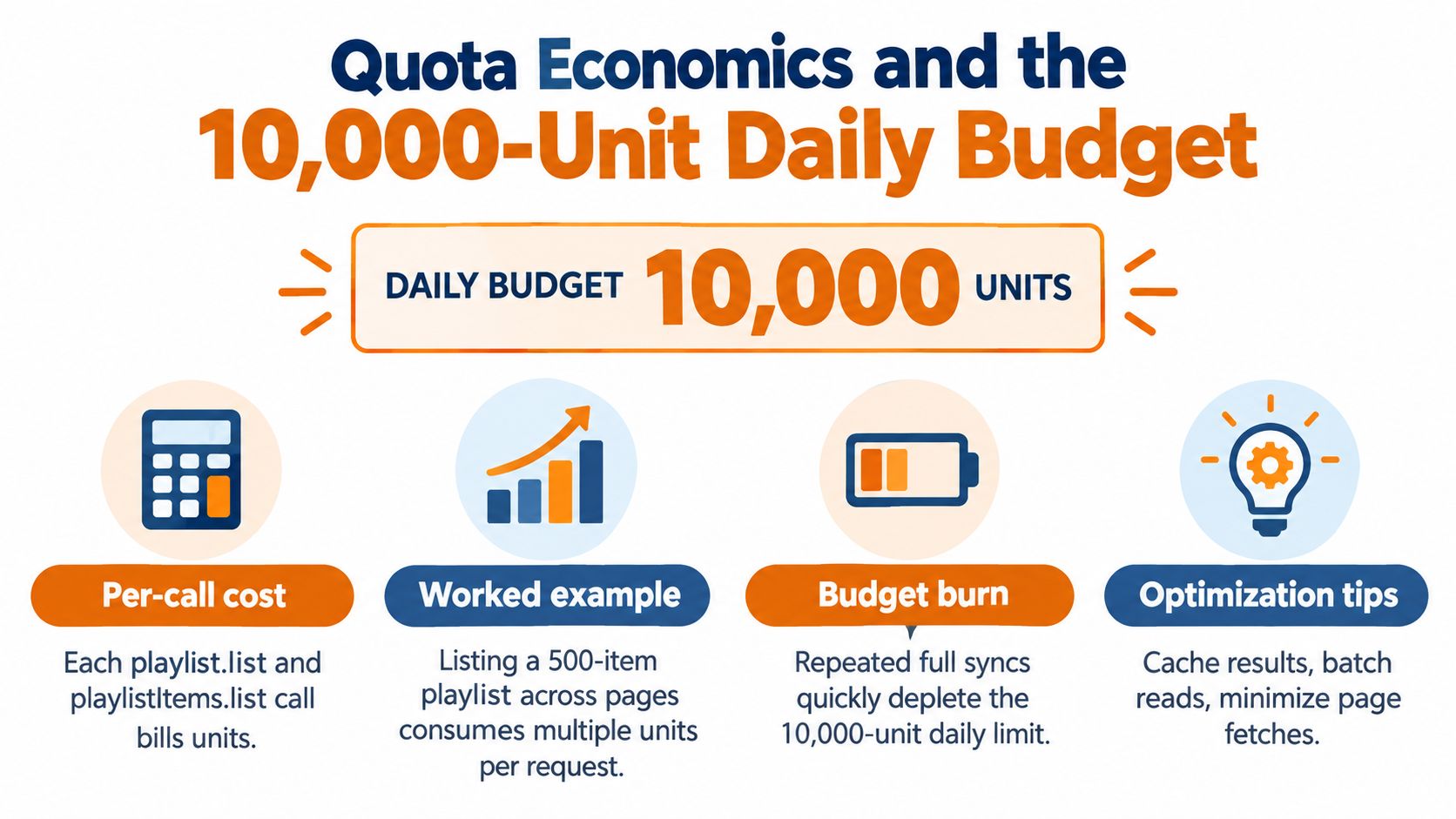
A useful planning exercise is to model a run as separate buckets:
- Discovery reads: Find target playlists and inspect their metadata.
- Membership reads: Walk every required
playlistItems.listpage. - Enrichment reads: Fetch video details only for items that need them.
- Mutations: Insert, reorder, or remove entries.
- Recovery allowance: Reserve capacity for transient failures and reconciliation.
Don't spend the entire budget on the happy path. Invalid requests consume at least one unit, and retries consume quota as well. Preflight validation, local membership state, and bounded retries are therefore cost controls, not just code quality improvements.
The part parameter is also an engineering lever. Request only the fields needed for the current operation, and avoid enriching every entry when the local state already contains the required metadata. Cache stable playlist metadata, use the largest practical page size, and prefer an uploads playlist discovered from the channel resource over search-based discovery for routine traversal.
For a concise treatment of API budgeting and throttling patterns, see this guide to API rate limits. Before shipping, memoize the actual unit costs for every endpoint in your runbook. Quota assignments can differ by method, and a synchronization loop that ignores pagination is already undercounting its spend.
The remaining budget should be observable. Record quota estimates for planned work, actual request counts, failed requests, and the reason each retry was issued. A worker that knows its remaining budget can defer non-urgent writes. One that doesn't will fail halfway through a customer operation.
Pagination Page Tokens and Resumable Sync
playlistItems.list returns a page, not a complete playlist. Set playlistId, select the required part values, and pass maxResults within the supported range. When more entries exist, the response includes nextPageToken; send that opaque value as pageToken on the next request. The playlist-items list reference defines this continuation behavior and the supported request parameters.

A worker should persist progress after each successful page. Store the playlist ID, the token used for the request, the returned continuation token, the last observed item identifiers, and a synchronization version. If the process crashes, the next worker can resume from durable state rather than restarting blindly.
Do not manufacture cursors by interpreting the token. Treat it as opaque. An absent continuation token means the traversal has reached the end, while a changed playlist can still require a later reconciliation pass.
A Node worker can express the control flow without tying progress to memory:
- Load the saved checkpoint for the playlist.
- Request the next page with the saved token, when one exists.
- Upsert each playlist-item record using its top-level item ID.
- Save the returned continuation token in the same durable workflow.
- Stop when the response has no continuation token.
- Mark the traversal complete only after the checkpoint is committed.
That final commit matters. If item processing succeeds but checkpoint persistence fails, replaying the page should be safe because the upsert key is the playlist-item ID. If the checkpoint advances before item persistence, the worker can skip data permanently. The ordering of those two writes is part of your consistency model.
The same page-token pattern applies when listing playlists, although the resource and method differ. For broader background on designing restartable jobs, this data sync guide for apps is a useful complement to the API reference.
Creating Updating and Reordering Playlist Entries
Playlist mutations fall into three distinct paths. Adding a video creates a playlist-item relationship. Renaming or changing playlist metadata updates the playlist container. Moving an existing entry updates the playlist-item position, because YouTube doesn't expose a separate move endpoint.
For an insertion, send playlistItems.insert with part=snippet and a body containing the destination snippet.playlistId and a snippet.resourceId whose kind is youtube#video and whose videoId identifies the video. An explicit snippet.position can place the item at a chosen location. If your workflow doesn't need deterministic placement, omit the position and let the entry append according to the API's behavior.
For a playlist metadata change, use playlists.update with the playlist ID and the fields you intend to preserve or modify. A partial snippet can carry a new title or description. Don't send a playlist update when the desired operation is adding a video. These are separate resources and separate mutations.
Reordering uses playlistItems.update. Supply the existing playlist-item ID and its current resource identity, then change snippet.position. The video ID alone isn't sufficient for this operation.
| Operation | Endpoint | Key body fields | Quota cost |
|---|---|---|---|
| Add a video | playlistItems.insert |
snippet.playlistId, snippet.resourceId |
50 units |
| Change playlist metadata | playlists.update |
Playlist ID and selected metadata fields | 50 units |
| Reorder an entry | playlistItems.update |
Playlist-item ID and snippet.position |
50 units |
| Remove an entry | playlistItems.delete |
Playlist-item ID | 50 units |
The quota assignments above are documented in Google's quota cost calculator reference. Validate the video ID, destination playlist, authorization context, and existing membership before issuing a write. A failed request still has an operational cost, and a duplicate insert can create cleanup work that costs more quota than the original mistake.
Store a client-generated operation key beside each planned write. A useful key can combine the playlist ID, video ID, intended operation, and source revision. Before retrying, look up that key and reconcile the remote membership rather than assuming a second insertion is safe.
Retries Backoff and Recovering from Ambiguous Writes
A network timeout after an insert is not the same as a confirmed failure. The server may have committed the change before the client lost the response. Retrying immediately can create a duplicate relationship, while refusing to retry can leave the source and destination out of sync.
Separate errors into three groups:
- Permanent request errors: Validation, authorization, permission, and missing-resource responses need correction or user action. Retrying them repeats the problem.
- Transient service errors: Temporary server failures and transport interruptions can be retried with exponential backoff and jitter.
- Ambiguous outcomes: Timeouts and some server errors require a read-based reconciliation before another write.
Persist the operation before sending it. Include the playlist ID, video ID, intended position, operation key, attempt count, and current status. When the response is uncertain, mark the row ambiguous, not failed. A reconciliation worker can list the playlist items, find the matching video relationship, and transition the operation to confirmed or eligible for another attempt.
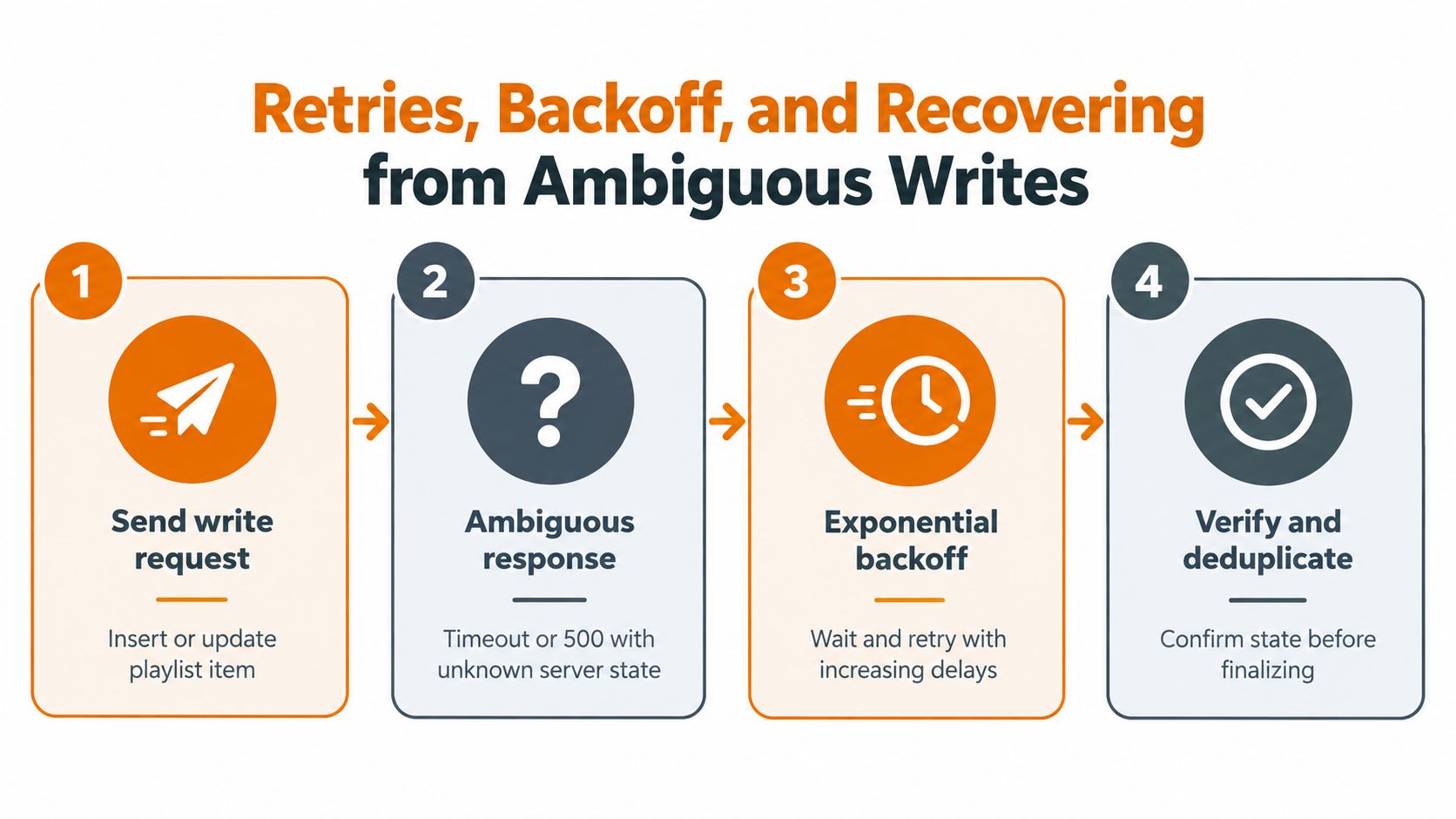
Use a bounded retry policy. Add jitter so multiple workers don't wake together, stop retrying after the operation's budget is exhausted, and send unresolved records to a quarantine queue with enough context for support and replay. Keep the original operation key in logs and database records. A new attempt should be a continuation of the same operation, not a new logical request.
Concurrent writers create another failure path. Two workers can both observe that a video is absent and then both attempt an insertion. A per-playlist queue or lock reduces this race, but the read-before-write check still belongs in the worker because locks don't cover other applications using the same YouTube account.
Recovery rule: When the server state is unknown, read first, then decide whether another write is necessary.
Ownership Revocation Account Switching and Privacy Changes
A playlist ID isn't a complete connection record. Your integration also needs the authorized account, owning channel, token status, and the last successfully observed privacy state. Without those fields, account switching can make a valid-looking ID point to the wrong customer context.
OAuth revocation should move the connection into a reauthorization state. Stop mutation attempts, preserve the local playlist mapping for audit, and ask the user to reconnect. If the user authorizes a different Google account, don't attach the old playlist mapping to the new account without verification. Revalidate the accessible channel and compare it with the owner stored in your database before resuming work.
Privacy changes deserve the same treatment. A playlist that becomes private may still be usable by the owner but no longer readable through a public discovery path. A deleted or unavailable item should be retained as a tombstone in local history so the sync engine doesn't repeatedly attempt to recreate a relationship that the user intentionally removed.
| Event | API signal | Detection method |
|---|---|---|
| Consent revoked | OAuth authorization failure such as invalid_grant |
Token refresh middleware and connection health checks |
| Account switched | Authenticated channel no longer matches stored owner | Reconcile the channel identity after authorization |
| Playlist privacy changed | Returned playlist metadata differs from stored state | Metadata polling during authorized reconciliation |
| Entry unavailable | Item is returned as deleted or lacks usable video data | Preserve the playlist-item record and classify it |
| Capacity reached | playlistContainsMaximumNumberOfVideos error |
Handle the mutation response and present a recovery path |
The capacity error is especially important because it needs a product response, not another retry. The user may need to remove old entries, choose another playlist, or reduce the planned synchronization set. Surface that choice in the application rather than burying the API error in a worker log.
Model ownership as mutable. Account credentials expire, consent changes, channels change, and playlists move between operational states. A scheduled reconciliation should be able to disable a resource safely without deleting the local history required to explain what happened.
Choosing a Sync Architecture for Scale
A timer that fully scans every playlist is easy to write and difficult to operate. It repeats work even when nothing changed, spends quota on pages already seen, and competes with user-triggered writes. The better design separates read reconciliation from write curation.
Use local state as a working index, not as the authority. The read path walks playlist pages and updates that index. The write path consumes durable desired-state operations. A per-playlist queue preserves ordering for inserts and reorders, while a per-user limiter prevents one connected account from consuming all available capacity.
| Portfolio size | Recommended sync | Estimated daily units | Architecture pattern |
|---|---|---|---|
| Small | Eventual or manual reconciliation | Depends on page count and changes | Single worker with durable checkpoints |
| Growing | Scheduled incremental reads | Budget from actual pages and planned writes | Separate read and mutation queues |
| Large or multi-tenant | Change-aware reconciliation | Reserve capacity for mutations and recovery | Per-user limits, per-playlist ordering, shared observability |
The estimated-units column should be calculated from your observed page and mutation counts, not guessed from the number of playlists alone. A playlist with few entries has a different read profile from a large one, and a metadata-only check isn't equivalent to a full membership traversal.
Cache playlist metadata and channel discovery results where the product can tolerate stale reads. Request only the parts required for each job. Use page sizes that reduce round trips without forcing workers to hold unnecessary payloads in memory. Instead, don't let analytics enrichment run in the same critical path as membership reconciliation. A failed view-count lookup shouldn't prevent the worker from confirming whether an entry belongs to the playlist.
This architecture also makes incidents easier to contain. Pause nonessential enrichment when quota is tight, continue processing high-priority mutations through the queue, and let reconciliation repair ambiguous rows later.
Quick Reference of Endpoints Scopes and Costs
Keep a short runbook beside the integration. The following entries cover the core playlist workflow and use the documented default quota model.
| Operation | Method | Important parameters or fields | Authorization | Cost |
|---|---|---|---|---|
| List playlists | playlists.list |
part, pagination parameters |
API key for permitted public reads, OAuth for account-owned reads | 1 unit |
| List playlist entries | playlistItems.list |
part, playlistId, maxResults, pageToken |
API key for permitted public reads, OAuth for restricted data | 1 unit |
| Create a playlist | playlists.insert |
Playlist metadata in the request body | OAuth | 50 units |
| Update a playlist | playlists.update |
Playlist ID and selected metadata | OAuth | 50 units |
| Delete a playlist | playlists.delete |
Playlist ID | OAuth | 50 units |
| Add an entry | playlistItems.insert |
snippet.playlistId, snippet.resourceId |
OAuth | 50 units |
| Reorder an entry | playlistItems.update |
Playlist-item ID, snippet.position |
OAuth | 50 units |
| Remove an entry | playlistItems.delete |
Playlist-item ID | OAuth | 50 units |
| Fetch video details | videos.list |
Video IDs and selected part values |
Depends on requested data | Check the current method documentation |
For playlist mutations, use and review legacy code that still requests the olderyoutubescope. Pagination means the listed cost applies per request, not per complete collection. ThemaxResults' setting changes how many entries you receive in a page, but it doesn't turn multiple pages into one quota event.
Use this YouTube API developer reference when evaluating how a broader publishing workflow might sit around the playlist integration. Regardless of the surrounding toolset, verify current endpoint behavior and quota assignments against Google's published v3 documentation before changing production limits.
End-to-End Sync Walkthrough Putting It All Together
A SaaS application mirrors an internal course catalog into a customer's YouTube channel. The worker starts by checking the OAuth connection, confirms the authenticated channel still matches the stored owner, and retrieves the target playlist metadata. It compares the catalog with local playlist-item state, deriving an operation key from the course identity and source revision.
The worker places required insertions and reorders onto a durable queue. A per-playlist worker processes them in order, validates the destination and video relationship, and records each operation before submitting it. If a request times out, the row becomes ambiguous. The worker doesn't blindly insert again. A later reconciliation lists the playlist items, matches the video ID and operation key, and confirms or reopens the operation.
Membership traversal runs page by page with a saved checkpoint. Each successful page updates local state and advances the checkpoint only after persistence succeeds. At the end of the run, the service records remaining quota, unresolved operations, and the next eligible sync time. The schedule follows the budget and workload, not an unexamined cron interval.
Mallary.ai offers a developer-first API and dashboard for publishing, engagement, and analytics across social platforms, including workflows that place newly published YouTube videos into an existing playlist. If you want to reduce the custom OAuth, retry, queue, and platform-payload work around a broader social automation product, visit Mallary.ai and evaluate whether its API fits your integration.
Try it with Mallary
STOP!
Want ChatGPT or Claude to post on YouTube for you?
Connect your social accounts one time. Then tell your AI what to write. It can make your posts, share them, and reply on social sites that allow replies. You do not need to write code.
Pick your AI





Connect once. Ask in plain English. Mallary does the work.


