Written by Outrank. Published by Mallary Labs LLC.
Published .
How to Post to Multiple Facebook Pages at Once
You've got an announcement ready, the image is approved, and several Facebook Pages need the same update. You publish to one Page, switch to the next, and start wondering whether you've missed a location or pasted the caption twice.
To post to multiple Facebook Pages at once reliably, treat the announcement as one campaign with a separate delivery result for every Page. The useful shortcut isn't just writing the caption once. It's knowing which Pages received it and recovering a failed destination without republishing the successful ones.
Table of Contents
- Pick a Method Before You Post
- Check Schedule and Media Before Any Send
- Publish From Meta Business Suite
- Send One Campaign Through the Pages API
- Run the Same Post From Mallary
- Recover a Page That Failed
- Ship the First Multi-Page Batch
Pick a Method Before You Post
Ways to post the same update to many Facebook Pages
| Method | Best for | How the same post is sent | Scheduling | Code required |
|---|---|---|---|---|
| Meta Business Suite | Marketers who already admin the Pages | Use available destination selections; otherwise switch Pages and reuse the draft | Yes, native scheduler | No |
| Facebook mobile app | Checking a single Page | One active Page per publish | Limited by the composer and post type | No |
| Graph Pages API | Custom apps and approval pipelines | Separate POST /{page-id}/feed per Page token |
published=false plus scheduled_publish_time |
Yes |
| Mallary dashboard, CLI, or API | Teams embedding or automating publishing | One job fanned out with per-Page authorization | Yes, queues and webhooks | Optional |
| Generic social scheduler | Agencies with every Page already connected | One draft sent to each connected Page | Yes, if the tool supports Facebook | No |
Use Business Suite for hands-on publishing; use an API-backed workflow when delivery tracking, retries, or client volume become the problem.
There's an important caveat beside any comparison like this: at once means one action that creates separate Page posts, not one shared post ID. It also doesn't promise that every post will appear at precisely the same instant.
Match the method to the work
Typing a status on your personal profile doesn't broadcast it to the Pages you manage. Publishing while switched into a Page in the Facebook app targets that active Page, not your entire list of business assets.
Business Suite centralizes Page management, but don't confuse access to several Pages with a guaranteed Facebook-to-Facebook bulk composer. Check the destinations your composer offers. If it only exposes the active Facebook Page and its connected Instagram account, you'll need separate native sends or a scheduler for the batch.
A generic scheduler is useful when the intended Pages are already connected and its composer supports selecting them together. Before moving your calendar, check its destination selection, approval process, and failed-post handling. The Facebook scheduling tools guide provides a useful starting point for that comparison.
Selection rule: Choose the smallest workflow that lets you identify a missing Page without guessing.
Separate distribution from content strategy
A shared announcement makes sense when every Page represents the same offer, service notice, or brand update. It's a poor fit when the caption names a location, opening time, or promotion that doesn't apply everywhere.
For campaigns extending beyond Facebook, SuperX's guide to improve engagement across social networks is useful context for deciding what to reuse and what to adapt. Centralized publishing should remove repetitive work, not remove the audience check.
Check Schedule and Media Before Any Send
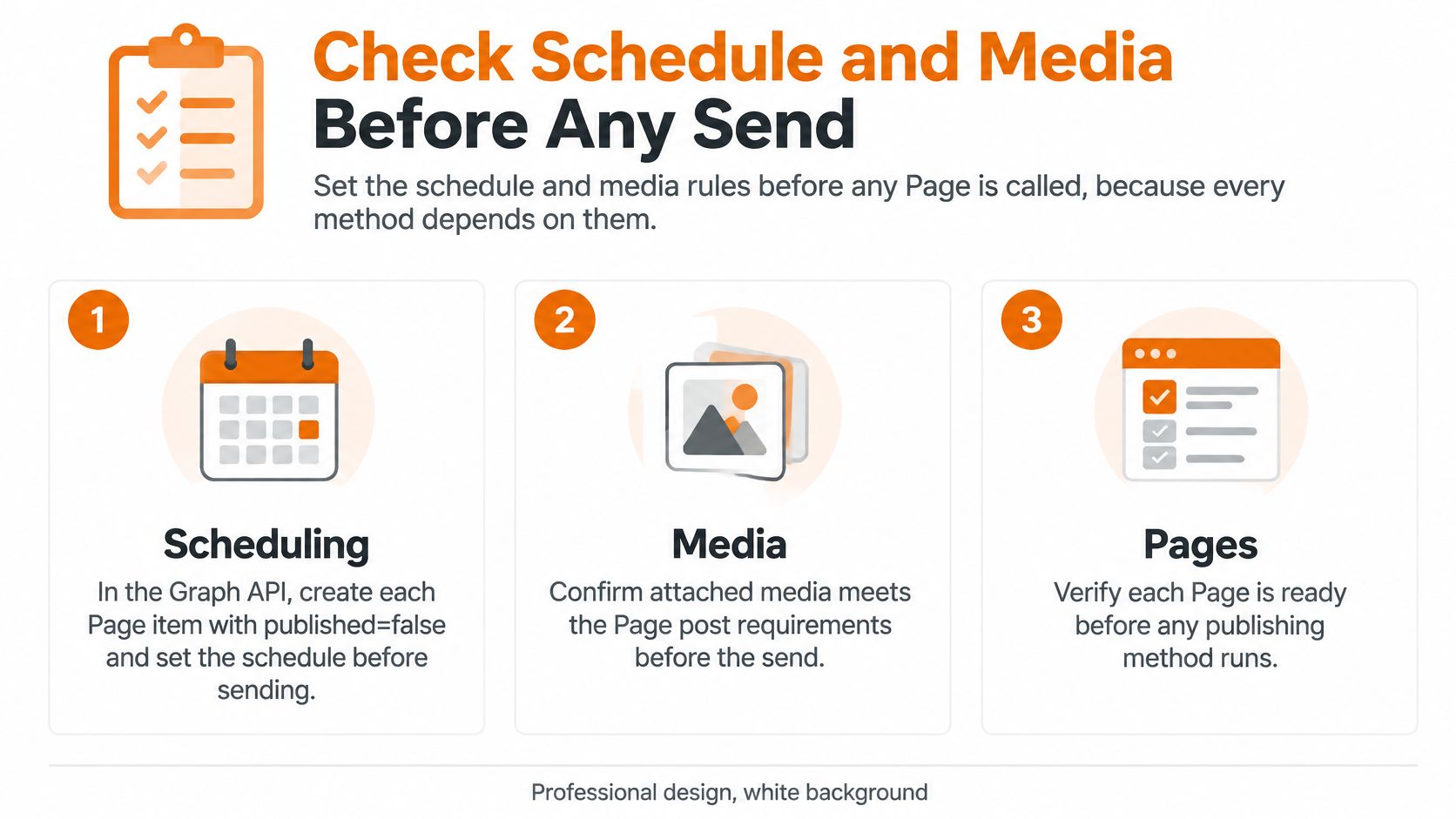
Set the schedule and media rules before you create the first Page post. Discovering a broken attachment halfway through a batch leaves you managing different versions of the same announcement.
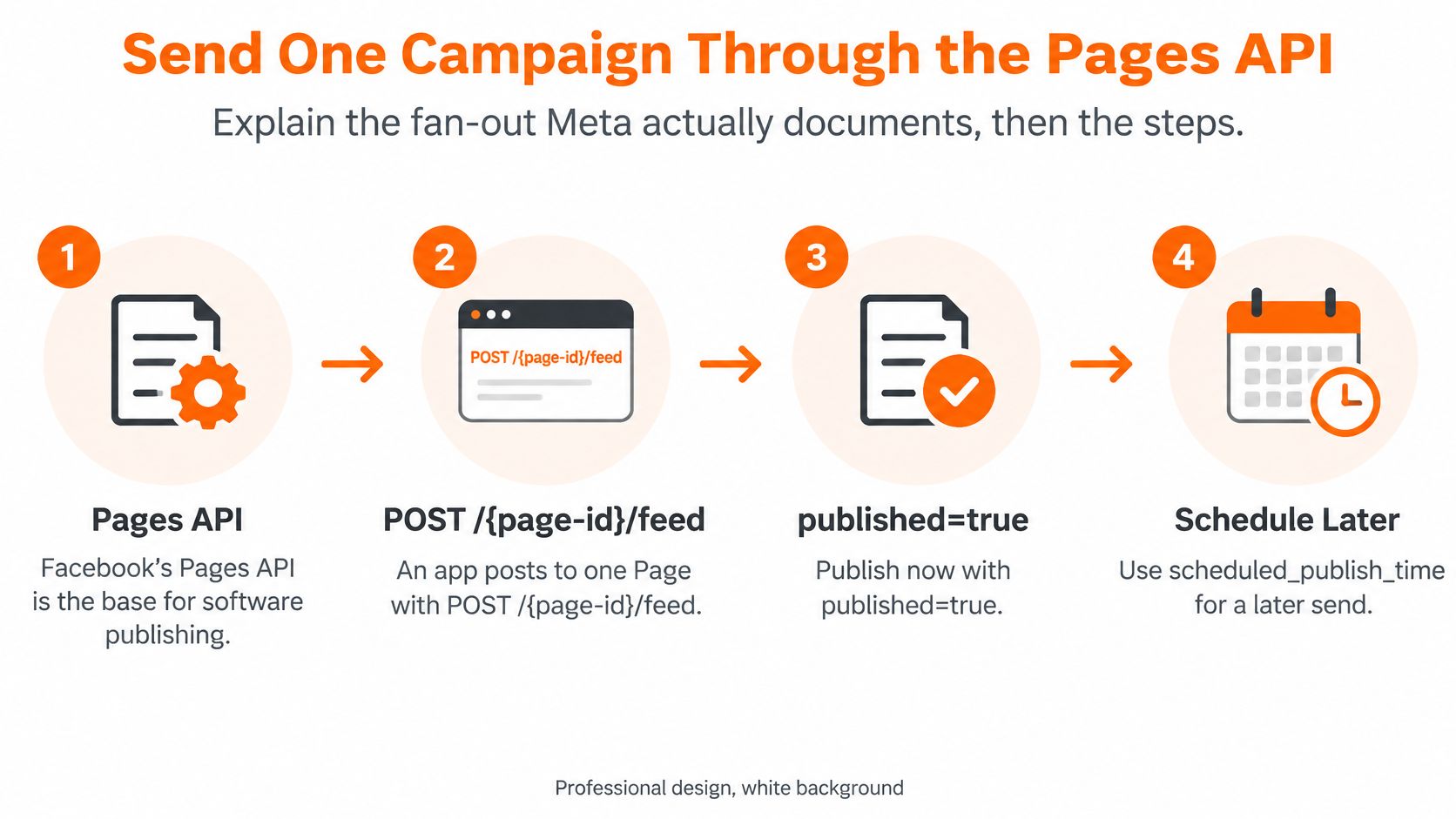
Meta's Page posts documentation describes Page-specific publishing requests, immediate publication with published=true, unpublished creation with published=false, and structured post information for tracking the result. That Page-level boundary is why preparation needs to happen before delivery starts.
Establish the campaign clock
Choose whether the announcement should appear at one absolute instant or at a local time for each destination. Those are different instructions when your Pages represent different time zones.
For native API scheduling, create the Page item with published=false and supply scheduled_publish_time. Don't assume that an unpublished item is automatically scheduled. Your application must deliberately choose the publication state and schedule.
In Business Suite, review the displayed time zone before confirming. In a managed queue, retain the intended time zone alongside the job so an operator can explain the schedule without reconstructing it from a timestamp.
Run an asset preflight
Check the actual file you'll send, not a similar export sitting in the design folder.
- Image composition: Use a feed-friendly square or portrait layout. Keep the offer, logo, and essential text away from edges that may be cropped.
- Video readiness: Confirm the encoding, container, duration, and relevant publishing permission before adding destinations.
- Link behavior: Open the destination, check redirects, and inspect the preview. A working browser tab alone doesn't confirm that Facebook can fetch the page.
- Final copy: Freeze the approved message and media version. Silent edits during delivery make later reconciliation harder.
- Page readiness: Confirm that each selected destination is still connected and authorized to publish.
Business Suite previews help with visual inspection, but they aren't a substitute for checking the linked page or uploaded file. A raw API integration needs its own validation code; managed preflight applies only to content sent through that managed workflow.
Use the publishing preflight checklist to turn these checks into a release gate. For a large campaign, plan controlled dispatch rather than an unrestricted burst, and leave enough room before the deadline to resolve rejected jobs.
Publish From Meta Business Suite
Business Suite is a practical starting point when a person owns the publishing task and can inspect each destination. Its main advantage is that you can review the content without building an integration.
The important limitation is what your current composer allows you to select. Seeing multiple Pages in the business asset selector doesn't necessarily mean you can publish one draft to all of them together.
Follow the destination list, not the assumption
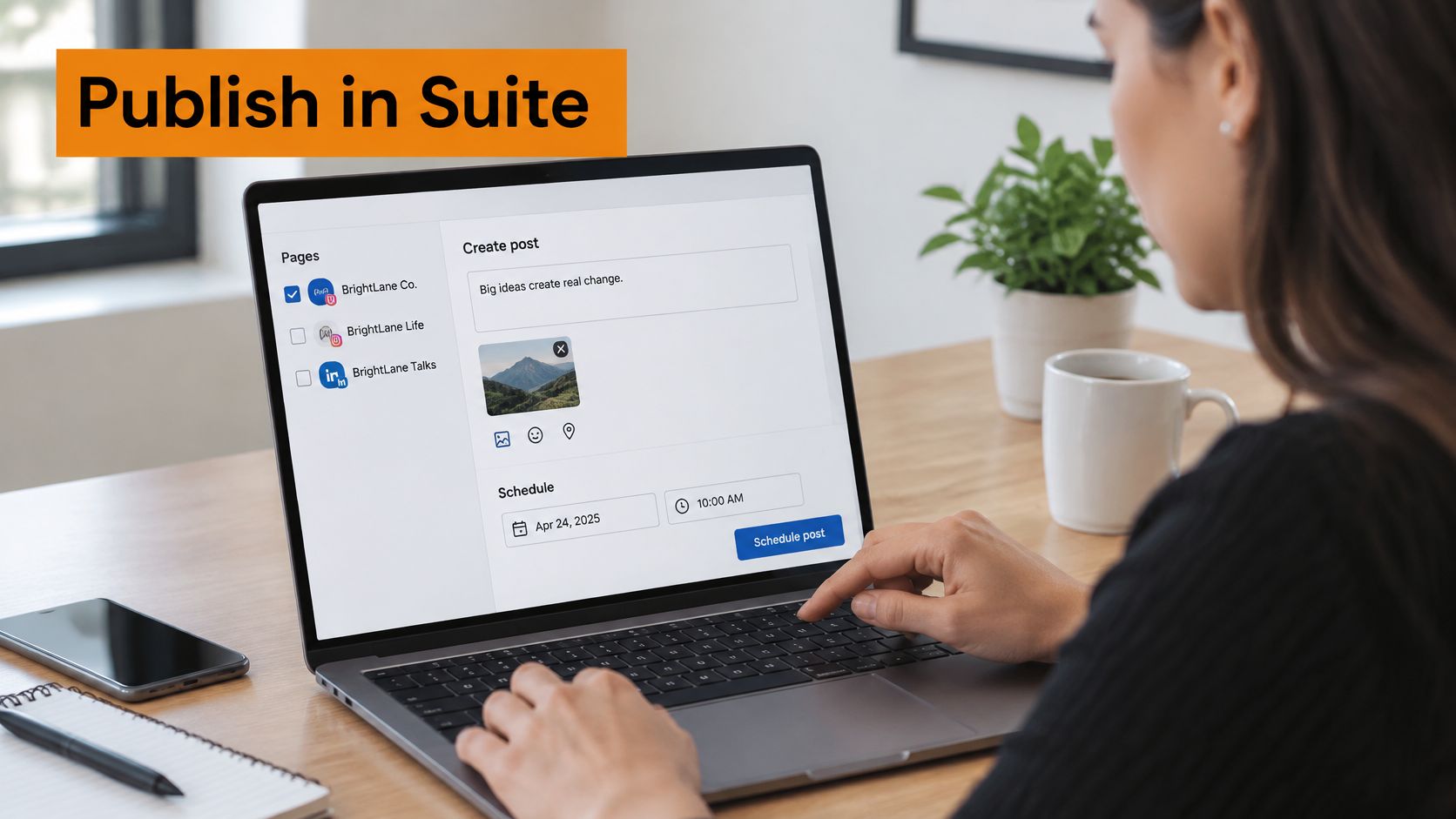
Open the correct business workspace. Enter Meta Business Suite and select the business and Page associated with the announcement. Don't start in your personal profile composer.
Confirm your content-creation access for every intended Page. Advertising access alone shouldn't be treated as proof that you can create organic posts.
Start a new post and inspect the available destinations. Select the intended Facebook Pages if the interface exposes them together. If it doesn't, publish separately or move the batch to a tool with explicit multi-Page selection.
Add the approved message and attachment. Check the selected Page name before pasting. This small pause prevents a correct caption from landing under the wrong brand.
Open every available preview. Inspect the crop, link title, destination URL, and any location-specific wording rather than checking only that an image appeared.
Choose immediate publication or the scheduled date and time. Then inspect each target Page's published or scheduled list and confirm that the expected item exists.
The destination check matters more than the wording of a button. Interfaces change, and a successful action in one composer isn't evidence that an unselected Page received anything.
A bakery announcement without accidental variations
Say a bakery has city Pages that all need Friday's menu. The photo and ordering link can remain identical if the menu applies everywhere; the Page identity provides the local context.
Keep a destination checklist beside the draft. Mark a Page complete only after finding its published post or scheduled item, and retain the post link where possible.
A green confirmation is a useful signal. A visible item on the intended Page is the acceptance check.
Business Suite isn't an application-level idempotency system. It doesn't give your campaign database a caller-defined retry key or a durable delivery ledger just because you clicked Publish.
If a Page is missing, isolate that destination before sending again. When manual reconciliation becomes routine, an API-backed system is a better fit than adding more browser tabs.
Send One Campaign Through the Pages API
The Pages API gives you control over authorization, dispatch, and delivery records. It doesn't turn Facebook into a single broadcast destination.
Meta's Pages API overview describes obtaining the Pages a person can access and retaining each Page's corresponding token; it also notes that Pages endpoint requests are rate-limited. Build your publisher around those boundaries rather than around a single loop that forgets its progress.
Authorize the destinations deliberately
Authenticate the managing person. Use the appropriate Facebook Login flow and request the permissions the integration needs: typically
pages_show_list,pages_read_engagement, andpages_manage_posts. Check the video publishing requirements, includingpublish_videowhere applicable, against your app's supported flow.Call
/me/accountsto discover accessible Pages. Persist each Page ID beside its corresponding Page access token, rather than assigning a convenient token to every destination.Verify the person's Page tasks, particularly
CREATE_CONTENT. Being able to list or inspect a Page isn't enough to assume that a publishing request will succeed.
Before production, confirm the app review and access requirements for the permissions you request, especially when serving Pages outside your development setup. Also establish a token lifecycle process: retain the authorization source, detect invalidation, and provide a reconnection path.
Store tokens server-side with appropriate access controls. Logs should identify the Page and job without exposing credentials.
Dispatch durable Page jobs
For a text or link feed post, submit an independent POST /{page-id}/feed request with message, an optional link, and the intended publication state. Use the appropriate media publishing flow for images or videos rather than assuming every attachment belongs in the feed request.
Persist the returned post ID against that destination's delivery record as soon as the request succeeds. If you process destinations concurrently, each worker must commit its own result independently.
A useful delivery record includes:
- Campaign identity: The approved announcement and content version.
- Destination identity: The exact Page ID and authorization reference.
- Delivery state: Pending, processing, scheduled, published, failed, or uncertain.
- Remote result: The returned post ID and diagnostic details needed for reconciliation.
Say a product team is sending a feature announcement to its regional product Pages. Each selected Page gets a job with its own authorization reference and eventual remote result, while the team reviews the campaign from one screen.
Control concurrency and respond to throttling rather than launching every request without a limit. Permission errors, invalid credentials, and rejected media should remain attached to the affected destination instead of resetting the whole campaign.
The Facebook API integration guide is a useful companion when deciding which responsibilities belong in your own publisher. The engineering work is not forming the POST request. It's preserving enough state to know what happened when the response never reaches you.
Run the Same Post From Mallary
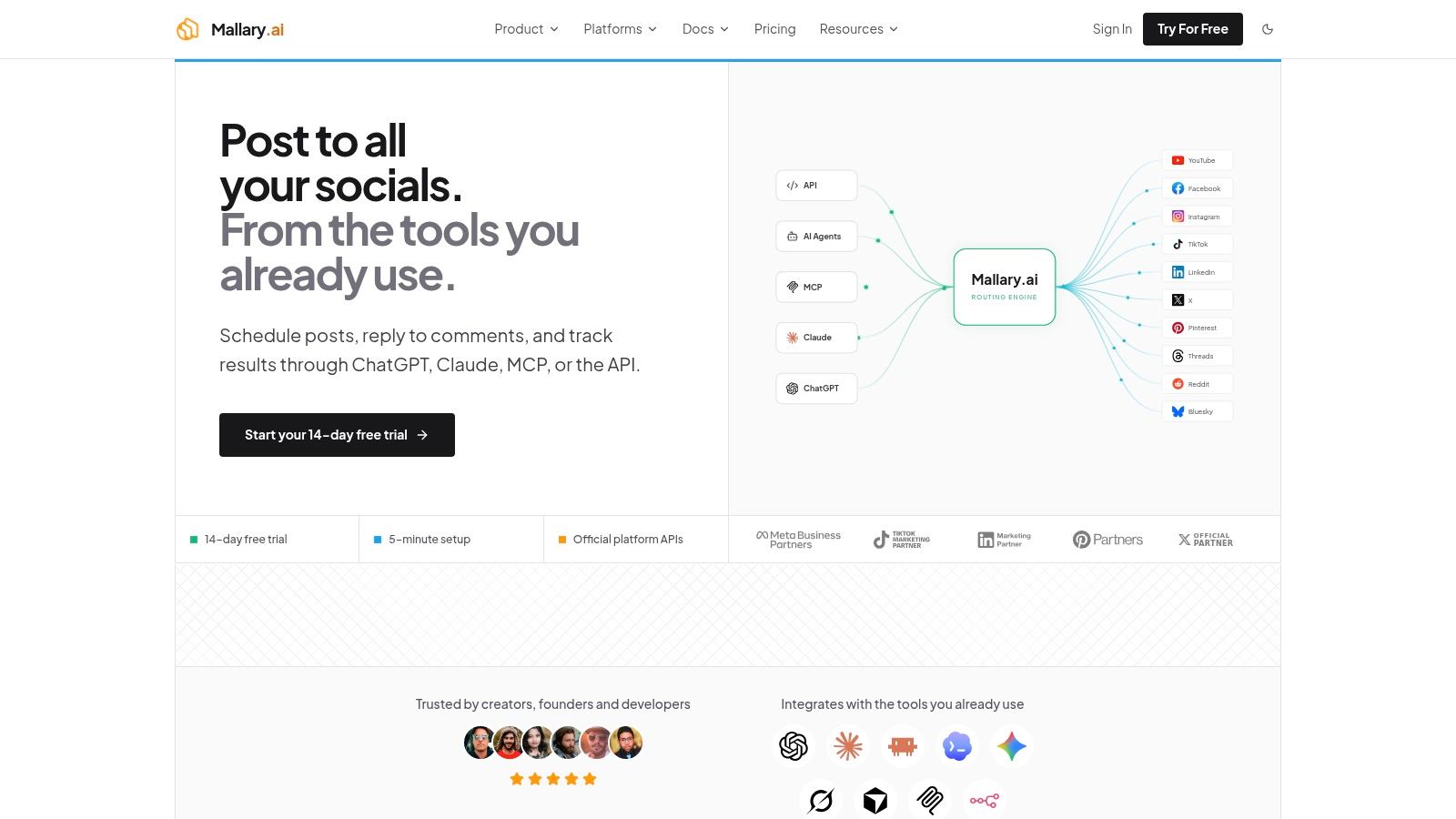
A managed publisher suits teams that want to trigger campaigns without maintaining every platform integration themselves. Mallary handles OAuth, token lifecycle management, durable queues, and platform-specific publishing through official APIs.
The workflow still needs explicit destinations and approved content. The difference is that your team can work through a dashboard, CLI, or unified API instead of owning the underlying Facebook authorization and delivery machinery.
Choose the interface that owns the campaign
Use the dashboard when an operator reviews the post. Connect each Facebook Page through OAuth, choose the connected destinations, add the approved message and media, and publish or schedule. Inspect the selected Page identities before confirming, especially when client brands use similar names.
The dashboard is a sensible fit for an agency account manager who needs to inspect an announcement before release. It keeps the human approval step visible without requiring that person to handle Page tokens.
Use the CLI when a script starts the work. Target the connected destination identifiers through the documented command interface. Keep the command in a reviewed script or deployment process rather than rebuilding it from memory for each campaign.
A CLI is particularly useful when a developer has already prepared the content as part of a release workflow. The script should still wait for or retrieve delivery outcomes; successful command submission isn't the same as confirmed publication.
Use the API when publishing belongs inside your product. Submit the message, destinations, media, and schedule through the documented publishing interface. Treat those as the conceptual inputs, not invented request-field names, and follow the current API schema.
An MCP agent can initiate the same workflow, while n8n, Zapier, or Make can supply automation triggers. Whichever interface starts the campaign, apply the same approval and destination controls.
Keep approval separate from delivery
Preflight checks validate supported platform-specific media requirements before dispatch. Webhooks provide delivery updates that your application can associate with the intended Page and stored post ID.
Don't make a webhook handler publish the whole campaign again when it receives a failed result. Update the affected destination, notify the owner if authorization needs attention, and let the delivery system handle its supported recovery path.
For a gym group, the content itself may need a different approval process. Gym Membership Tips' guide to member takeovers that boost gym engagement offers context for a takeover format, where permission to share a member's content should be settled before distribution.
Operational boundary: A tool can validate a file and route a post. Your team still owns consent, accuracy, and the intended audience.
Say an agency schedules a shared client announcement for Friday morning. Most destinations publish, but a brand Page needs reconnection; the operator should see that named exception, not a vague campaign-wide failure.
The trade-off is straightforward: managed publishing reduces integration maintenance, while a raw Pages API build gives your product direct ownership of Graph requests and its own delivery model.
Recover a Page That Failed
Repair and resend only the affected Page after checking whether a post already exists. A missing stored post ID makes a destination unresolved, not automatically safe to retry.
A timeout can occur after Facebook accepts a request but before your worker receives the response. Reposting immediately can turn a recoverable uncertainty into a duplicate.
Diagnose the destination
Multi-Page publish failures and the fix
| Symptom | Likely cause | Fix |
|---|---|---|
| Permission error on one Page | pages_manage_posts missing or no CREATE_CONTENT task |
Re-authorize the affected Page's access |
| Token expired mid-batch | Page authorization expired or was invalidated | Restore authorization; don't repost successes |
| Duplicate post on a Page | Retry after a timeout without a reconciled result | Key retries by campaign, Page, and content hash |
| Media rejected | Ratio, duration, encoding, or format fails validation | Correct the asset and retry the blocked Page |
| Rate limit on later Pages | Pages endpoint throttled the requests | Back off affected jobs; leave earlier posts alone |
| Post landed on the wrong Page | Page ID from /me/accounts mismatched to the name |
Confirm name and ID before the next send |
| Video fails while images work | Video permission or upload requirements weren't satisfied | Check permission and media diagnostics before uploading again |
Make uncertainty a real state
Build the application-level retry key from the campaign ID, Page ID, and a hash of the approved message plus media identity. Check it before dispatch and enforce uniqueness in storage so competing workers can't start the same delivery independently.
The key prevents duplicate local jobs; it doesn't make an ambiguous remote request safe by itself. If a request times out, inspect the delivery record and reconcile against available Page content before deciding to repeat it.
Use backoff for retryable failures. Route access problems to reconnection and invalid media to correction instead of repeatedly submitting requests that can't succeed.
If an extra post exists, stop automated retries and remove the duplicate if the brand's policy calls for it. Report the result plainly to the client: the named Pages are live, the remaining Page needs renewed access, and successful destinations won't receive another copy.
Ship the First Multi-Page Batch
If you publish by hand and can inspect every destination, start in Meta Business Suite. Verify what its composer lets you select, preview the content, and check the published or scheduled item on each intended Page.
If publishing must be repeatable, auditable, or triggered from a product or automation, use a managed publishing workflow. Reserve a raw Pages API build for a team that needs direct control of Graph calls and can maintain authorization, durable state, and reconciliation.
Test the recovery path before the launch
Start with a small, low-risk batch rather than your most important announcement. An hours update or general service notice is easier to inspect and correct than a time-sensitive launch.
- Verify destinations: Match each Page name to its identifier before sending.
- Confirm results: Retain the remote post ID or published post link for every successful destination.
- Exercise recovery: Confirm that a failed job can be isolated without sending the successful posts again.
Call the batch complete only after checking every destination's result. The standard isn't that someone clicked Publish. It's that the intended Pages have the intended posts, with no unexplained gaps or duplicates.
Mallary offers a dashboard, CLI, and unified publishing API for scheduling posts to connected Facebook Pages, with managed authorization and per-destination delivery results. Visit Mallary.ai to connect your Pages and test a low-risk campaign before automating your next announcement.
Try it with Mallary
STOP!
Want ChatGPT or Claude to post on Facebook for you?
Connect your social accounts one time. Then tell your AI what to write. It can make your posts, share them, and reply on social sites that allow replies. You do not need to write code.
Pick your AI





Connect once. Ask in plain English. Mallary does the work.


