Written by Outrank. Published by Mallary Labs LLC.
Published .
N8n vs Zapier: Which Automation Tool Fits Your Team
The usual advice on n8n vs Zapier is too simple: choose Zapier for ease of use and n8n to save money. That skips the expensive question: who will operate the automation when it becomes business-critical? A smaller software bill isn't a saving if your developers spend the difference maintaining databases, investigating failed jobs, and recovering credentials.
The better comparison starts with workflow volume, then adds engineering ownership and governance. Neither platform wins universally. The right choice depends on whether your team needs to buy operational convenience or retain control over how workflows execute.
Table of Contents
- Side-by-Side Comparison of n8n and Zapier
- Where Each Platform Stands in 2026
- How Pricing Changes With Workflow Volume
- Self-Hosting and Developer Control
- When Self-Hosting Stops Being Cheaper
- Enterprise Features and Governance
- Which Platform Fits Which Team
- Pick Your Platform Before Your First Workflow
Side-by-Side Comparison of n8n and Zapier
n8n vs Zapier on the core criteria
| Criterion | Zapier | n8n |
|---|---|---|
| Founded | 2011 | 2019 in Berlin, according to the founding histories summarized by Orchestra |
| Deployment | Fully managed cloud | Cloud or self-hosted |
| Billing unit | Per successful action step, called a task | Per complete workflow execution |
| Prebuilt integrations | 8,000 to 10,000 or more | Roughly 2,000 to 2,500 nodes or integrations, as described in Zapier's technical overview |
| Custom code | Narrower code options | JavaScript and Python steps, custom nodes, npm libraries |
| Hosting and uptime | Vendor handles scaling, backups, retries, and alerts | For self-hosting, the operator handles infrastructure, upgrades, and monitoring |
| Best-fit profile | Business teams prioritizing managed automation and familiar SaaS connectors | Technical teams prioritizing programmable workflows and deployment control |
These rows are a starting point, not a procurement scorecard. Billing unit, connector suitability, and operating responsibility carry more weight than catalog size because they determine recurring cost and implementation work. A connector count tells you little unless the connector supports the exact trigger, action, authentication method, and payload your workflow needs.
Compare the operation, not just the app
Say your workflow needs to publish approved content and write the resulting publication status back to a customer record. Finding the social platform and CRM in a catalog doesn't establish whether their connectors expose the fields, asynchronous status updates, or error details you need.
Check the actual operations before choosing. A native connector that covers most of the happy path may still leave you building an HTTP request for the difficult part.
For an API-based publishing connection, our guide to integrating with Zapier provides a practical starting point. Treat that connection as an implementation to validate, rather than assuming an app listing guarantees a complete workflow.
Practical rule: Choose the platform that makes your hardest required operation maintainable, not the one that makes your easiest demonstration look impressive.
The most consequential row is hosting and uptime. If you want a vendor to operate the infrastructure, compare Zapier with n8n Cloud before considering self-hosting. If you need to operate the runtime yourself, make sure that requirement comes with an owner, a maintenance budget, and a recovery procedure.
Where Each Platform Stands in 2026
Zapier has the more established organizational footprint, while n8n is attracting teams seeking greater technical control. A 2026 Cledara analysis reported 37.4% market share for Zapier and 11.6% adoption for n8n among the organizations covered by its data. Those are observations within Cledara's coverage, not a global census.
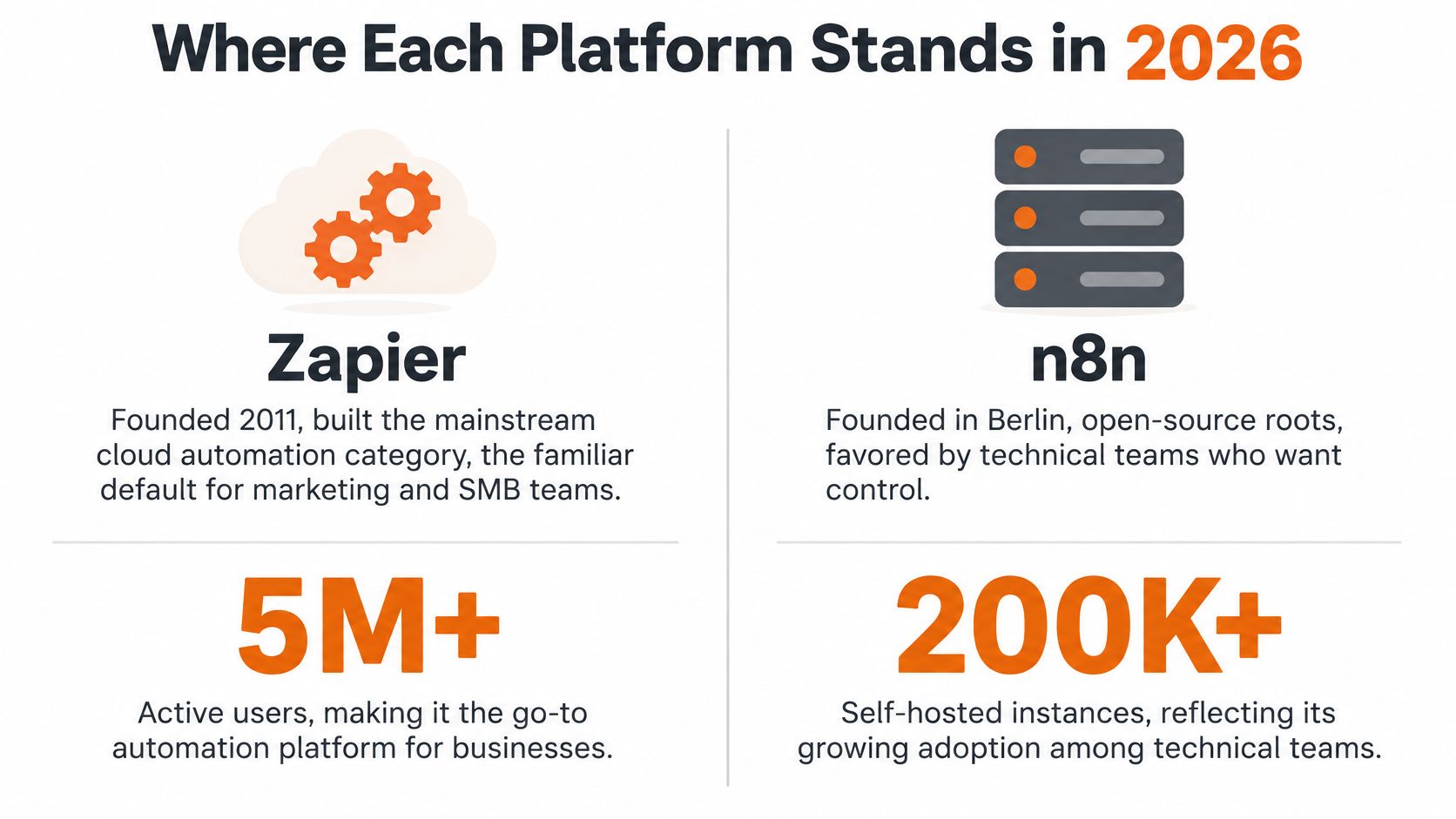
A separate observed company panel, described in RetailWit's adoption analysis, found that n8n's mid-market customer count increased from 12 to 122 between January 2025 and January 2026. That supports a conclusion about momentum within the panel, not universal market share.
For buyers, the distinction is practical. A mixed-skill marketing department should value familiarity and accessible ownership; a developer-led product team should evaluate programmability and deployment options.
Popularity isn't a substitute for fit. Are you an existing Zapier team investigating a second tool, or a developer team designing its automation architecture from scratch? Those starting positions justify different migration costs and different tolerances for custom implementation.
How Pricing Changes With Workflow Volume
Plan prices and included volume
| Plan | Price with annual billing | Included monthly volume | What one unit means |
|---|---|---|---|
| Zapier Professional | $19.99 per month | 750 tasks, as listed in Gizmodo's 2026 comparison | One successful action step |
| n8n Cloud Starter | $20 per month | 2,500 executions, listed in the same comparison | One complete workflow run |
| n8n Cloud Pro | Confirm current price before budgeting | 10,000 executions, according to Zapier's platform comparison | One complete workflow run |
The starting prices look almost interchangeable. The included units aren't. Tasks measure successful actions; executions measure workflow runs, so comparing the allowances directly gives you the wrong answer.
Model the workflow before selecting the plan
Consider a hypothetical workflow with ten billable successful actions that runs a thousand times during the month. Multiplying actions by runs produces ten thousand tasks, while counting complete runs produces a thousand executions. This is workload arithmetic, not a quote for either platform or a guarantee about every operation's billing treatment.
The distinction matters when you add enrichment, validation, notifications, and downstream updates. On a task-based model, additional billable actions increase consumption even if the number of incoming events stays unchanged.
Don't count every box in the visual editor as a billable action without checking its classification. Filters, triggers, internal operations, retries, and child workflows need explicit review against the current billing rules.
Build your estimate from a representative workflow:
- Map successful actions: Identify which operations consume tasks rather than counting every design element.
- Estimate monthly runs: Use expected business events, including scheduled runs and manual reprocessing.
- Allow for recovery: Model replayed work and retries according to how each platform bills them.
- Select a qualifying plan: Find the current plan that covers the workload, then check overage behavior and account limits.
An execution allowance isn't a capacity guarantee
Execution-based pricing doesn't remove concurrency limits, execution duration, queueing, external API rate limits, or infrastructure constraints. A workflow waiting on media processing can occupy resources differently from a short record update, even when both count as a run.
For social publishing, include the full lifecycle in the test: submission, processing, publication confirmation, and failure notification. An accepted API request isn't necessarily a completed publication.
Also separate subscription cost from downstream costs. Your automation platform's allowance doesn't tell you what connected services will charge or how much staff time the workflow will require.
Price the workload you intend to operate, including recovery paths, rather than the successful demonstration you used to evaluate the editor.
Use the table as a starting quote only. Before purchasing, confirm current prices, billing classifications, and limits against the actual workflow design.
Self-Hosting and Developer Control
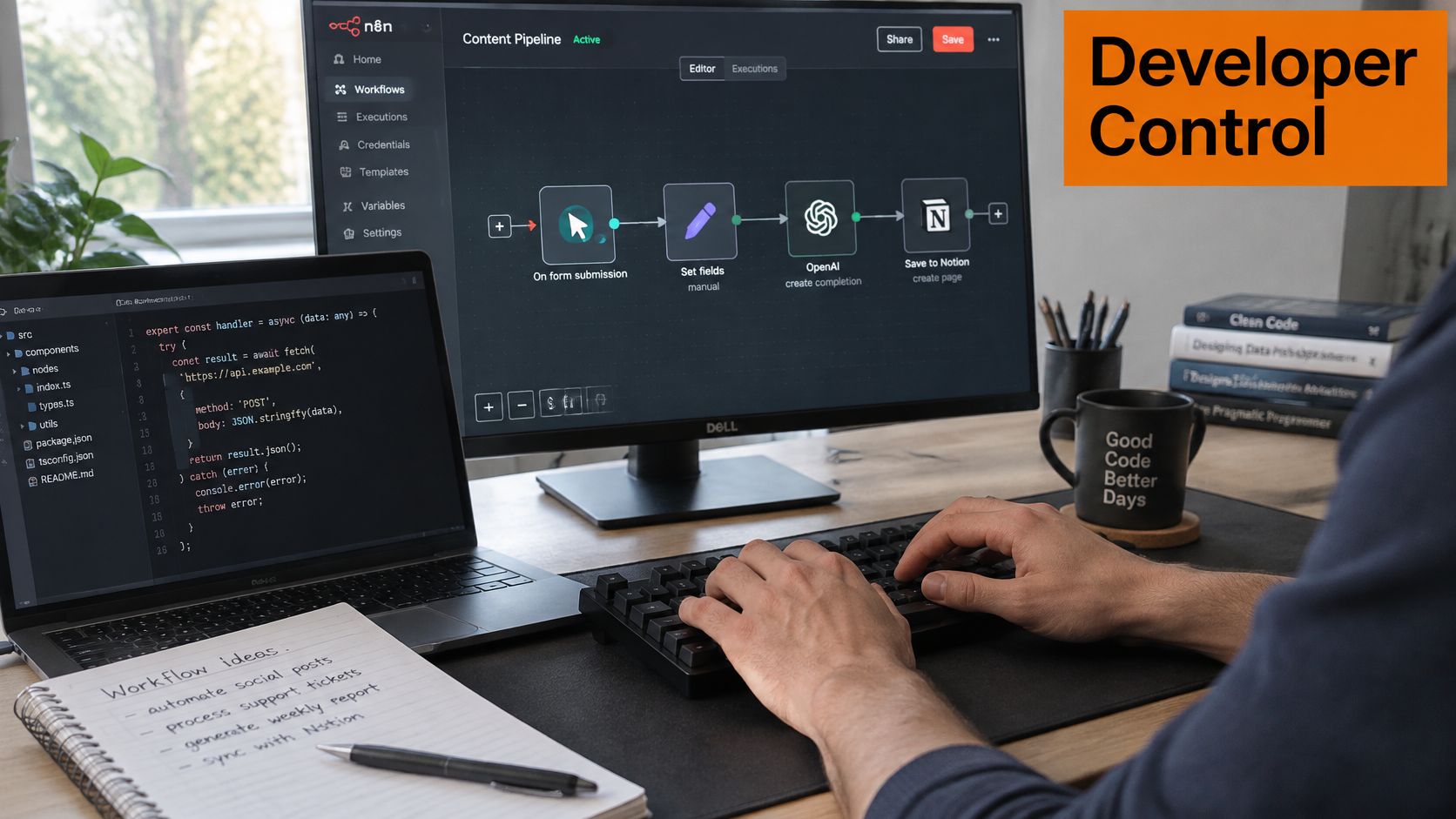
Developer control matters when you need to decide how a request executes, how failure is recorded, and what can safely be retried. n8n's HTTP Request capabilities, code steps, custom nodes, external libraries, and system-command execution offer more ways to implement that logic. Availability and configuration should be checked for your chosen deployment, rather than assuming every runtime exposes every capability identically.
What control looks like in a publishing workflow
Say a product accepts an approved social asset and distributes it across several networks. The workflow must normalize the payload, route each destination, submit requests, and record destination-specific outcomes.
A developer might keep OAuth handling, idempotency keys, branching, and durable error paths inside the orchestration layer. Alternatively, the developer can delegate platform-specific publishing behavior to a dedicated API and keep the workflow focused on approval and business logic.
The important design decision is where each responsibility belongs. If a publishing service already prevents duplicate submissions, duplicating that mechanism in the workflow can introduce conflicting identifiers and confusing recovery behavior.
A useful implementation test asks:
- Partial success: Can you retry a failed destination without republishing to successful destinations?
- Delayed completion: Can the workflow distinguish accepted, processing, published, and failed states?
- Payload rejection: Does the operator receive the rejected field and a useful remediation message?
- Credential failure: Can someone identify the affected connection without exposing its secret?
Runtime freedom creates operational work
Self-hosting gives your team responsibility for provisioning, upgrades, secret management, database capacity, monitoring, and recovery. Custom code and external packages also need review: decide who approves dependencies, tests updates, and removes unsafe capabilities.
Zapier's managed model reduces infrastructure duties, but it doesn't eliminate responsibility for workflow correctness. Your team still owns business rules, field mappings, and the consequences of retrying an external action.
There's no neutral end-to-end latency benchmark in these comparisons that establishes a winner for your workload. Integration counts don't measure throughput, and a fast editor preview doesn't establish production performance.
Before committing, build the most complex real workflow on both platforms. Introduce an expired credential, an invalid payload, a throttled endpoint, and a partially successful run; then measure how easily an operator can diagnose, recover, and maintain it.
When Self-Hosting Stops Being Cheaper
Self-hosted n8n isn't automatically the inexpensive option. An independent Ynteractive comparison identifies the missing costs: infrastructure, monitoring, backups, upgrades, incident response, queue workers, and engineering labor. It also distinguishes customer-operated reliability from the infrastructure services included in a managed platform.
The break-even question is therefore: how much operational work can you absorb before it exceeds the subscription saving? Workflow volume alone can't answer that.
Build a total-cost model
Use these workload and organizational inputs together:
| Input | What to record |
|---|---|
| Steps per workflow | Billable actions and branches actually executed |
| Run frequency | Expected recurring demand and peak arrivals |
| Retry rate | Additional work caused by transient and partial failures |
| Execution duration | Resource occupancy and potential queue pressure |
| Required uptime | Recovery expectations, escalation coverage, and redundancy needs |
| Fully loaded staff cost | The cost of employees or contractors operating the service |
Then compare monthly totals:
Self-hosted total = software or licensing costs + infrastructure + operational services + staff time + recovery provision.
Managed total = subscription + usage charges + workflow administration + recovery provision.
Include workflow administration on both sides. Otherwise, you'll unfairly compare a fully costed self-hosted service with a managed subscription that appears to operate without human involvement.
Put a price on the maintenance calendar
Say your team reserves a fixed block of time each month for patches, upgrades, backup verification, and incident review. Multiply those hours by your fully loaded hourly staff cost, then add infrastructure and monitoring expenses.
If that total exceeds the difference between the qualifying managed plan and self-hosting's nonlabor costs, self-hosting hasn't saved money. You don't need an invented industry-average hourly rate to run this calculation; use your own staffing cost and the maintenance commitment your engineers will accept.
Break-even test: Subscription savings must pay for the operator, not merely the server.
Organizational maturity changes the result. A team with established monitoring, deployment pipelines, and on-call coverage may absorb the workload more efficiently than an agency creating those capabilities solely for automation.
Equally, client growth may require high availability, access controls, auditability, and dedicated ownership. Those requirements can make a previously economical installation more expensive to operate.
Zapier's higher per-action pricing can therefore be rational for low-volume, business-critical workflows when engineering time is expensive. Estimate monthly operating hours before accepting either platform's apparent cost advantage.
Enterprise Features and Governance
Self-hosting is a deployment choice, not proof of compliance. Enterprise buyers need evidence about access, auditability, data handling, and service commitments for the exact plan and architecture they intend to purchase.
Don't fill gaps in a procurement worksheet with assumptions. Where a capability hasn't been confirmed, mark it unknown until verified, then request documentation or a contractual answer.
Verify controls at the plan level
| Control | Evidence to obtain before signing |
|---|---|
| Single sign-on | Supported identity provider, enforcement behavior, and eligible tier |
| Role-based permissions | Who can edit, publish, administer, and access credentials |
| Environment separation | How development and production are isolated |
| Audit trails | Recorded events, export options, and retention |
| Data handling | Processing locations, subprocessors, deletion, and backup treatment |
| Service levels | Written uptime commitments, response times, and escalation process |
For access control, test permissions with representative accounts. A developer who can edit workflow logic shouldn't automatically need unrestricted access to production secrets, and a marketing operator may need permission to rerun a job without changing its authentication configuration.
For audit trails, ask whether the platform records who changed a workflow, when it executed, and whether credential access is logged. Distinguish a business audit trail from execution debugging: a run history may explain a failure without establishing who authorized the change. Our audit logging guide offers a useful framework for deciding what evidence your application needs.
Trace data beyond the workflow host
With self-hosted n8n, your team controls the hosting environment, but external API calls can still send client data elsewhere. Review payloads, execution logs, error messages, backups, and observability exports rather than assuming self-hosting keeps every copy inside your infrastructure.
For Zapier, review the managed service's processing terms and residency arrangements directly. For either option, document which fields need to leave the source system.
Service commitments require the same precision. Obtain support response targets and incident communication procedures in writing; for a self-hosted deployment, assign the equivalent responsibilities internally.
The enterprise question isn't whether you can reduce cost. It's whether your organization can prove appropriate control over data and workflow changes.
Which Platform Fits Which Team
Best fit by team situation
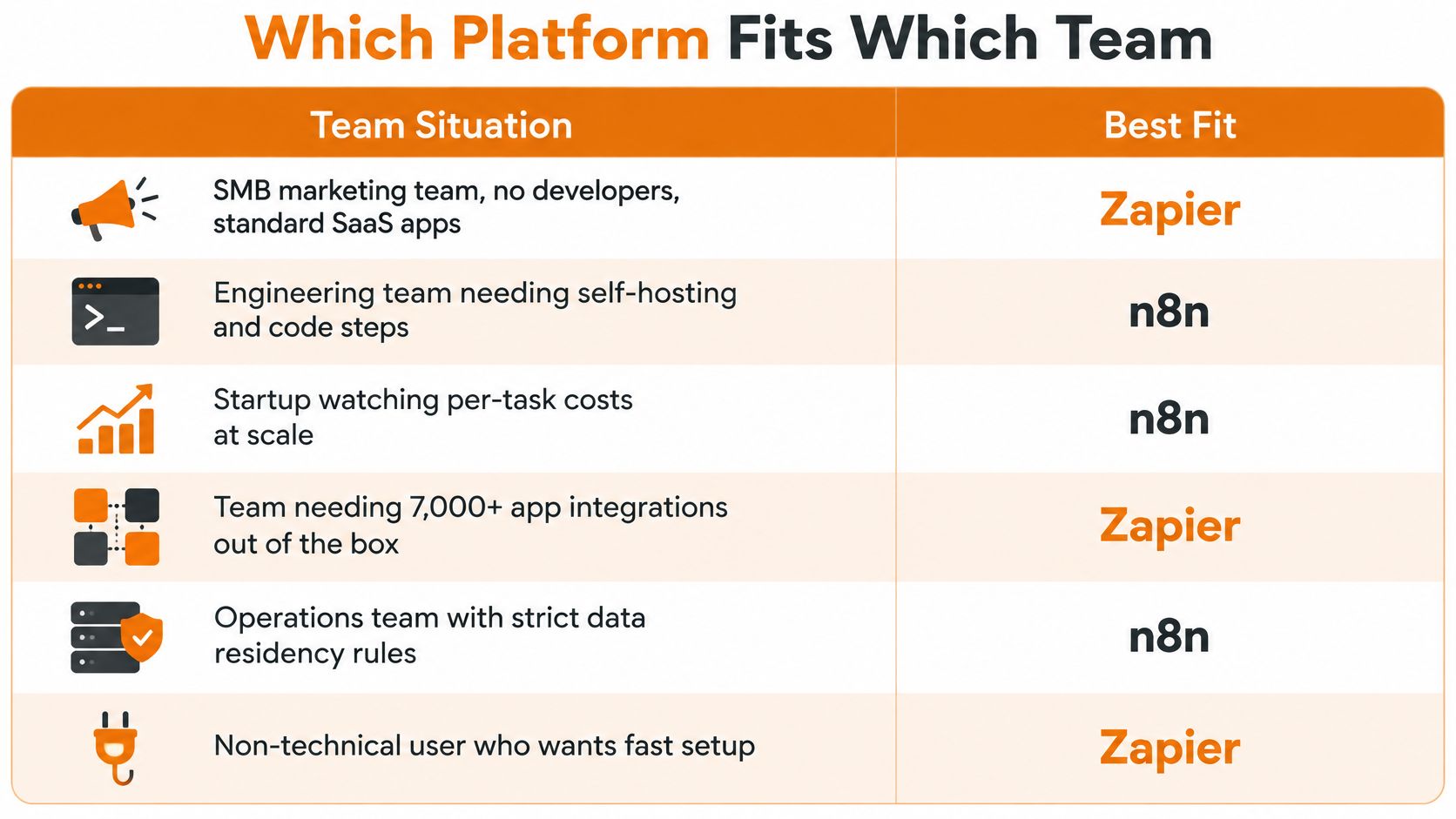
| Team situation | Better fit | Why |
|---|---|---|
| SMB marketing team, no developers, standard SaaS apps | Zapier | Broad prebuilt catalog and accessible setup |
| Developer team needing custom API logic and branching | n8n | Code steps, custom nodes, and library extensibility |
| Agency keeping client data on its own infrastructure | n8n self-hosted | Hosting control, with operator duties and external data flows to review |
| Low-volume, business-critical flow with no DevOps staff | Zapier | Managed infrastructure, retries, and failure alerts |
| High-volume, many-step workflow run by developers | n8n | Execution-based economics, subject to capacity and operating costs |
| Product team embedding social publishing through an API | Either, connected through API or webhooks | Our publishing API can connect to Zapier without a native app, and we support n8n |
Treat these as recommendations about ownership, not verdicts about feature quality. A marketing team with engineering support may reasonably choose n8n Cloud, while a developer team may choose Zapier to avoid maintaining a low-value internal integration.
Adding n8n doesn't require an immediate migration
A YipitData analysis published in 2026 reported that nearly 80% of n8n's new customer additions during the preceding year were already using Zapier. That makes augmentation a credible buying pattern, rather than forcing every evaluation into a complete replacement decision.
A sensible hybrid arrangement assigns bounded responsibilities. Keep familiar business-owned automations where their owners can maintain them, and evaluate technical orchestration separately.
Don't split a single recovery process across platforms without a reason. If each platform owns a different part of the same transaction, document the handoff, correlation identifier, and team responsible when the final outcome is missing.
Social publishing needs a separate integration check
At Mallary.ai, we have no Zapier app; developers can connect Zapier through our API or webhooks. We list n8n, Make, and the MCP Server among our integrations, alongside AI agent integrations such as ChatGPT, Claude, and Cursor.
Our n8n social media automation guide is a practical starting point for evaluating that route. Confirm the current integration list and required operations before committing the product architecture.
For an embedded publishing product, choose the orchestration platform based on the surrounding application: approvals, content sources, customer events, and recovery ownership. Choose the row that matches your team, then verify its exceptions. A larger catalog won't compensate for an operating model nobody has agreed to maintain.
Pick Your Platform Before Your First Workflow
- Count monthly runs and actions per run, because the billing unit can change which plan fits the workload.
- Verify every required connector operation, because a missing trigger or action becomes implementation work even when the app appears in the catalog.
- Name the owner of uptime, upgrades, and secrets, because unassigned operating work isn't a cost saving.
- Test the most complex real workflow on both platforms, because failure handling and recovery reveal more than a successful preview.
- Choose using your team's decisive requirements, because a cheaper plan or broader catalog can't resolve an ownership mismatch.
For multi-network publishing, test through n8n or our API before committing. Our dashboard, API, MCP, CLI, ChatGPT, Claude, n8n, and Make use the same profiles and connected accounts, so you don't reconnect each account for every tool.
Use the test to make an explicit ownership decision: which platform runs the workflow, and who maintains it? Record both answers before the automation becomes something customers depend on.
Mallary.ai offers publishing and engagement APIs, an n8n Node, and developer interfaces for adding social workflows to your product or automation stack. Visit Mallary.ai to start a 14-day free trial, confirm the current trial terms, and test a representative publishing workflow before choosing its orchestration platform.
Try it with Mallary
STOP!
Want ChatGPT or Claude to post on social media for you?
Connect your social accounts one time. Then tell your AI what to write. It can make your posts, share them, and reply on social sites that allow replies. You do not need to write code.
Pick your AI




Connect once. Ask in plain English. Mallary does the work.


