Written by Outrank. Published by Mallary Labs LLC.
Published .
How to Schedule Posts on LinkedIn with API and Tools
You finish a thoughtful LinkedIn post at 9 a.m., press Share, and only later realize it went live when your audience was busy, asleep, or nowhere near the platform. The content wasn't the problem. The publishing workflow was.
Learning how to schedule posts on LinkedIn solves that timing failure, but the right solution depends on how you work. An individual creator may need only LinkedIn's native composer. A product team may need OAuth, media validation, durable queues, and an API. A marketing operation publishing across several networks may be better served by a unified dashboard or CLI.
Table of Contents
- Why Scheduling LinkedIn Posts Changes Your Game
- What You Need Before You Start Scheduling
- Scheduling Posts Natively on LinkedIn
- Scheduling LinkedIn Posts Through the API
- Using a Unified Dashboard or CLI for Scheduling
- Choosing the Best Time to Schedule Your Posts
- Verifying Scheduled Posts and Fixing Common Issues
Why Scheduling LinkedIn Posts Changes Your Game
Scheduling turns publishing from a memory test into an operational process. Instead of interrupting your day to publish immediately, you can write when your ideas are fresh, review the post while there's still time to fix it, and release it according to a deliberate calendar.
For a solo professional, the native scheduler is usually enough. You compose the post, choose a future time, and let LinkedIn publish it. That approach has almost no setup cost, and it keeps the workflow close to the platform where you'll review comments afterward.
A product team needs a different layer. If your application creates launch announcements, customer updates, or executive posts, manually opening LinkedIn doesn't scale well. Your system needs to authenticate the right account, build a valid payload, queue the job, retry safely, and record whether LinkedIn accepted or rejected the request.
A multi-platform team faces another problem. Separate integrations for LinkedIn, Facebook, Instagram, X, or other channels create repeated work around tokens, media formats, retries, scheduling, and reporting. A dashboard or CLI can centralize those concerns while still exposing enough control for automation.
Practical rule: Use the simplest tier that removes your current bottleneck. Native scheduling is ideal for occasional, one-off publishing. APIs fit software products. Unified tools fit teams managing volume, approvals, or multiple networks.
The important distinction isn't whether one method is universally better. Native scheduling minimizes engineering, raw API calls maximize control, and a unified system reduces integration maintenance. For additional practical guidance before you choose a workflow, RedactAI's scheduling on LinkedIn tips provide a useful companion reference.
What You Need Before You Start Scheduling
Start by identifying who will publish and where the post will appear. LinkedIn personal profiles and company Pages aren't interchangeable: they have different permissions and different scheduling windows.
For native scheduling, prepare:
- A personal account: You need an active LinkedIn profile and access to its composer.
- Page permissions: To publish for a company Page, use an account with the required Page admin access.
- A reviewed post: Have the text and any media ready before opening the scheduler.
- A timezone decision: Decide whether your chosen time represents your audience's local time or your own working timezone.
The API path requires more preparation. You'll need a developer application, OAuth credentials, approved scopes, and a secure place to store tokens. Your implementation should also account for token refresh, request throttling, error responses, and the possibility that the person who authorized the app later loses access to the profile or Page.
For a dashboard or CLI, the setup is lighter from an engineering perspective but still requires account authorization. Create the tool account, connect the LinkedIn profile or Page, confirm the destination identity, and establish who can create, approve, edit, or cancel scheduled posts.
A useful preflight checklist looks like this:
| Workflow | Have ready | Main risk |
|---|---|---|
| Native composer | LinkedIn account or Page access | Choosing the wrong identity or timezone |
| API | App credentials, OAuth flow, queue, logging | Expired tokens and invalid payloads |
| Dashboard or CLI | Tool account, connected profile or Page, permissions | Publishing to the wrong connected destination |
Don't start by building automation if the native flow already meets your needs. Automation adds control, but it also adds credentials, monitoring, failure handling, and maintenance.
Scheduling Posts Natively on LinkedIn
LinkedIn's native scheduler is the baseline workflow, and it takes only a few decisions once you know where the control lives. Open the post composer, write or paste your content, attach supported media if needed, and look for the clock icon beside the publishing control.
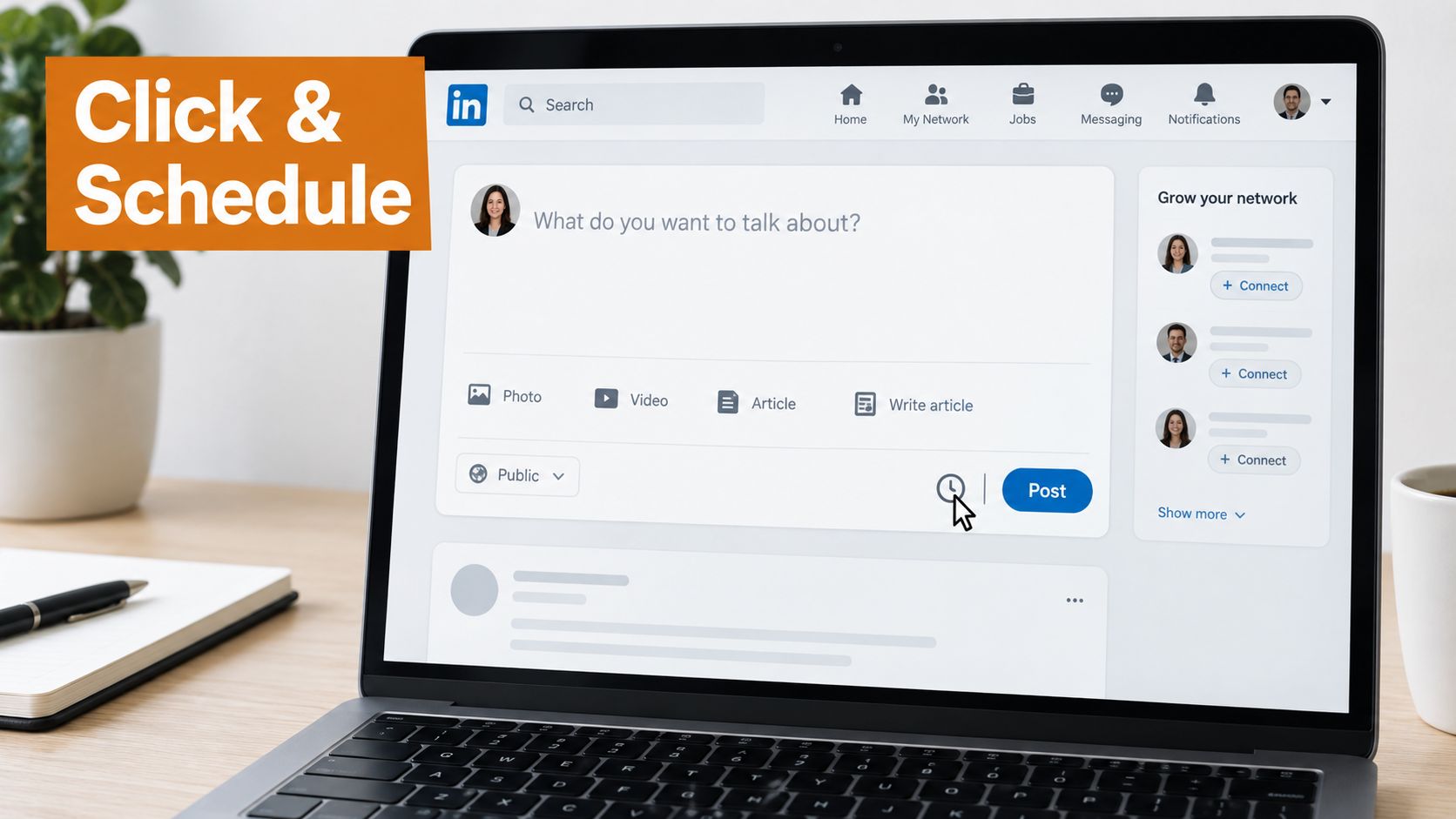
Click the clock, select a date and time, review the scheduled details, and confirm with Schedule. LinkedIn's native scheduling instructions document a window of 10 minutes to 3 months ahead for personal posts, and 1 hour to 3 months ahead for Page posts. That roughly quarter-year horizon works well for launch calendars, recurring thought leadership, event promotion, and planned campaign moments.
The time picker doesn't force you to accept only its visible increments. LinkedIn's help documentation notes that you can enter the exact time manually, which matters when you're coordinating across regions or testing a narrow audience window.
Personal profiles and company Pages
The destination matters before you click Schedule. A personal post uses the profile you're currently signed into, while a Page post requires you to publish as the relevant company Page with the appropriate admin access.
Page workflows also have a useful recovery option. Page admins can open the scheduled-posts list later and modify a queued post without rebuilding it from scratch. That makes native scheduling practical for campaigns where copy, timing, or launch details may change after initial approval.
Don't treat the scheduler as a full content operations system. It handles individual posts well, but it doesn't replace editorial review, cross-network adaptation, or application-level observability. Teams that need broader LinkedIn automation features should evaluate how approvals, account management, and publishing safeguards fit around the native composer.
A short walkthrough can help you locate the controls quickly:
Before confirming, read the post as if it were already live. Check the selected identity, date, time, links, mentions, and media. The native scheduler is reliable when the post is valid and the destination is correct, but it won't rescue a rushed review.
Scheduling LinkedIn Posts Through the API
An API scheduler is a small publishing system, not just a button exposed over HTTP. A production request needs four pieces: authorization, destination, content, and publish timing.
OAuth authenticates the LinkedIn member or Page context. Your application then constructs a post payload containing the text, the target profile or Page, any media references, and the scheduled publish timestamp required by the integration. Keep the internal model provider-neutral, then translate it into LinkedIn's accepted structure at the publishing boundary.
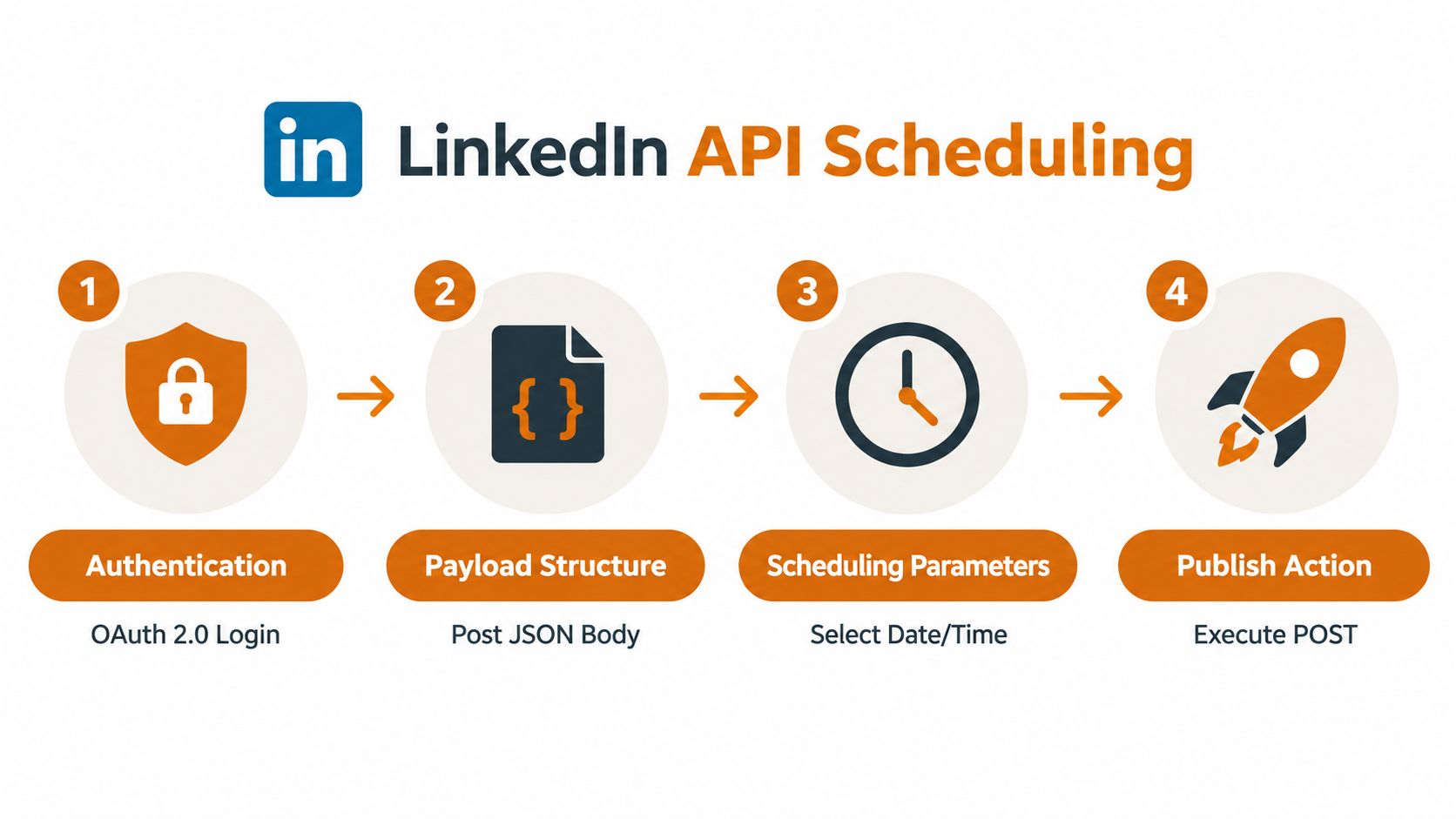
A conceptual payload might look like this:
- Identity: The authorized profile or Page that owns the post.
- Body: The final LinkedIn text, including formatting that the platform accepts.
- Media: An image, video, or document reference after upload and validation.
- Schedule: A future timestamp, stored with an explicit timezone in your system.
- Control metadata: An internal job ID and idempotency key for safe retries.
Don't send the same media object blindly to every network. LinkedIn, Instagram, Facebook, and other platforms can accept different file types, dimensions, durations, captions, or combinations of assets. A durable integration validates the asset before creating the job, then adapts the payload for each destination instead of assuming that one universal post body will work everywhere.
Build for retries rather than perfect requests
A naive cron script wakes up, sends a request, and assumes the response tells the whole story. That breaks when the network times out after LinkedIn accepted the post. The next run may send the same content again, creating a duplicate.
An idempotency key gives each intended publication a stable identity. If the request is retried with the same key, the system can recognize that it is continuing the same job rather than creating a new post. Store the key with the content, destination, and scheduled event, not only in temporary process memory.
A durable job queue adds the rest of the safety net. It can hold a scheduled job, wake it at the right time, retry transient failures, record permanent failures, and expose the final state to a dashboard or webhook. The queue should distinguish between authorization errors, invalid media, rate limiting, network failures, and unknown outcomes because those conditions require different responses.
Token handling belongs in the worker, not in a one-off script. Refresh credentials before they expire, protect secrets, and mark jobs for reauthorization when refresh fails. Rate limits also need a deliberate policy, such as backoff and rescheduling, rather than repeated immediate requests that make throttling worse.
For a deeper treatment of LinkedIn integration patterns, the LinkedIn API guide is a useful technical reference. The implementation details will vary, but the design principle stays stable: make each scheduled publication observable, repeatable, and safe to retry.
Consider a product team preparing a launch announcement. The content service creates one canonical campaign item, generates a LinkedIn-specific version, uploads and validates the media, and places the job in a queue. At publish time, the worker refreshes authorization if needed, sends the request with the idempotency key, records the response, and alerts the team if LinkedIn rejects the post.
That design costs more than clicking the clock icon. It also prevents the most expensive failures, including duplicate launches, silent queue loss, and content sent under the wrong account.
Using a Unified Dashboard or CLI for Scheduling
A unified dashboard earns its place when the team has outgrown one network but doesn't want to maintain a separate publishing subsystem for every platform. The workflow becomes: connect LinkedIn, choose the profile or Page, create the post, set the publish time and timezone, attach media, run preflight checks, and submit the job.
The CLI version follows the same model without requiring a browser. A developer can create a scheduled item from a deployment workflow, an internal content service, or an automation tool such as n8n, Zapier, or Make. The dashboard remains useful for editorial review, while the CLI handles repeatable operations and machine-triggered publishing.
Compare the operational trade-offs
Raw LinkedIn API calls give developers fine-grained control, but the team must build and maintain authentication, retries, queues, media validation, logging, and account recovery. Native scheduling avoids that engineering entirely, though it leaves the user working one post at a time inside LinkedIn.
A unified provider sits between those choices. It can present a single interface for multiple networks while adapting each platform's payload and media requirements behind the scenes. For a product team publishing the same campaign across LinkedIn, Facebook, and other destinations, that removes repeated integration work.
First comments are another example. A team may want the initial comment to publish with the main post, rather than asking a person to remember to return later. A dashboard or API designed for that workflow can treat the comment as part of the scheduled job, alongside the main content and media.
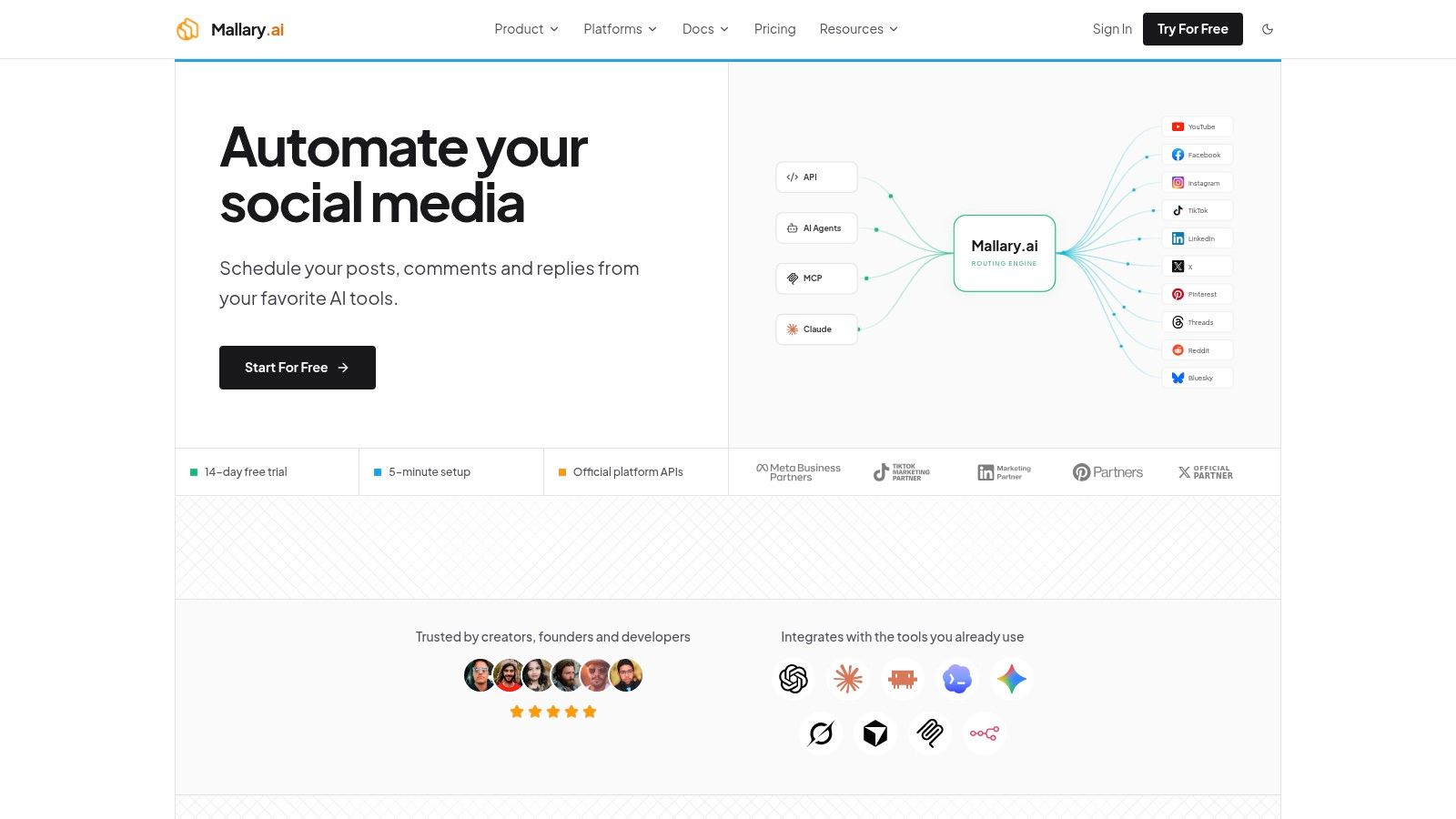
Mallary.ai is one example of this model. Its product materials describe a unified API, dashboard, CLI, and MCP interface for scheduling across social platforms, with handling for OAuth, retries, token refresh, idempotency, durable jobs, media validation, and platform-specific payload adaptation. Teams comparing alternatives can also review approaches to AI-driven LinkedIn automation by Yalc before selecting an operating model.
A practical implementation should expose the same safeguards regardless of interface:
- Preflight validation: Check destination permissions, text requirements, media compatibility, links, and scheduled timing before submission.
- Queue visibility: Show whether a job is pending, publishing, published, retrying, or failed.
- Approval controls: Separate content creation from final authorization when several people share responsibility.
- Audit history: Preserve who created, edited, approved, cancelled, or retried the job.
- Webhook or log output: Let internal systems react when publishing succeeds or fails.
Teams building their own interface can use this guide to building a social media scheduler in Next.js as a starting point for the dashboard layer. The key is not the calendar styling. It is the reliable connection between an editorial decision and a verified publishing result.
Choosing the Best Time to Schedule Your Posts
Scheduling only creates value when the selected time matches how your audience behaves. LinkedIn's own marketing guidance generally recommends weekday posting between 9 a.m. and 5 p.m., while Buffer's analysis of 4.8 million LinkedIn posts found stronger overall performance from 3 p.m. to 8 p.m. on weekdays, with Wednesday at 4 p.m. identified as the strongest slot in that analysis. See Buffer's LinkedIn timing analysis for the methodology and context.
Those recommendations aren't necessarily contradictory. LinkedIn's guidance describes a broad professional activity window. Buffer's dataset identifies engagement patterns within a large collection of posts. Your audience may work across different regions, follow different professional routines, or respond differently to product announcements, hiring updates, technical explanations, and personal stories.
| Source | Recommended Window | Strongest Slot |
|---|---|---|
| LinkedIn marketing guidance | Weekdays, 9 a.m. to 5 p.m. | No single slot specified |
| Buffer analysis | Weekdays, 3 p.m. to 8 p.m. | Wednesday at 4 p.m. |
Use these as starting points, not permanent rules. Schedule comparable content across different weekday windows, then compare audience-local engagement and the quality of the resulting conversations. A post that attracts relevant comments and profile visits may be more valuable than one that receives shallow reactions.
Build a testable timing routine
Store the timezone with every scheduled item. A calendar that says “Wednesday at 4 p.m.” is incomplete if the team hasn't agreed whether that means London, New York, or the reader's own locale.
Keep the content variable under control where possible. If you change the topic, format, hook, audience, and time simultaneously, you won't know which factor influenced the outcome. A simple scheduling record should include the destination, audience region, content type, selected slot, and observed result.
For a broader workflow around planning and publishing across channels, this social media scheduling guide can help you connect timing tests to a repeatable calendar. The goal isn't to discover a magical hour. It's to replace assumptions with a timing pattern your own audience supports.
Verifying Scheduled Posts and Fixing Common Issues
A scheduled post isn't finished when the platform accepts the time. Treat it as a job that needs confirmation before and after publication.
Start in LinkedIn's scheduled-posts view and verify the destination, text, media, date, time, and timezone. For Page posts, confirm that the queued identity is the Page rather than the administrator's personal profile. If a Page admin needs to adjust the item, LinkedIn allows the schedule to be modified from the scheduled-posts list.
An API or dashboard preflight should check more than the clock:
- Permissions: Confirm that the connected token can publish for the selected profile or Page.
- Media rules: Validate the asset type, upload state, and platform-specific requirements before queueing.
- Text and links: Check the final text, mentions, hashtags, link formatting, and preview behavior.
- Timing: Reject past timestamps and store the intended timezone explicitly.
- Duplicate protection: Require an idempotency key before a worker can retry the job.
- Destination mapping: Ensure the campaign's LinkedIn identity matches the intended account.
After the scheduled time passes, verify that LinkedIn shows the post publicly and that your system records a successful response. Don't rely solely on a green status in your own dashboard. Compare the published content with the queued version, especially when media processing or payload adaptation occurs.
Troubleshoot the failures that matter
A media rejection usually means the asset passed your generic upload check but failed a LinkedIn-specific rule. Keep the job marked as failed, show the exact validation result, and let the operator replace the asset without creating a new campaign item.
An expired token can interrupt a queue that was created successfully earlier. Refresh tokens before publication where possible, and route failed refreshes into a reauthorization state instead of endlessly retrying.
Duplicate posts usually come from uncertain request outcomes. If the network connection fails after submission, don't immediately create another post. Look up the idempotency key or query the provider's recorded result before retrying.
Timezone mistakes are quieter and more damaging because the request can succeed perfectly. Display the timezone beside every scheduled time, store timestamps in a consistent internal format, and make the confirmation screen show both the selected local time and its timezone.
Verification habit: Schedule one new format first. Confirm its media, timing, and published result before placing a larger batch into the queue.
Audit the queue regularly, especially before launches. Remove cancelled campaigns, reauthorize disconnected accounts, inspect failed jobs, and compare scheduled times with the audience's timezone. A reliable LinkedIn workflow isn't the one that schedules the most content. It's the one that makes every publishing decision visible and every failure recoverable.
Mallary.ai gives product and marketing teams a unified API, dashboard, CLI, and automation layer for scheduling LinkedIn posts alongside other social channels. Visit Mallary.ai to connect accounts, validate platform-specific content, and manage scheduled jobs with retries, idempotency, and publishing status in one workflow.
Try it with Mallary
STOP!
Want ChatGPT or Claude to post on LinkedIn for you?
Connect your social accounts one time. Then tell your AI what to write. It can make your posts, share them, and reply on social sites that allow replies. You do not need to write code.
Pick your AI





Connect once. Ask in plain English. Mallary does the work.


