Written by Outrank. Published by Mallary Labs LLC.
Published .
Social Media Security Best Practices for Dev Teams: 10 Tips
At 3 a.m., a leaked OAuth token starts publishing spam across a brand's verified social channels. The on-call engineer can revoke the token, but can't tell which integration used it, who approved the last post, or whether the attacker also accessed recovery settings. Marketing sees a public incident. Engineering sees missing controls.
That gap is why social media security is an engineering problem, not a marketing checklist. The attack surface includes OAuth grants, API payloads, webhook handlers, secrets, publishing queues, identity workflows, and the logs that connect every action to a human or service. A scheduling interface may look simple, but the system behind it can authorize multiple platforms, download untrusted media, process callbacks, and publish under high-value accounts.
The threat environment makes weak controls expensive. In the first quarter of 2026, the Anti-Phishing Working Group's Q1 report recorded 971,181 phishing attacks, up from 853,244 in Q4 2025, while scams represented 27.1% of observed threats and impersonation represented 43.8%. The practical response is a developer-ready set of controls that map to code, infrastructure, identity, and incident response.
Table of Contents
- 1. Implement OAuth 2.0 for Secure API Authentication
- 2. Enforce Role-Based Access Control for Team Accounts
- 3. Enable Multi-Factor Authentication for All User Accounts
- 4. Validate and Sanitize All API Inputs to Prevent Injection Attacks
- 5. Implement Rate Limiting and Throttling to Prevent API Abuse
- 6. Encrypt Sensitive Data in Transit and at Rest
- 7. Monitor and Log All Security-Relevant API Activities
- 8. Implement API Key and Secrets Management with Rotation and Revocation
- 9. Validate Webhook Signatures to Prevent Request Spoofing
- 10. Conduct Regular Security Testing and Vulnerability Assessments
- 10-Point Social Media Security Comparison
- From Checklist to Continuous Security Practice
1. Implement OAuth 2.0 for Secure API Authentication
OAuth 2.0 lets an application obtain permission to act on a user's behalf without collecting the user's social-media password. That separation matters because passwords create a shared, durable secret, while OAuth grants can be scoped, monitored, refreshed, and revoked through the platform's authorization system. For teams building multi-platform publishing, OAuth should be treated as an identity boundary, not as a one-time setup screen.
Use the authorization code flow with a server-side callback wherever the platform supports it. Validate the state value to prevent request forgery, use PKCE for public clients, and request only the scopes required for the feature. A service that schedules posts shouldn't ask for broad administrative permissions when read-only analytics or publishing access is sufficient.
A useful implementation pattern includes:
- Server-side storage: Keep access and refresh tokens in an encrypted secrets store or encrypted database fields. Never place them in browser JavaScript, mobile bundles, or
localStorage. - Environment isolation: Register separate OAuth applications for development, staging, and production. A test callback or token must never reach a production publishing queue.
- Refresh monitoring: Refresh tokens before expiry, persist the new token atomically, and alert when refresh fails so the user can re-authorize before a scheduled post misses its window.
- Abuse controls: Rate-limit token exchange and refresh endpoints. Sudden refresh activity can indicate a compromised integration or a malfunctioning client.
For a practical explanation of the authorization model, see this OAuth guide for developers. The key design choice is to make the token lifecycle observable. Record platform, account identifier, scope changes, expiration state, and token fingerprints, but never write the credential itself to application logs. The TekRecruiter engineering guide to authorization and authentication is also useful when separating identity verification from permission decisions.

After the user authorizes the integration, your callback should verify the returned code, bind the resulting connection to the correct tenant, and enqueue platform calls through a controlled worker. Don't let a browser call a social API directly with a long-lived credential.
2. Enforce Role-Based Access Control for Team Accounts
A shared publishing workspace can expose the wrong client account, campaign, or credential if authorization stops at “logged in.” An analyst may need performance data without publishing access. An editor may prepare content but require approval before release. An administrator may manage integrations and team membership, while routine publishing remains separate.
Begin with a small role model: Admin, Editor, Viewer, and Analyst. Define each role in a permission matrix before adding custom roles. Map both actions and resources. “Can publish” should specify whether publishing covers every workspace, one client account, or only a test environment.
The authorization layer should evaluate:
- Tenant boundary: Does the user belong to the workspace that owns the social connection?
- Resource scope: Is the selected account, campaign, media asset, or analytics dataset within that workspace?
- Action permission: Does the role allow drafting, approving, publishing, deleting, exporting, or managing credentials?
- Approval state: Does the content need a second reviewer before a worker can submit it?
Enforce these checks in every API handler and background job. Hidden buttons are usability controls, not security controls. Return a consistent authorization failure without confirming whether a protected resource exists. Log grants, revocations, role changes, approval decisions, and failed checks with the acting user, tenant, affected resource, and request identifier.
The UK government's social media security guidance describes related controls, including limiting publishing to authorized staff, approving content, recording account access, and maintaining recovery plans. Apply the same separation to platform integrations: an editor should not automatically receive permission to change OAuth connections or retrieve stored credentials.
Use time-bound access for agencies, contractors, and incident responders. A grant should include an owner, purpose, scope, and expiry, with immediate revocation available through the administrative API. Offboarding and role changes should trigger revocation events rather than waiting for a scheduled review. Periodic reviews can identify privilege creep, but event-driven removal closes the gap when responsibilities change.
3. Enable Multi-Factor Authentication for All User Accounts
Passwords alone leave social accounts exposed to phishing, reuse, credential stuffing, and infostealer malware. MFA adds another verification requirement, but implementation quality matters. An attacker who steals a password may still defeat weak fallback methods, approve repeated prompts, or exploit an account recovery path that bypasses the stronger factor.
Require MFA for every user, with stronger enrollment requirements for administrators, publishers, integration owners, and anyone who can change recovery settings. Prefer phishing-resistant methods such as FIDO2 security keys or passkeys for privileged access. TOTP applications are a practical baseline when platform support is limited. Treat SMS as a fallback with clear risk acceptance, not as the preferred control for high-value accounts.
A good enrollment flow should:
- Explain the factor: Tell users which actions require MFA and why unauthorized posts can create brand and customer harm.
- Protect recovery codes: Generate backup codes once, display them securely, and instruct users to store them in an approved password manager or other protected location.
- Separate bypass from access: A grace period may help users configure a new feature, but it shouldn't create a window in which account access is unprotected.
- Record security events: Log enrollment, factor replacement, recovery-code use, bypass approval, and MFA disablement.
MFA adoption remains uneven. A 2025 industry report on SMB MFA adoption reported that 13% of small and midsize businesses enforce MFA everywhere, while 54% have no MFA protecting core accounts. The same source reported 70% enterprise MFA integration with SSO in another 2026 market report. These figures point to a practical priority: centralize enforcement where possible, then use hardware keys or authenticator apps for privileged social-media access.
Don't stop at the login screen. Review session lifetime, device trust, recovery email ownership, and the ability to revoke active sessions. Standard 2FA can be bypassed through adversary-in-the-middle attacks, MFA fatigue, and device-code phishing, so admins need protection for the entire session and recovery lifecycle.

4. Validate and Sanitize All API Inputs to Prevent Injection Attacks
Your publishing API accepts content that someone else wrote, uploaded, or referenced. That content can contain malformed Unicode, oversized payloads, dangerous URLs, unexpected metadata, or strings that become executable in a downstream context. Treat every field as untrusted until the server validates it against an explicit contract.
Define schemas for post text, platform targets, media references, scheduling timestamps, hashtags, mentions, alt text, and approval metadata. A JavaScript service can use Zod, Joi, or Yup. A Python service can use Pydantic. Validation belongs on the server because client-side checks improve user experience but provide no security boundary.
Reject inputs that fail type, length, encoding, or business-rule checks. Normalize Unicode where appropriate, reject invalid UTF-8, and set request-body limits that reflect the largest legitimate media and text payload your product supports. Don't accept arbitrary URLs and fetch them from a worker without protection. Validate schemes, resolve DNS safely, block private network ranges, restrict redirects, and scan downloaded files before handing them to a platform API.
Practical rule: Validate the request at the edge, validate it again before the privileged action, and encode output for the context where it will be displayed.
Parameterized database queries prevent user content from becoming SQL syntax. Context-aware output encoding prevents post content from becoming script in an internal moderation dashboard. Shell commands should never receive raw user strings, and media processing should run with minimal filesystem and network permissions.
Log validation failures with a request identifier, tenant, endpoint, and safe fingerprint of the rejected payload. Avoid storing sensitive content unnecessarily. Fuzz schemas and parser boundaries with tools such as Burp Suite, and test authorization separately from validation. A perfectly valid request can still be unauthorized if it targets another tenant's social account.
The final guard should sit immediately before publishing. Re-check the target account, resolved media object, approval state, and platform-specific constraints after the job leaves the queue. This prevents a stale or modified job from bypassing rules applied when the user first created it.
5. Implement Rate Limiting and Throttling to Prevent API Abuse
A social-media integration has several distinct rate limits, and one global counter won't protect all of them. An attacker may exhaust a tenant's publishing quota, flood webhook retries, hammer OAuth callbacks, or force expensive media processing while normal analytics requests continue working. Rate limits should follow the resource and risk of each operation.
Use layered controls:
- Identity limits: Apply quotas per user, tenant, API key, and OAuth client.
- Network limits: Track IP and network characteristics for unauthenticated endpoints, while avoiding IP-only controls for legitimate users behind shared networks.
- Endpoint limits: Make publishing, token exchange, login, media upload, analytics export, and webhook intake separate buckets.
- Concurrency limits: Cap active jobs and media-processing tasks, not only request frequency.
- Platform-aware queues: Respect each platform's response headers and retry guidance, then apply exponential backoff with jitter.
A distributed limiter backed by Redis can keep decisions consistent across API servers. Return HTTP 429 Too Many Requests with Retry-After, and document the response headers that tell clients when capacity will reset. Idempotency keys are essential for publish operations. A retry must not create duplicate posts because the first response was delayed.
Conservative defaults are safer than copying a limit from another service. Measure legitimate usage, then raise limits for verified workflows. Internal services can use separate credentials and higher quotas, but they still need authentication, authorization, and monitoring. A trusted network is not a security exception.
Rate-limit violations need context. Alert on repeated token refreshes, sudden publishing bursts, many accounts accessed by one credential, and clients that ignore backoff instructions. Throttling can frustrate users when it's invisible, so return actionable errors and expose queue state in the product.
The most important trade-off is availability versus containment. During an incident, stricter limits may delay legitimate campaigns, but an uncontrolled publishing endpoint can turn a single compromised credential into a multi-platform spam event. Give responders a kill switch that pauses publishing without deleting queued content or revoking every valid connection.
6. Encrypt Sensitive Data in Transit and at Rest
TLS protects tokens and content while they move between browsers, APIs, workers, databases, and social platforms. Use HTTPS for every public and internal endpoint, redirect or reject plaintext HTTP, and keep certificate management automated. Service-to-service encryption is still valuable inside a cloud network because internal traffic can cross shared infrastructure and operational boundaries.
At rest, identify the fields that would create immediate risk if exposed. OAuth access tokens, refresh tokens, API keys, recovery data, session identifiers, private media, and customer analytics deserve stronger controls than ordinary post copy. Use a managed key service such as AWS KMS, Azure Key Vault, or Google Cloud KMS, and use envelope encryption when storing high-value application data.
The application should request a data key for a narrowly defined purpose, encrypt the payload, and protect the data key with a managed master key. Keep key permissions separate from database permissions. A database administrator shouldn't automatically have the ability to decrypt every OAuth credential.
Encryption doesn't fix poor key handling. Never commit keys to source control, place secrets in container images, or print decrypted values during errors. Keep production keys separate from development and staging. Monitor key access, alert on unexpected decrypt operations, and test restoration in a controlled environment so a recovery plan doesn't depend on an unavailable key.
Mobile certificate pinning can reduce some man-in-the-middle risks, but it introduces operational failure if certificates rotate and the app can't update its trust configuration. Use it only with a tested rotation strategy. On the server, prefer maintained cryptographic libraries such as libsodium or cryptography rather than custom algorithms.
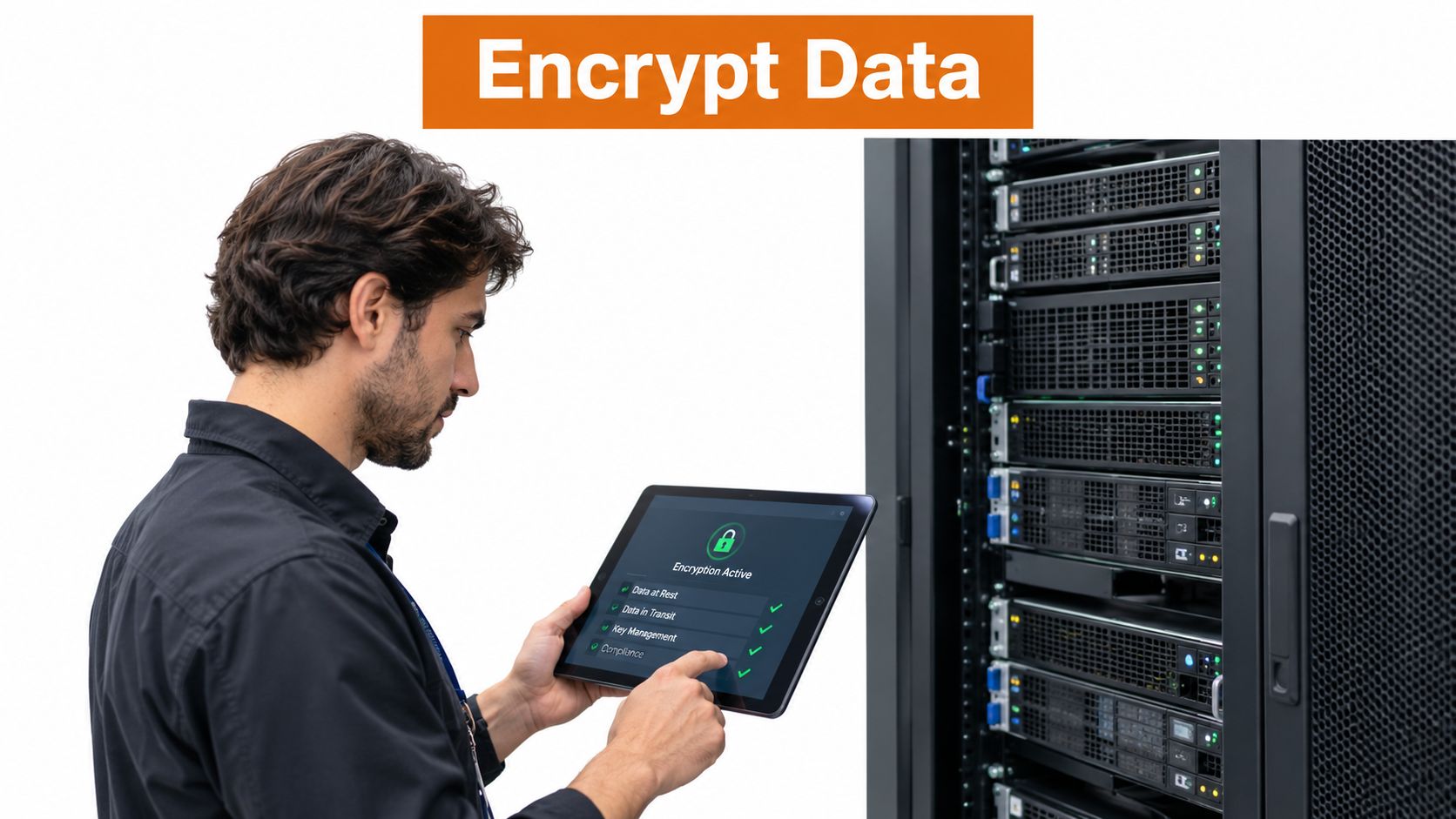
Key rotation should be rehearsed, not merely scheduled. Generate a replacement, verify that reads and writes work with the new key, retain controlled access to the previous key for migration, and retire it after verification. After suspected exposure, revoke and rotate immediately, then investigate access logs.
7. Monitor and Log All Security-Relevant API Activities
A failed login, role change, token refresh, webhook delivery, approval, publishing request, deletion, and analytics export should create an attributable event. Without that trail, responders may revoke credentials but still cannot determine the incident's scope or identify which content reached which account.
Use structured events instead of free-form messages. Include fields such as user_id, tenant, action, resource identifier, timestamp, source IP, user agent, request ID, result, and authentication method. Service actions should record the worker or client identity and originating job ID. Use token prefixes or fingerprints only when correlation requires them. Never log complete secrets.
Alert on behavior, not isolated errors. Useful signals include repeated authentication failures, unusual geography, a new publishing client, unexpected scope changes, mass deletions, repeated webhook failures, and a sudden increase in accounts touched by one integration. Set thresholds from normal activity and review them regularly, otherwise responders start ignoring noisy alerts.
Store high-value audit events in an append-only or otherwise tamper-resistant destination. Keep operational logs separate from security audit records, limit deletion permissions, and forward relevant events to a SIEM or centralized security platform. Redact post content, personal data, and tokens unless an approved investigation requires controlled access.
Apply the social media security baseline principle of recording account activity and preserving evidence. In API architecture, a worker publishing for a user should leave a chain from user approval through queue insertion to the platform response. Include failure responses and retry history, since a successful retry can conceal the original authorization or delivery problem.
Build separate dashboard views for engineers, product leads, and responders. Engineers need error rates, latency, retries, queue depth, and webhook delivery status. Security responders need actor, account, permission, credential, and source-context views. Product leads need publishing outcomes and affected tenants. A weekly review can expose gradual permission drift, while automated detection handles events requiring immediate action.
8. Implement API Key and Secrets Management with Rotation and Revocation
A single integration key shared across environments is an incident multiplier. If development, staging, and production use different credentials, a test leak doesn't automatically grant production publishing access. If publishing and analytics use separate scopes, an exposed read-only credential has a smaller blast radius.
Centralize secrets in a managed system such as HashiCorp Vault or AWS Secrets Manager. Applications should retrieve secrets at runtime through workload identity, keep them in memory only as long as necessary, and prevent them from appearing in traces, exception messages, shell history, or build logs. Environment variables are preferable to source-code constants, but they're not a complete governance system for large deployments.
Design each credential with:
- Narrow purpose: Separate publish, analytics, administration, and migration credentials.
- Tenant isolation: Generate credentials per customer or integration where the platform model supports it.
- Short lifetime: Prefer short-lived credentials and automatic renewal over indefinite keys.
- Immediate revocation: Give responders a tested, low-friction way to disable a key.
- Usage visibility: Record creation, reads, rotation, revocation, client identity, and source context.
A safe rotation sequence is dual operation. Create the new credential, deploy it, validate a real but low-risk request, then retire the old credential. Keep the transition window controlled and short. If the provider doesn't support overlapping credentials, schedule a maintenance path and make the failure mode explicit.
The credential management guide for developers provides a useful conceptual reference for separating secrets from application logic. Your implementation still needs provider-specific controls, including scope restrictions, callback protection, and platform revocation behavior.
Rotate after suspected compromise without waiting for certainty. During the investigation, preserve evidence through audit records while blocking further use. A revoked key should fail closed, and the product should surface a clear reauthorization path rather than repeatedly retrying a dead credential.
9. Validate Webhook Signatures to Prevent Request Spoofing
Webhook endpoints are public by design, which makes them attractive targets. Anyone can send an HTTP request to a reachable URL unless your service verifies that the sender produced the message. A forged “post published,” “account connected,” or “payment confirmed” event can trigger unauthorized state changes if the handler trusts the payload.
Validate the provider's signature against the exact raw request body before JSON parsing or business processing. Use the provider's documented HMAC scheme, retrieve the signing secret from your secrets manager, and compare signatures with a timing-safe function. If the provider includes a timestamp, reject messages outside a controlled tolerance and record the decision.
A handler follows this order:
- Read raw bytes: Preserve the original body used to calculate the signature.
- Verify authenticity: Reject missing, malformed, or invalid signatures before calling internal services.
- Check freshness: Validate timestamps and nonces to limit replay.
- Deduplicate: Store the provider event ID or request ID and make processing idempotent.
- Queue safely: Acknowledge only after durable acceptance, then process the event asynchronously.
- Recheck critical state: Use a trusted API call before changing ownership, permissions, billing, or publishing state.
The webhook implementation guide explains why a callback is an event-delivery mechanism rather than proof that an action is valid. Signature verification authenticates the sender, but it doesn't automatically authorize every requested state transition.
Support secret rotation with overlapping verification keys during a controlled migration. Log successful and failed verification attempts with event IDs, provider, timestamp, and failure category. Don't log the shared secret or the full payload when it contains private data.
Test negative cases deliberately. Send an unsigned request, alter one byte of the body, reuse an old timestamp, submit the same event twice, and deliver events out of order. The handler should reject, deduplicate, or reconcile each case without creating duplicate posts or granting access.
10. Conduct Regular Security Testing and Vulnerability Assessments
Security testing should exercise the paths that can publish, delete, authorize, recover, and export. A dependency scan won't find a tenant-isolation flaw, and a penetration test won't replace routine static analysis in every pull request. Use several layers so each method catches what the others miss.
Start with automated checks in CI/CD. SAST can identify unsafe patterns in application code. SCA can flag vulnerable dependencies. DAST can probe running endpoints for authentication, injection, and configuration issues. Add secret scanning to prevent tokens from entering commits, artifacts, or issue comments.
Test social-specific authorization cases manually and automatically:
- A user from one tenant requests another tenant's account.
- An Analyst calls a publish or delete endpoint.
- An expired OAuth grant reaches a worker.
- A replayed webhook attempts to repeat a state change.
- A modified queue message changes the target social account.
- A media URL resolves to an internal service.
- A revoked credential continues to receive retries.
Use the OWASP Top 10 project as a common vocabulary for injection, broken access control, cryptographic failures, and other application risks. Tools such as Snyk and Burp Suite can support dependency and dynamic testing, but the engineering team must still verify whether a finding affects the actual authorization and publishing model.
Run scans continuously enough to catch changes before release, and commission an external penetration test for an independent view of your exposed API and infrastructure. Define scope around OAuth callbacks, webhook receivers, account connection, media handling, queues, admin endpoints, and recovery workflows. Track each finding to remediation, owner, deadline, and retest evidence.
A bug bounty can add useful coverage once the product has clear disclosure rules and safe test boundaries. Testing only matters when findings lead to fixes, regression tests, and updated runbooks. The best result is not a clean report for one day, but a pipeline that prevents the same weakness from returning.
10-Point Social Media Security Comparison
| Security Measure | Implementation Complexity 🔄 | Resource Requirements ⚡ | Expected Outcomes 📊 | Ideal Use Cases 💡 | Key Advantages ⭐ |
|---|---|---|---|---|---|
| Implement OAuth 2.0 for Secure API Authentication | Moderate–High: platform-specific flows, refresh logic | Backend token store, secure servers, refresh jobs | Secure delegated access, revocable tokens, audit trails | Third‑party API access, multi‑account social publishing | Granular scopes, no password storage, instant revocation |
| Enforce Role‑Based Access Control (RBAC) for Team Accounts | Moderate: role matrices and lifecycle management | Admin UI, audit logs, periodic reviews | Least‑privilege enforcement, reduced insider risk | Agencies, multi‑tenant teams, enterprise workflows | Limits blast radius, clear accountability, compliance support |
| Enable Multi‑Factor Authentication (MFA) for All User Accounts | Low–Moderate: integrate TOTP/SMS/hardware keys | Auth service, user support, backup code handling | Dramatic reduction in account takeover risk | Admins, high‑value/verified accounts, publishing users | Strong protection vs credential attacks, compliance gains |
| Validate and Sanitize All API Inputs to Prevent Injection Attacks | Moderate: schemas per payload and platform rules | Validation libraries, testing, CPU overhead | Prevents SQL/XSS/command injection; fewer runtime errors | APIs accepting UGC, media uploads, metadata fields | Stops injection attacks, consistent platform-safe payloads |
| Implement Rate Limiting and Throttling to Prevent API Abuse | Moderate: distributed algorithms and fairness rules | Redis/Shared store, queues, monitoring, testing infra | Prevents abuse/DDoS, fair resource usage, stability | Public APIs, marketing tools, high‑volume clients | Protects platform quotas, maintains service availability |
| Encrypt Sensitive Data in Transit and at Rest | Low–Moderate: TLS + KMS integration and key policies | KMS, crypto CPU, key rotation processes, backups | Protects credentials/data from interception and breaches | Any system storing tokens, PII, backups, credentials | Prevents data leaks, meets regulatory encryption requirements |
| Monitor and Log All Security‑Relevant API Activities | Moderate–High: centralization, schema, alert tuning | ELK/Datadog/Splunk, storage, analysts, alerting rules | Faster detection, forensic evidence, compliance support | Security ops, incident response, audit requirements | Real‑time alerts, forensic trails, anomaly detection |
| Implement API Key & Secrets Management with Rotation & Revocation | High: rotation, revocation, environment coordination | Secrets manager (Vault/AWS), CI/CD, access policies | Minimized credential exposure, instant revocation, scoped access | Service integrations, developer APIs, automation | Scoped keys, rotation without downtime, auditability |
| Validate Webhook Signatures to Prevent Request Spoofing | Low: HMAC/pubkey checks, timestamp/nonce verification | Shared secret storage, clock sync, idempotency store | Ensures authenticity of webhook events; prevents replay | Incoming webhooks driving actions, real‑time automations | Lightweight cryptographic proof, low overhead, prevents spoofing |
| Conduct Regular Security Testing and Vulnerability Assessments | Moderate–High: tooling + manual pentests and triage | SAST/DAST/SCA tools, external pentesters, dev remediation time | Identifies vulnerabilities early; quantifies risk; reduces incidents | Release cycles, compliance audits, high‑risk systems | Proactive discovery, prioritized remediation, improves posture |
From Checklist to Continuous Security Practice
The ten controls work best as one operating system. OAuth limits how applications obtain authority. RBAC limits what people can do with that authority. MFA protects human access, while input validation, rate limiting, encryption, logging, secrets management, and webhook verification protect the paths between users, services, and platforms. Testing checks whether those controls remain true after the next feature ships.
A practical rollout should begin with the controls that reduce immediate account and credential exposure. In week 1, enable MFA for every user and rotate long-lived tokens, especially credentials used by administrators, publishers, and production workers. Choose phishing-resistant methods for privileged users where platforms support them, and confirm that recovery email addresses, phone numbers, backup codes, and active sessions belong under organizational control.
During weeks 2 through 4, ship server-side input schemas and webhook signature validation. Add raw-body verification, replay protection, idempotency, and negative tests before expanding event-driven automation. At the same time, ensure that every publishing request validates tenant ownership, target-account authorization, approval state, and platform-specific payload rules immediately before execution.
Use weeks 5 through 8 to centralize secrets, add structured security logs, and enforce rate limits. Route credentials through a secrets manager, separate environments and integration purposes, and rehearse rotation and revocation. Send immutable audit events to a centralized destination, then create alerts for suspicious authentication, permission, publishing, deletion, and token activity. Apply quotas to users, tenants, keys, endpoints, and workers, with a kill switch for emergency publishing suspension.
In weeks 9 through 12, commission the first SAST and SCA pipeline, add DAST coverage for exposed APIs, and engage an external penetration tester. Give the tester the workflows that matter most, including OAuth, webhooks, account recovery, media downloads, queues, and tenant isolation. Treat every finding as an engineering work item with a verified fix and regression coverage.
Government guidance consistently favors documented policies, authorized publishing, approval workflows, logging, and tested recovery rather than informal account ownership. That matters even more when platforms don't integrate cleanly with enterprise identity systems. The Cerby analysis of social media access management describes the operational difficulty created by inconsistent SSO, SCIM, and lifecycle controls, which is why teams should design explicit provisioning, offboarding, temporary access, and support-recovery procedures instead of assuming the platform will provide them.
Mallary.ai can fit into this architecture when a team wants one integration surface for publishing and engagement across supported social platforms. Its publisher describes a single API, MCP agent interface, and CLI, with OAuth handling, rate limits, token refresh, idempotency, retries, durable job queues, webhooks, and preflight checks. Those capabilities can reduce the amount of platform-specific plumbing your team must maintain, but your application still owns tenant authorization, approval policy, audit requirements, and incident response.
The engineering mantra is simple: treat every token like a database password and every webhook like an untrusted network input.
Mallary.ai gives product teams a single API and dashboard for publishing, engagement, and analytics across major social platforms, while handling OAuth, token refresh, rate limits, idempotency, retries, and durable queues. If you're embedding social features into a SaaS product or operating multiple accounts, visit Mallary.ai to evaluate the integration against your security and delivery requirements.
Try it with Mallary
STOP!
Want ChatGPT or Claude to post on social media for you?
Connect your social accounts one time. Then tell your AI what to write. It can make your posts, share them, and reply on social sites that allow replies. You do not need to write code.
Pick your AI





Connect once. Ask in plain English. Mallary does the work.


